My Function Times Out on Vercel
Raising the timeout buys you seconds. Here is how to tell which of the four common causes is behind your 504s and restructure the work so it stops timing out.
 SprintX Team6 min read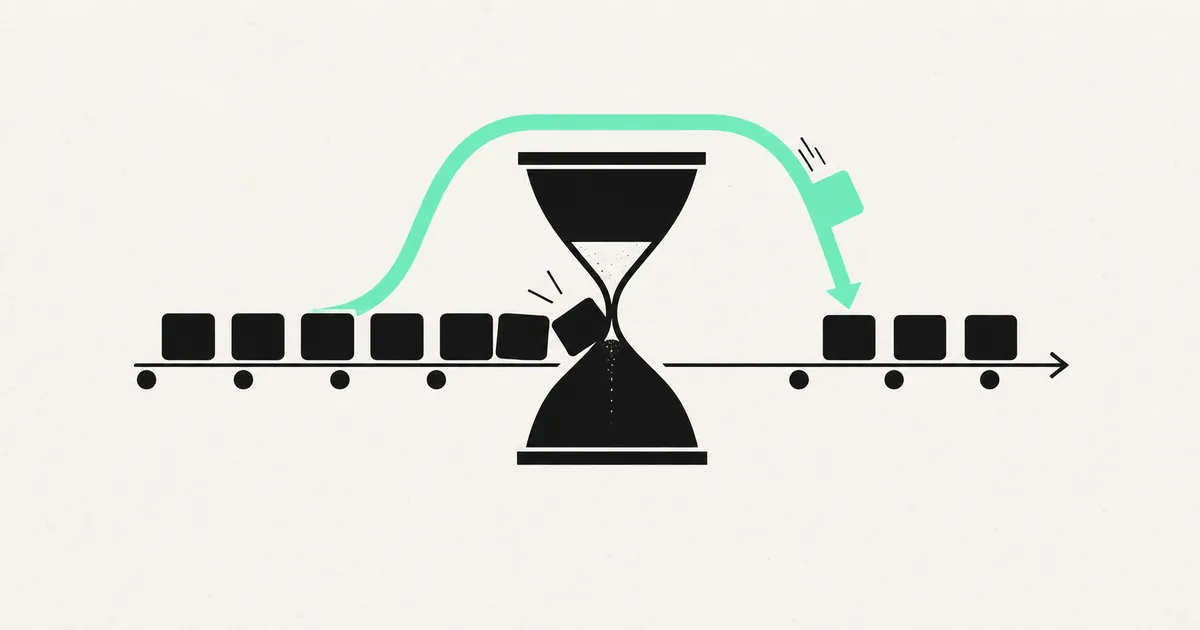
The request hangs. Ten seconds pass, then the browser gets a 504 and your logs say the function exceeded its maximum duration. Locally, the same endpoint returns in four seconds — slow, but it returns.
The instinct is to go looking for the setting that makes the timeout bigger. That setting exists, and raising it is occasionally the right call, but it is worth being clear about what you are buying: more seconds for a request that a user is already tired of waiting for. Serverless timeouts are less a configuration problem than a signal that a piece of work does not belong in a request/response cycle.
There are four things that time out, and they need four different fixes. Start by figuring out which one you have.
Read the duration, not just the error
Your host's function logs report the execution duration of every invocation, including the ones that succeeded. That distribution is the diagnosis:
- Every invocation is slow, at a similar duration. Something in the function is consistently expensive — an AI call, a big query, an external API. Cause 1 or 2.
- Most are fast, a few blow past the limit. The work scales with input size or row count. Cause 3.
- The function used to be fast and is now slow at the same code. Data volume grew underneath it, or a downstream dependency got slower.
- Duration sits exactly at the limit, every time, with no useful log lines. Nothing is slow; something is hanging. Cause 4.
Add timing logs around each external call inside the handler before you change anything else. Five minutes of instrumentation beats an hour of guessing at which line is the expensive one, and it is the same discipline that adding observability to an AI-generated app is built on.
Cause 1: work that should never have been in a request
This is the big one, and it is nearly universal in AI-generated backends. The generated route handler does everything inline: receive the upload, transcode the file, call an LLM, generate a PDF, write to the database, send three emails, return a response. It works in development against one small file. In production against a real one, it does not finish.
The fix is not a longer timeout. It is to make the endpoint accept the work and acknowledge it immediately, then do the work elsewhere. The handler writes a job row with status 'pending' and returns a job id in well under a second. A background worker or queue picks it up, processes it, and updates the row. The client polls the job or subscribes to a change stream.
That restructure is more work than changing a config value, and it is the difference between an app that degrades gracefully under load and one that 504s. Background jobs in an AI-generated app covers the implementation patterns, including the lightweight options that do not require standing up new infrastructure.
The user experience also improves. A progress state that says "generating your report" beats a spinner that dies at ten seconds and loses the work entirely.
Cause 2: AI and third-party calls with no ceiling
If your endpoint calls a language model, you have imported someone else's latency into your request budget. A long completion can legitimately run tens of seconds, and it will occasionally run much longer than its own average. Chain two of them and you are over any reasonable limit before you have done anything of your own.
Three mitigations, in order of value:
Stream the response. Streaming sends tokens as they are produced, so the connection stays active and the user sees output immediately rather than waiting for the whole completion. For chat and generation interfaces this is the correct answer, not a workaround.
Set explicit client timeouts on every outbound call. A fetch with no timeout will wait as long as the platform allows, which means one slow dependency consumes your entire budget and you cannot even return a useful error. Set a timeout below your function limit and handle the failure deliberately.
Move multi-step chains off the request path. Anything that calls a model more than once, or calls a model and then does more work with the result, belongs in a job. If those chains are also expensive, reducing OpenAI API costs covers trimming the calls themselves.
Cause 3: queries that grew up
The endpoint was fast with 200 rows and times out at 200,000. Usually one of a small set of causes: a missing index forcing a sequential scan, an N+1 pattern issuing one query per item in a loop, a query that fetches every row and filters in application code, or an unbounded result set with no pagination.
Turn on slow query logging and run an execution plan on the query the endpoint makes. A sequential scan on a large table with a WHERE clause on an unindexed column is the single most common finding, and adding the index is a one-line change that turns eight seconds into eight milliseconds. The broader version of this problem is covered in why an app gets slow once it has real data.
Also check connection behavior. Serverless functions scale horizontally, and each concurrent invocation can open its own database connection. Exhaust the pool and new invocations sit waiting for a free connection until they time out — a timeout with no slow query anywhere in it. Route through a connection pooler.
Cause 4: the function that hangs rather than works
Duration pinned exactly at the limit with no progress in the logs usually means something never resolves. A promise that is awaited but never settles. A fetch to an internal URL that resolves back to the function itself. A retry loop with no maximum. Or, on some runtimes, a response that was sent but the handler never returned, leaving the invocation alive until the platform kills it.
Runtime choice matters here too. Edge runtimes have much tighter limits and a restricted API surface than standard Node functions, and a route silently deployed to the wrong runtime will fail on work the other would handle fine. Check which runtime each route is actually using before assuming your limit is what you think it is.
Choosing the fix
| Symptom | Cause | Right fix |
|---|---|---|
| Long inline pipeline in one handler | Work in the request path | Job row plus background worker |
| Single LLM call, variable duration | Third-party latency | Stream the response |
| Multi-step AI chain | Compounded latency | Move the chain to a queue |
| Slow only with large datasets | Missing index or N+1 | Index, paginate, batch |
| Slow under concurrency only | Connection pool exhaustion | Use a pooler |
| Pinned at the limit, silent logs | Hang or unresolved promise | Timeouts on every await |
| Genuinely bounded 20-second job | Legitimately long request | Raise the limit, with a ceiling |
Raising the configured limit is the right answer in exactly one case: the work is bounded, cannot be deferred, and completes reliably within the new limit with margin. A report export that always takes twelve seconds qualifies. A pipeline whose duration depends on user input does not — you are just moving the failure to a larger input.
Frequently asked questions
Why does it work locally and time out deployed? Your local machine has no execution limit, a database on the same host with sub-millisecond latency, warm caches, and a dataset that fits in memory. Production adds network hops, cold starts, real data volume, and a hard ceiling. Test against a production-sized dataset with the platform's limit enforced and the gap closes.
Is upgrading my hosting plan a real fix? It buys headroom, and headroom has value when you are mid-launch. It does not change the shape of the problem: a function whose runtime scales with user input will eventually exceed any limit. Use the upgrade to buy time for the restructure, not instead of it.
Do I need a queue service to run background jobs? Not necessarily. A jobs table plus a scheduled function that claims and processes pending rows handles a surprising amount of production traffic, and it uses infrastructure you already have. Reach for a dedicated queue when you need concurrency control, retries with backoff, or ordering guarantees.
If your app is throwing 504s on the endpoints that matter most and every fix so far has been a bigger timeout, the work needs restructuring rather than more seconds. SprintX moves long-running work off the request path, adds the indexes and pooling underneath it, and hands back an app that stays responsive under real load. Send us your repo or the failing endpoint.
Engineering and operations
Once it’s live, we keep it healthy.
Monitoring, backups, security updates and a monthly health report you can read in ten minutes.
Keep reading.
More on engineering and operations
Engineering and operations · 8 Aug 2026 · 6 min read
My Images Load Locally and 404 in Production
Broken images after a deploy are rarely about the images. They are about filesystem case, asset pipelines, and storage rules — and each has a specific fix.

Engineering and operations · 7 Aug 2026 · 6 min read
My Environment Variables Work Locally and Not in Production
The four reasons an environment variable is undefined in production but fine on your machine, how to tell them apart, and how to manage secrets properly.

Engineering and operations · 14 Aug 2026 · 8 min read
Load Testing Before You Get the Traffic You Wanted
A launch that works is the most expensive way to discover your connection pool holds twenty. Here is how to find your breaking point on purpose, first.