How to Get Your Code Off Replit
Replit gives you real files, but not a portable app. Here is how to get the code out, replace the platform-specific pieces, and run it on infrastructure you own.
 SprintX Team6 min read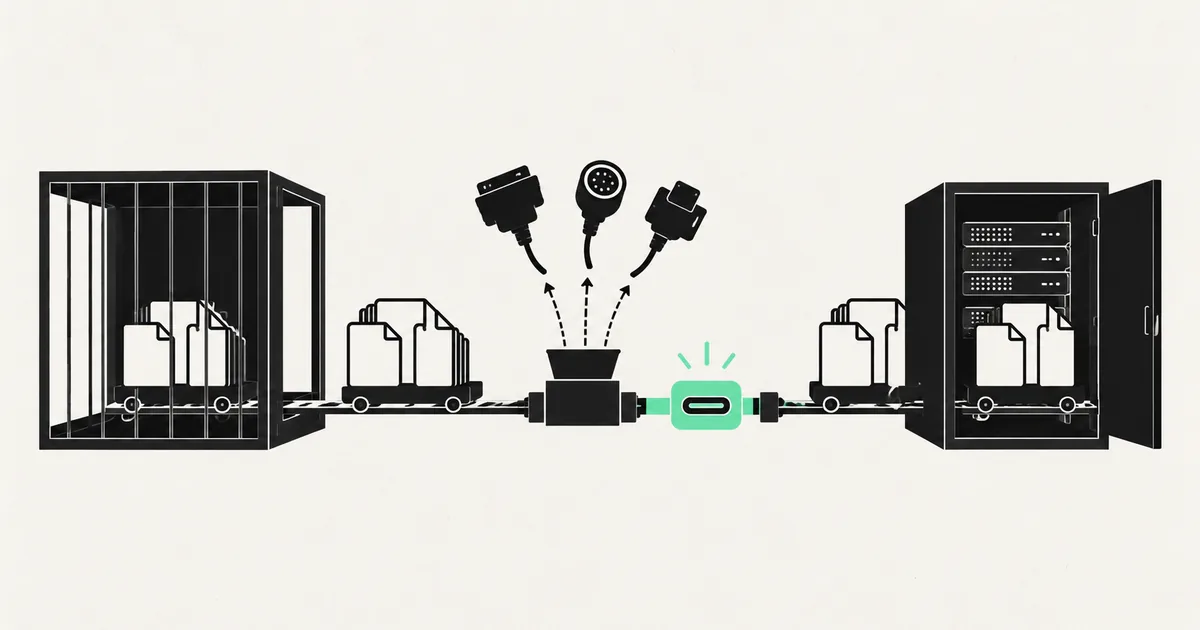
Replit is one of the more honest AI builders about code ownership: you are looking at real files in a real filesystem, and there is a git panel right there. So founders assume the export is a five-minute job.
Downloading the files is the five-minute job. Getting an app that still runs after you download it is the part that surprises people, because the Replit Agent has usually wired your app into services that only exist inside Replit — its key-value store, its auth, its object storage, its secrets manager, its deployment runtime.
This guide covers both halves: getting the code out cleanly, and finding every platform dependency before it becomes a production outage somewhere else.
Step 1: get a real git history, not a zip
You can download a zip from the Replit UI, and if all you want is a backup, that is fine. It is a bad starting point for engineering work, because you lose every commit the Agent made and you inherit a directory full of untracked build artifacts.
Do this instead:
- In the Replit workspace, open the Git panel and connect a GitHub, GitLab, or Bitbucket repository you own. Push everything.
- Clone that repository locally and confirm the app builds from a clean checkout — no node_modules, no local caches, nothing you did not commit.
- Check what leaked into version control. Replit projects routinely have build output, .env files, and SQLite databases committed because the Agent never wrote a serious .gitignore. Search the history for credentials before the repo goes anywhere near a team; our guide on secret scanning an AI-written codebase covers the tooling.
- Only now start deleting. Fixing .gitignore before you have a full history makes it harder to tell what was ever there.
If the clean checkout does not build, the missing piece is almost always an environment variable or a package that was installed into the Replit container rather than declared in your manifest. That is a preview of step 2.
Step 2: inventory the Replit-only pieces
Every Replit feature that saved you an afternoon is now something you have to replace. Grep the codebase for the Replit SDK imports and for environment variables that start with REPL, then work through this list:
| Replit feature | What it actually is | What you replace it with |
|---|---|---|
| Replit Database | Hosted key-value store, Replit-only API | Postgres, Redis, or Cloudflare KV — usually Postgres, since you need one anyway |
| Replit Auth | Managed identity tied to Replit accounts | Supabase Auth, Clerk, Auth0, or your own sessions |
| Object Storage | Bucket API with implicit credentials | S3, R2, or Supabase Storage with explicit keys |
| Secrets pane | Injected env vars at runtime | Your host's env config, plus a .env.example checked in |
| .replit and replit.nix | Run command and system packages | Dockerfile or your host's build config |
| Deployments (Autoscale/Reserved VM) | Managed runtime and scaling | Vercel, Fly.io, Render, Railway, or a VPS |
| Always On | Keeps a long-running process alive | A real process manager or a worker service |
The two that cost real time are the database and auth. A key-value store used as a primary database usually means there is no schema anywhere — the shape of your data exists only in the code that writes it. Reconstructing that into relational tables is a design exercise, not a copy job, and it is the single best moment to fix the modeling mistakes the Agent baked in.
Replit Auth is worse in one specific way: your users' identities are tied to Replit accounts. You cannot migrate a password you never held. Plan for a re-authentication event — magic links to known email addresses, usually — rather than a silent cutover.
Step 3: move the data before you move the app
If your project used the built-in Postgres, take a dump with pg_dump against the connection string in your secrets, restore it into the new database, and diff row counts per table. Do this while the Replit deployment is still live so you can repeat it.
If you used Replit Database, write a one-off export script that iterates every key and writes JSON to disk. Run it twice, an hour apart, and diff the output. That tells you which keys are actually mutating in production and therefore which ones need a final sync at cutover.
Keep the old deployment running, read-only if you can, until the new one has served real traffic for a few days. Cheap insurance.
Step 4: rebuild the runtime honestly
The .replit file hides how your app really starts. Before you leave, open it and write down the exact run command, the exposed port, and anything in replit.nix that is a system package rather than an npm or pip dependency — image processing libraries and headless browser binaries are the usual suspects.
Then make the app boot from a Dockerfile or a documented build command on your target host. If it only starts under Replit's runner, you have not exported it yet. Environment variables are the other common trap here; if the app boots but every external call fails, start with our post on environment variables that stop working after a move.
Step 5: verify it off-platform before you cut over
Deploy the new version somewhere real and exercise the paths that touch the pieces you replaced: sign up, log in, upload a file, write a record, trigger any scheduled job. Watch the logs while you do it rather than trusting a green build.
Replit projects vary more than output from other builders, because the Agent works autonomously across long sessions — two apps with the same feature list can have completely different internals. That is why an audit pass is worth more here than elsewhere before you commit to a host. If you want the deployment side in detail, see taking a Replit app to production, and self-hosting an app built in an AI builder if you are moving to your own infrastructure.
Frequently asked questions
Can I keep using Replit for development and host production elsewhere? Yes, and it is a reasonable setup for a while. Keep git as the source of truth, treat the Replit workspace as one more clone, and ban Replit-only services from the codebase so the two environments stay interchangeable. The moment a feature only works inside Replit, you are back to a single-environment app.
Will the Agent's code run anywhere else without changes? The application code usually will. The glue almost never does — hardcoded ports, implicit credentials, file writes to paths that only exist in the container, and background work assumed to run in the same process as the web server. Budget a day for the glue on a small app.
Is it worth exporting if the app is still an experiment? Push it to your own git repository today regardless; that part costs nothing and gives you a history. Replacing the platform services can wait until you have users, money moving through the app, or a reason to care about builder lock-in.
If you have a Replit project that works in the workspace and nowhere else, the export is not your real problem — the platform dependencies underneath it are. SprintX maps those dependencies, replaces them with services you own, and gets the app running on your infrastructure with the data intact. Send us the Replit link and we will tell you what the move involves.
Building software
Systems your business runs on.
Custom platforms, internal tools and integrations that move work off spreadsheets.
Keep reading.
More on building software
Building software · 28 Jul 2026 · 6 min read
How to Get Your App Out of Base44
Base44 hands you a frontend and keeps the backend. Here is what you can actually export, what has to be rebuilt, and the order that keeps the app running.

Building software · 27 Jul 2026 · 6 min read
How to Export Your Code Out of Lovable
Getting the repo out of Lovable takes ten minutes. Getting the app to actually run somewhere else takes a bit more — here is the full list, in order.
Building software · 27 Jul 2026 · 6 min read
How to Export Your Code Out of Bolt
Getting the files out of Bolt is a button. Getting the project to build, run, and deploy on real infrastructure is the part worth reading about.