How an AI Receptionist Works for a Small Business
A plain-English walkthrough of how an AI receptionist answers calls, books appointments, and hands off to humans for a small business.
 SprintX Team8 min read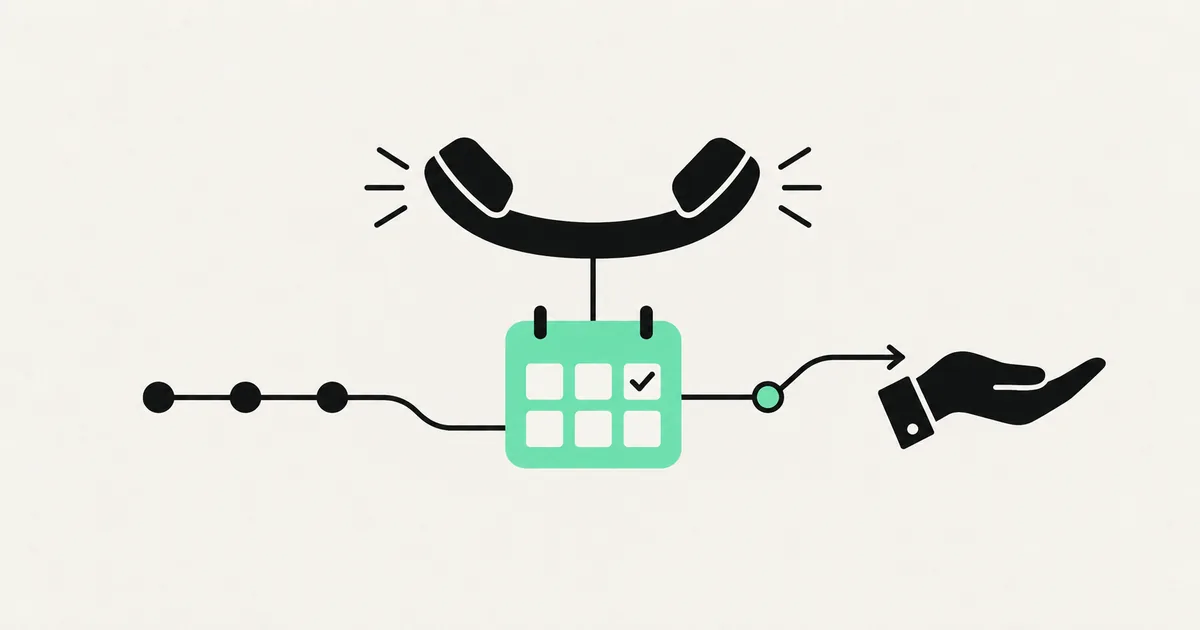
A missed call is a missed customer. For a small business, the person who calls and gets voicemail usually just calls your competitor next. But hiring a full-time receptionist costs real money, and an answering service reads from a script and books nothing. An AI receptionist sits in the gap: it answers every call in your business's voice, handles the routine stuff, books appointments, and only bothers you when it should.
This guide explains how an AI receptionist actually works — what happens during a call, what it can and cannot do, what it costs, and when a human is still the right answer.
What an AI receptionist is
An AI receptionist is a voice agent that answers your phone. It is not a robotic phone tree with "press 1 for sales." It is a natural-sounding conversation: the caller speaks normally, the AI understands, responds, and takes action — checking your calendar, booking a slot, answering a question, or taking a message. Built on modern voice platforms like Vapi or Retell, the voice is close enough to human that most callers do not realize, and the good ones are polite enough that it does not matter.
The point is not to sound human for its own sake. It is to make sure every call gets answered, every time, day or night — without you buying a phone shift you cannot afford.

How a call actually flows
Here is what happens end to end when someone calls a business running an AI receptionist.
- The call comes in. Your number forwards to the AI agent — no new hardware, just call forwarding on your existing line.
- It answers instantly with your greeting: "Thanks for calling Bright Smile Dental, how can I help?"
- It listens and understands. Speech-to-text turns the caller's words into text; the AI works out what they want.
- It responds and acts. For a booking, it checks your live calendar, offers open times, confirms, and writes the appointment in. For a question, it answers from the info you gave it.
- It hands off when needed. For anything sensitive, complex, or out of scope, it takes a message or transfers to a human — with the context already captured.
- It logs everything. You get a transcript, a summary, and the caller's details in your CRM or inbox.
The whole loop — hear, understand, act, confirm — happens in a couple of seconds per turn, fast enough to feel like a normal conversation.
What it can and cannot do
Being honest about the boundaries is what keeps callers happy.
| Handles well | Better left to a human |
|---|---|
| Booking, rescheduling, cancellations | Emotional or complaint calls |
| Answering FAQs (hours, pricing, location) | Complex custom quotes |
| Qualifying and routing leads | Sensitive medical or legal advice |
| Taking detailed messages | High-value negotiation |
| Confirming and reminding about appointments | Anything requiring real judgment |
A well-designed AI receptionist knows its limits. It does not pretend to handle a distressed caller or improvise a quote it is unsure about — it gathers the details and routes to you. That graceful handoff is the difference between a helpful agent and a frustrating one.
What it costs
AI receptionist pricing has a setup and a running component. Rough 2026 figures for a small business:
| Item | Typical range |
|---|---|
| Setup / build (one line, calendar + FAQs) | $1,500 – $6,000 |
| Per-minute usage | $0.07 – $0.20 / minute |
| Monthly (platform + moderate volume) | $100 – $600 |
Compare that with a full-time receptionist at several thousand dollars a month, or an answering service that charges per call and still books nothing. For a business drowning in routine calls, the AI pays for itself fast. If you want the full breakdown of what drives that number, our AI receptionist cost guide goes deeper.
Where it shines for small businesses
Certain businesses feel the benefit immediately:
- Appointment-driven services — dental, salons, clinics, trades. Every after-hours booking the AI captures is revenue you were losing to voicemail.
- High call volume, small team — when the phone pulls staff away from paying customers, the AI absorbs the routine calls.
- Odd hours — anyone whose customers call evenings and weekends, when no human is at the desk.
The common thread is a phone that rings more than you can answer well. The AI does not replace the warmth of your best staff — it stops the calls that were going unanswered entirely. It is a close sibling to using an AI voice agent for lead qualification, just pointed at inbound service calls instead of sales.
Think about what a missed call actually costs. A plumber who misses three calls a day, each worth a $250 job, is leaving roughly $15,000 a month on the table — far more than any AI receptionist costs to run. A salon that captures even a handful of extra weekend bookings pays for the whole system on those alone. The value is not abstract; it is the specific revenue that used to leak out through voicemail. Once the calls are captured, the transcripts and summaries also give you something you never had before: a clean record of what customers are actually asking for, which tells you what to stock, staff, and promote.
Setting one up
A realistic path to going live:
- Define the jobs. List what it should handle: which questions, what booking rules, when to transfer.
- Connect your calendar and tools. Google Calendar, your booking system, your CRM.
- Write and tune the script. The greeting, the personality, the fallback behavior. This is where quality is won or lost.
- Test with real scenarios. Call it yourself, throw curveballs, fix the gaps.
- Forward your line and monitor. Start with overflow or after-hours, review transcripts, and expand as you trust it.
Most small-business setups go live in a week or two. You can see how we scope voice agents on SprintX — the build is quick once the call flows are clear.
Frequently asked questions
Will callers know it is AI? Modern voice agents sound remarkably natural, and many callers do not notice. The best practice is to be helpful and, if asked, honest — a smooth, useful call matters more than fooling anyone.
Can it book directly into my calendar? Yes. It checks live availability, offers open slots, and writes the confirmed appointment straight into your calendar, with reminders to cut no-shows.
What happens with a call it cannot handle? It gathers the details and either takes a message or transfers to a human, passing along the context so the caller never has to repeat themselves.
Is it hard to set up? The technology is not the hard part — the call flows and edge cases are. A properly built agent handles the messy real-world calls gracefully, which is exactly where a good build shows.
Tired of missed calls turning into lost customers? SprintX builds AI receptionists on Vapi and Retell that answer every call, book straight into your calendar, and hand off to you when it counts — fixed-scope quote, and you own it. Book a call and we will map how yours would handle a busy day.
AI agents and automation
AI agents that do the work.
We build agents and automations for the repetitive work your team does by hand, and measure what they save.
Keep reading.
More on ai agents and automation
AI agents and automation · 18 Jul 2026 · 8 min read
AI Receptionist for Law Firms: Intake and Booking, 24/7
How an AI receptionist for law firms captures after-hours leads, runs first-pass intake, and books consultations without missing a call.
AI agents and automation · 18 Jul 2026 · 8 min read
AI Answering Service for HVAC: Never Miss a Service Call
How an AI answering service for HVAC captures every call, triages no-heat emergencies, and books jobs around the clock without a call center.
AI agents and automation · 18 Jul 2026 · 8 min read
AI Receptionist for Salons & Spas: Fill Your Calendar Automatically
How an AI receptionist keeps your chairs full: answering calls while you are mid-service, booking after hours, and rebooking cancellations before the slot goes cold.