Building a Coupon Auto-Apply Extension (Like Honey)
A technical and business look at how a Honey-style coupon extension works and what it takes to build one on Manifest V3.
 SprintX Team9 min read
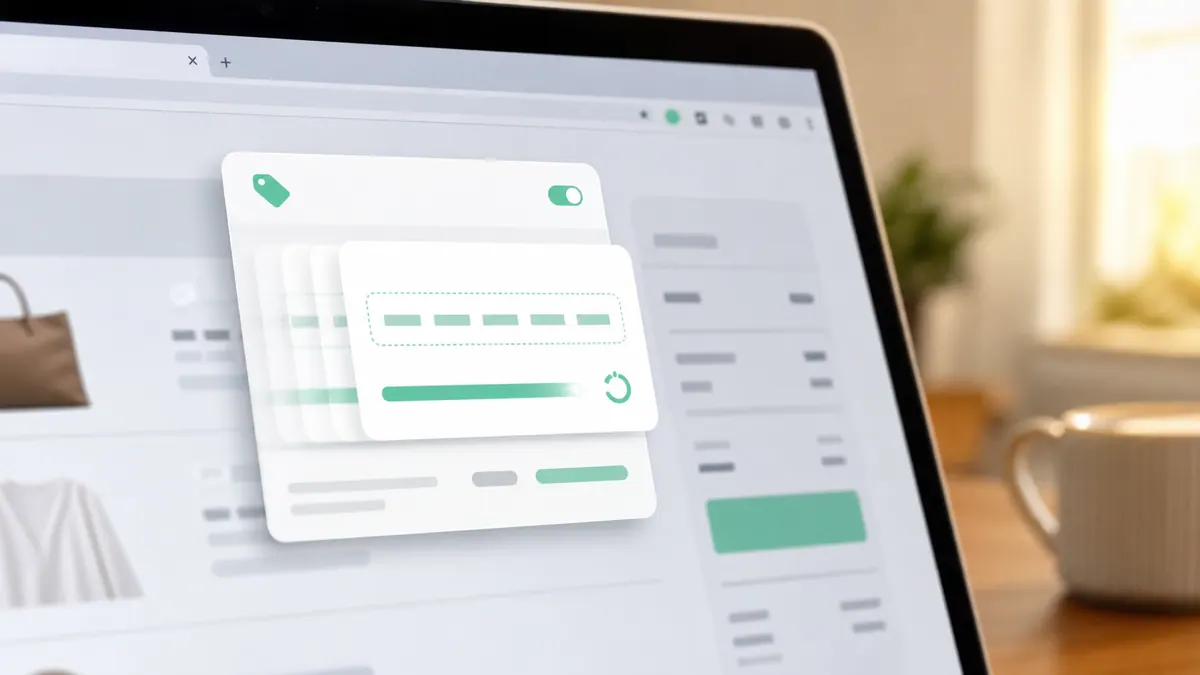
When you land on a checkout page and a little popup offers to "try 14 coupon codes for you," something clever is happening in the background. In a few seconds the extension pastes code after code into the discount box, watches the order total, keeps the one that saved the most, and tells you how much it found. Honey built a business worth billions on that trick before selling to PayPal.
If you are thinking about building something similar — a branded savings extension, a cashback tool, or a coupon layer for a specific niche — this is what is actually under the hood, how the modern Manifest V3 version is built, and what it realistically costs.
How a coupon auto-apply extension works
Strip away the polish and there are four moving parts.
- Site detection. The extension recognizes you are on a supported store and, specifically, on a cart or checkout page where a promo field exists.
- A coupon database. A backend holds known codes per merchant, updated constantly, with data on which codes are working lately.
- The apply-and-test loop. On checkout, the extension pulls candidate codes and tries them one at a time — entering each, submitting, and reading the resulting order total.
- Keep the winner. It compares totals, applies the code that saved the most, and surfaces the result to the user.
The magic everyone remembers is step three, but the durable value is step two: a fresh, accurate coupon database is what makes the tool feel like it works. Stale codes make it feel broken.
The Manifest V3 architecture
Chrome extensions today run on Manifest V3, which changes how this kind of tool is built compared with the old Honey era. The pieces:
- Content script. Injected into supported store pages. It finds the promo input and the order-total element in the page DOM, fills codes, triggers the site's apply action, and reads the updated total. This is the trickiest part — every store's checkout markup is different, so you maintain per-site selectors or heuristics.
- Service worker (background). Replaces the old persistent background page. It talks to your backend to fetch codes, handles auth, and coordinates the test loop. Because service workers are ephemeral in MV3, you design around them spinning up and down rather than running forever.
- Popup UI. A small React or vanilla interface showing available codes, savings found, and settings.
- Backend + database. Outside the extension entirely — an API (Node on Vercel, Supabase, or similar) serving coupon data and collecting which codes succeed, so the database self-heals over time.
MV3's tighter permission and networking model means you request the narrowest host permissions you can justify and route network calls carefully — reviewers scrutinize broad access. If you want the fuller picture of building on the current platform, see our guide to Chrome extension development in 2026.
The hard parts nobody mentions
The demo is easy. The reasons these are genuinely hard projects:
- Every checkout is different. A generic "find the coupon box" heuristic works on maybe 60% of stores. The rest need per-merchant handling, and stores redesign their checkouts without warning, quietly breaking your selectors.
- Reading the total reliably. You must detect when the page has finished recalculating after a code is applied — races here cause the extension to compare stale numbers and pick the wrong code.
- Rate and abuse limits. Hammering a store's promo endpoint with 20 codes in three seconds can trip bot protection. You pace requests and handle failures gracefully.
- Keeping codes fresh. A coupon database decays daily. You need ingestion (crowdsourced success/failure signals, feeds, or partnerships) or the tool rots.
- Store review. The Chrome Web Store reviews extensions that touch checkout and permissions carefully. A clear privacy policy and minimal permissions are not optional.
None of this is exotic, but it is the difference between a weekend demo and something people install and keep.
What it costs to build
Rough ranges for a production-quality build, assuming a real backend and a handful of supported merchants at launch:
| Scope | What you get | Typical range |
|---|---|---|
| MVP / proof of concept | Auto-apply on 5–10 hardcoded stores, basic popup, small manual coupon DB | $6,000 – $12,000 |
| Production extension | 50+ stores with resilient detection, self-updating DB, backend API, Web Store launch | $15,000 – $40,000 |
| Full product | Cashback/affiliate layer, accounts, analytics, mobile companion, ongoing coupon ops | $40,000+ and a maintenance retainer |
The build cost is only half the story. A coupon extension is an ongoing operation — the coupon database and per-store detection need continuous upkeep, and often a separate backend deployment to run it. If your extension needs server-side logic, our note on deploying a Chrome extension backend the right way is worth a read.
The business model reality
Worth saying plainly: the reason Honey was valuable was not the coupon-testing UX. It was the affiliate revenue — the extension attaches its affiliate tag at checkout and earns a commission on the sale. That model drew scrutiny (some argued it overrode other creators' affiliate links), so if you go this route, do it transparently. Alternative models include a flat subscription, a white-label tool you sell to a retailer to keep shoppers on-site, or a niche coupon tool for a specific vertical where a big player has no incentive to compete.
Decide the business model before the architecture. A tool built to save the user money and one built to earn affiliate commission make different engineering trade-offs.
Frequently asked questions
Is it legal to build a coupon auto-apply extension? Building one is legal. The gray areas are affiliate-link handling and scraping coupon data — both are manageable with transparent practices and legitimate data sources. Get the affiliate disclosure right and respect sites' terms.
How does it find working codes? From a backend database you maintain, kept fresh with signals about which codes succeeded at checkout recently. The best tools crowdsource success/failure data from their own users so the database improves as more people use it.
Can it work on any store automatically? Partly. Generic heuristics cover common checkout patterns, but reliable coverage of major stores requires per-merchant tuning. That maintenance is the real ongoing cost.
How long does it take to build? An MVP on a handful of stores is a few weeks. A production extension with a resilient backend and broad store coverage is a couple of months, plus continuous coupon-ops work after launch.
Thinking about building a coupon, cashback, or savings extension? SprintX builds production Manifest V3 extensions with the backends that keep them running — fixed-scope quote, and the code is yours. Tell us what you want to build and we will map the fastest path from demo to Web Store.
Building software
Systems your business runs on.
Custom platforms, internal tools and integrations that move work off spreadsheets.
Keep reading.
More on building software
Building software · 8 Aug 2026 · 6 min read
CORS Errors in an AI-Generated App, Explained Properly
CORS explained without hand-waving, the specific mistakes AI-generated backends make, and why disabling it is the wrong fix even though it works.

Building software · 8 Aug 2026 · 6 min read
My App Shows a Blank White Screen in Production
The blank white screen is not a bug in itself — it is what a single-page app looks like when the first render fails. Here is how to find the real cause fast.

Building software · 6 Aug 2026 · 6 min read
My AI-Built App Is Broken on Mobile
Why AI builders produce apps that look right on a laptop and fall apart on a phone, and the specific fixes for layout, viewport, touch, and performance failures.