How to Automate Appointment Booking End-to-End
A complete, practical playbook for automating appointment booking from first click to confirmed, paid, and reminded — without the double-bookings.
 SprintX Team8 min read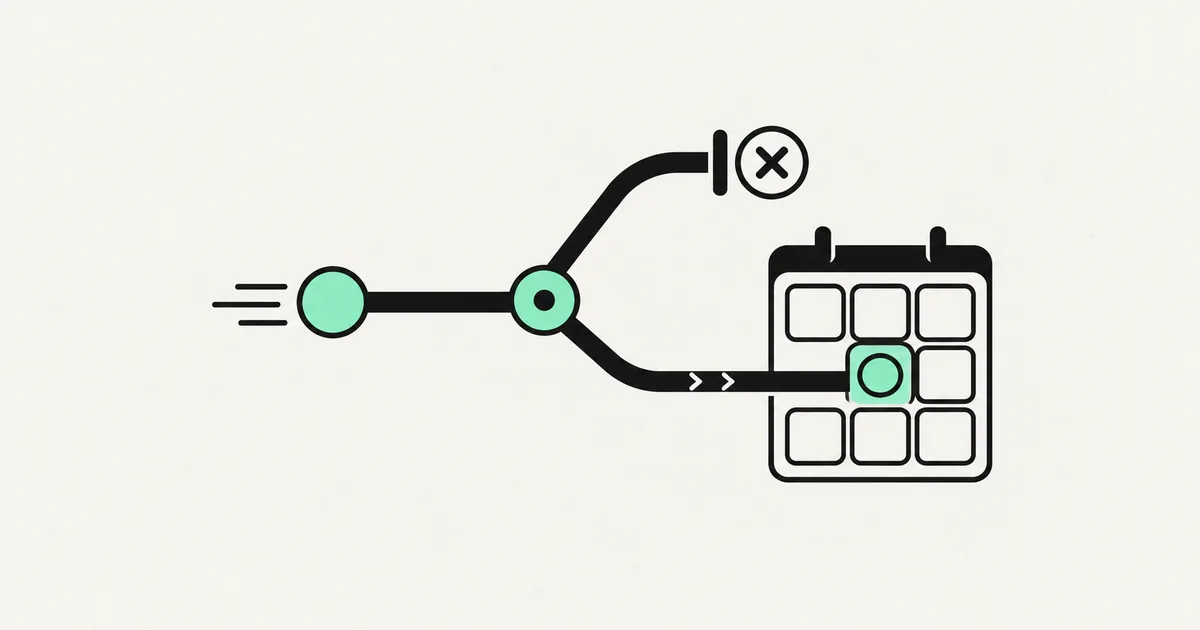
How much of your week disappears into scheduling? The back-and-forth emails, the "does Tuesday work for you," the double-bookings, the no-shows that nobody reminded. For a lot of businesses, booking an appointment is still a manual conversation — and every one of those conversations is a person's time you are paying for.
It does not have to be. A well-built booking automation handles the entire path from a customer's first click to a confirmed, paid, reminded appointment on your calendar, and it does it while you sleep. Here is how the full workflow fits together, what tools to use, and where the tricky parts hide.
What "end-to-end" actually means
Most people think automating booking means dropping a calendar widget on their site. That is one piece. End-to-end means the whole chain runs without a human touching it:
- Capture — the customer picks a service and a time.
- Availability check — the system offers only slots you can actually take.
- Confirmation — the booking lands on your calendar and both sides get a confirmation.
- Payment or deposit — if you charge upfront, money is collected at booking.
- Reminders — automated nudges before the appointment cut no-shows.
- Reschedule and cancel — the customer self-serves without emailing you.
- Follow-up — a thank-you, a review request, or a rebooking prompt afterward.
Skip any of these and you are back to doing part of the job by hand. The value is in closing the whole loop.
The two ways to build it
There is a fork in the road early, and it decides your cost and flexibility.
Off-the-shelf scheduling tools like Calendly, Cal.com, or SavvyCal handle capture, calendar sync, reminders, and reschedules out of the box. You are booking within an afternoon. The limit is that you live inside their flow and their branding, and deep customization — service-specific rules, your own database, unusual availability logic — gets awkward.
A custom booking flow built on your own stack (a Next.js front end, a Supabase database, Stripe for payments, and n8n or direct API calls for the automation) gives you total control of the experience and the data. It costs more upfront but it is yours, it matches your brand, and it can encode rules no off-the-shelf tool supports.

For most small businesses, start with a tool and only go custom when the tool genuinely blocks you. If you are a clinic with insurance rules, a salon with staff-specific services, or a SaaS onboarding flow, custom usually wins.
Building the workflow, step by step
Whichever path you pick, the moving parts are the same.
Availability is the hard part, not the calendar. The mistake is exposing raw calendar free/busy. Real availability is your working hours, minus existing bookings, minus buffer time between appointments, minus blackout dates, filtered by which staff member offers which service. Get this logic right and double-bookings vanish. Get it wrong and you will be apologizing to customers. Sync against a real calendar (Google Calendar or Microsoft 365) as the source of truth so a manually added event blocks the slot too.
Collect a deposit to kill no-shows. Wiring Stripe into the booking step so customers pay or authorize a deposit at the moment they book is the single most effective no-show reducer. People who have money on the line show up. Even a small deposit changes behavior dramatically.
Reminders do the quiet heavy lifting. An automated reminder 24 hours before, and another an hour before, by email and ideally SMS, recovers a meaningful chunk of appointments that would otherwise be missed. This is trivial to automate and pays for the whole system on its own.
Let customers reschedule themselves. Every reschedule link in a confirmation email is a phone call you did not have to take. Give them a self-serve way to move or cancel within your rules (say, no changes within 24 hours), and the automation updates the calendar and notifies everyone.
Add AI where it helps, not everywhere
You do not need AI to book an appointment — a form does that fine. Where AI earns its place is at the edges: an AI voice agent that answers the phone and books the caller in when they would rather talk than click, or a chatbot that handles "do you have anything Thursday afternoon" in plain language and drops the confirmed slot straight into the same calendar. The booking engine stays deterministic and reliable; AI just widens the front door.
What it costs
| Approach | Setup | Monthly | Best for |
|---|---|---|---|
| Off-the-shelf tool (Calendly / Cal.com) | $0 - $300 | $0 - $30/user | Solo and small teams, standard needs |
| Tool + automation glue (n8n, Stripe, SMS) | $500 - $2,500 | $30 - $150 | Deposits, custom reminders, CRM sync |
| Custom booking flow (your stack) | $4,000 - $15,000 | $50 - $300 | Complex rules, own branding and data |
| Custom + AI voice/chat front door | $8,000 - $25,000 | $150 - $600 | High call volume, 24/7 booking |
The running cost is mostly the scheduling tool, SMS credits, and any AI usage. The build cost scales with how custom your availability rules and integrations are.
Frequently asked questions
Can I automate booking without a website? Yes. A hosted scheduling page (Calendly, Cal.com) gives you a shareable booking link with no site required. Put it in your email signature, social bios, and Google Business profile. You can always attach a proper site later.
How do I stop double-bookings? Treat one real calendar as the single source of truth and check live availability against it at the moment of booking, with buffer time built in. Problems appear when two systems each think a slot is free. One calendar, checked in real time, solves it.
What is the best way to reduce no-shows? Two things stacked: collect a deposit at booking, and send automated reminders 24 hours and 1 hour before by SMS and email. The deposit changes intent, the reminders change memory. Together they recover most of the appointments you would otherwise lose.
Do I need n8n or Zapier for this? Only if you are stitching several tools together — payments, SMS, CRM, calendar. For a plain booking page you do not. Automation platforms earn their keep when the workflow branches across multiple systems.
Losing hours to scheduling or money to no-shows? SprintX builds end-to-end booking automation — availability logic, deposits, reminders, and self-serve reschedules — on a fixed-scope quote, so you own the system and stop chasing calendars. Tell us how you book today and we will map the automation.
AI agents and automation
AI agents that do the work.
We build agents and automations for the repetitive work your team does by hand, and measure what they save.
Keep reading.
More on ai agents and automation
AI agents and automation · 11 Jul 2026 · 8 min read
How to Start an AI Agency (and When to Just Hire One)
A candid guide to starting an AI automation agency — what to sell, what to charge, the real work behind delivery, and when hiring a partner is the smarter move.
AI agents and automation · 11 Jul 2026 · 8 min read
How to Connect an AI Assistant to WhatsApp (n8n Guide)
A step-by-step guide to wiring an AI assistant into WhatsApp using n8n, the WhatsApp Business API, and an LLM, plus the costs and pitfalls.

AI agents and automation · 18 Jul 2026 · 9 min read
RPA vs AI Agents: Which Should Automate Your Back Office?
A decision guide to robotic process automation vs AI agents: what each is good at, where each breaks, costs, and how to pick the right tool for back-office work.