Shopify App Development Services: Custom Public & Private Apps
What Shopify app development services actually involve in 2026 — public vs custom apps, the current API and extension stack, cost ranges, and how to choose a builder.
 SprintX Team8 min read
You've searched the Shopify App Store, tried three apps that almost do what you need, and every one either misses the one feature that matters or wants a monthly fee that scales with your order volume forever. At some point the math flips: a custom app you own beats renting five that don't quite fit. The question is whether you need a public app to sell to other merchants, a private app just for your store, or a small extension that solves one sharp problem — and those are three very different projects.
This guide is for the merchant or founder deciding whether to commission a Shopify app. What the types actually are, the current API and extension stack a competent builder uses in 2026, realistic cost ranges, and how to pick a developer who won't hand you something that breaks at the next Shopify platform deadline.
Public vs. custom (private) vs. extensions
"Shopify app" covers three distinct things, and getting the category right saves you money:
- Public app — listed in the Shopify App Store, installable by any merchant, subject to Shopify's review. This is a product you're building to sell, with billing, onboarding, and support obligations.
- Custom (private) app — built for one store (or a small group you control), not listed publicly. This is the right choice when you just need your store to do something the platform doesn't.
- App extensions — smaller add-ons that plug into specific surfaces: checkout UI extensions, theme app extensions, admin blocks, or Shopify Functions that customize discounts, shipping, and payment logic.
Most merchants who think they need "a Shopify app" actually need a custom app or an extension, not a public one. Building for the App Store means taking on review, billing, and multi-merchant support — real work you don't need if the app is just for you.
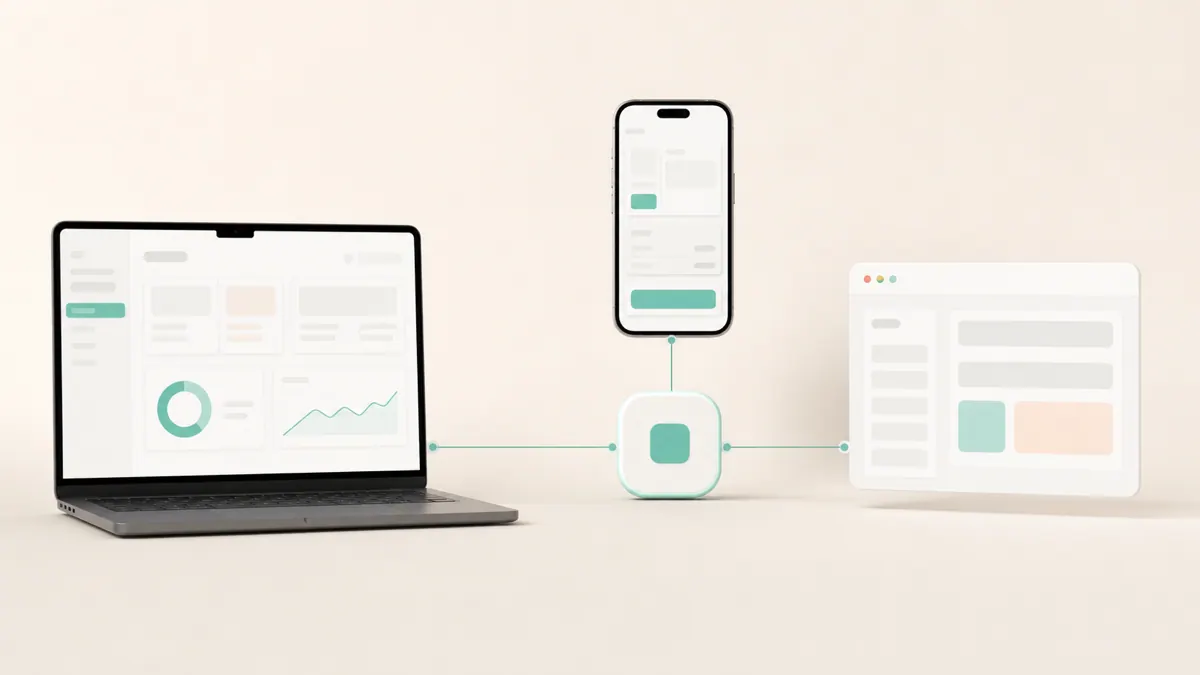
The modern Shopify stack in 2026 (what a good builder uses)
Shopify has retired a lot of the old ways, and building on them is the fastest route to an app that breaks. Here's what current looks like:
| Area | Current standard (2026) | Avoid |
|---|---|---|
| Data & admin | GraphQL Admin API (REST being phased out) | New builds on REST endpoints |
| Storefront / headless | GraphQL Storefront API + Storefront Cart API | The legacy Checkout API (shut down April 2025) |
| Checkout customization | Checkout Extensibility: UI extensions, Functions, Branding API | checkout.liquid, Shopify Scripts |
| Discount / shipping logic | Shopify Functions | Shopify Scripts (retire June 30, 2026) |
| App framework | Shopify's app tooling + React/Node | Deprecated legacy templates |
Two deadlines worth flagging in any 2026 project. Shopify Scripts retire on June 30, 2026 — replaced by Shopify Functions — so anything relying on Scripts needs migrating now. And the non-Plus Thank-you and Order-status page customizations move to Checkout Extensibility by August 26, 2026. If a developer proposes building on checkout.liquid or Scripts, they're quoting from an outdated playbook.
For custom storefronts specifically, the pattern is the Storefront Cart API to build the cart, then hand off to Shopify's hosted checkout — you don't reinvent payments.
What this looks like in practice
A recent client project was a custom storefront rather than an App Store product. The merchant needed delivery-zone logic that no off-the-shelf app handled cleanly — carts that behaved differently based on the customer's location, with rules the store owner could control. We built it on the GraphQL Storefront API with the Storefront Cart API driving the cart and Shopify's hosted checkout closing the sale, so the merchant kept PCI scope low and still got the exact behavior they wanted. Work like this typically runs in phases in the low-thousands-per-phase range, which lets the risky logic get proven before the polish. If you're weighing custom versus configuring existing tools, our take on build vs. buy for e-commerce chat applies to apps too — sometimes an existing app plus a small extension beats a full build.
What Shopify app development costs
Cost tracks scope: how many Shopify surfaces the app touches, whether it stores its own data, and whether it's public (which adds review, billing, and support). Rough 2026 ranges, hedged:
| Project | Typical range | Notes |
|---|---|---|
| Simple extension / Function | ~$2k – $5k | One surface, clear logic |
| Custom (private) app | ~$5k – $15k | Admin + external integration, own data |
| Custom storefront (headless) | ~$8k – $25k+ | Storefront API build, checkout handoff |
| Public App Store app | $15k+ | Plus billing, review, onboarding, support |
Public apps carry ongoing cost most people underestimate: keeping up with Shopify's API version cycle (there's a new version roughly quarterly, and the 2026-07 version restructured several discount fields), plus support and billing. A private app you own has a lighter ongoing burden but still needs maintenance as Shopify evolves.
How to choose a Shopify app developer
Five checks:
- They ask public vs. private first. A builder who immediately steers you to the cheaper right answer, rather than the biggest project, is worth trusting.
- They mention the deadlines unprompted. Scripts retiring, Checkout Extensibility, GraphQL over REST. If these don't come up, they may not be current.
- They've shipped on the current APIs. Ask to see recent work on the GraphQL Admin/Storefront APIs and Functions, not a 2023 portfolio.
- You own the app and the Partner assets. The code, the app listing (if public), and the store credentials should be yours.
- They scope in phases. Prove the hard integration first; polish after. Fixed-scope milestones beat an open-ended hourly bet.
If you're also adding AI to the store, how to add an AI chatbot to Shopify covers where that fits alongside a custom app.
Frequently asked questions
How much does it cost to build a custom Shopify app? As of mid-2026, a simple extension or Function is roughly $2k–$5k, a custom private app around $5k–$15k, and a full App Store product $15k and up once you add billing, review, and support. The main cost driver is how many Shopify surfaces the app touches and whether it's public.
What's the difference between a public and a private Shopify app? A public app is listed in the App Store and installable by any merchant, with review, billing, and support obligations. A private (custom) app is built for your store only and isn't listed — the right choice when you just need your own store to do something it can't.
Do I need a public app or can a custom app solve my problem? Most merchants need a custom app or an extension, not a public one. Build for the App Store only if you intend to sell the app to other merchants; otherwise a private app avoids the review, billing, and multi-merchant support overhead.
Will my Shopify app break with platform updates? It can if it's built on deprecated pieces — the legacy Checkout API is already gone and Shopify Scripts retire June 30, 2026. Building on the GraphQL APIs, Checkout Extensibility, and Functions, plus light ongoing maintenance for API version changes, keeps it stable.
If you're stuck between renting five apps and owning one, a short scoping call sorts it fast. SprintX builds custom Shopify apps, extensions, and headless storefronts on the current GraphQL and Functions stack — fixed-scope, milestone-based, and you own the code and store assets with no lock-in. Tell us what your store needs to do and we'll scope it honestly before you commit.
Building software
Systems your business runs on.
Custom platforms, internal tools and integrations that move work off spreadsheets.
Keep reading.
More on building software
Building software · 18 Jul 2026 · 9 min read
Is Headless Shopify Worth It? Costs, Benefits and Trade-offs
A straight answer on whether headless Shopify is worth it — the real benefits, the hidden costs, who it fits, who it does not, and how to decide in 2026.

Building software · 18 Jul 2026 · 8 min read
Shopify App Development Cost: Public vs Private App Pricing
What Shopify app development actually costs in 2026 — public vs private pricing, the real cost drivers, and how to keep the quote honest.
Building software · 18 Jul 2026 · 8 min read
Shopify Plus Development: When to Upgrade and What It Unlocks
When Shopify Plus is worth the upgrade, what it actually unlocks for developers, and how to plan custom Plus work.