Supabase vs Firebase for Your Next App
A balanced Supabase vs Firebase comparison — database model, pricing, realtime, auth, and portability — with a clear recommendation for each kind of project.
 SprintX Team8 min read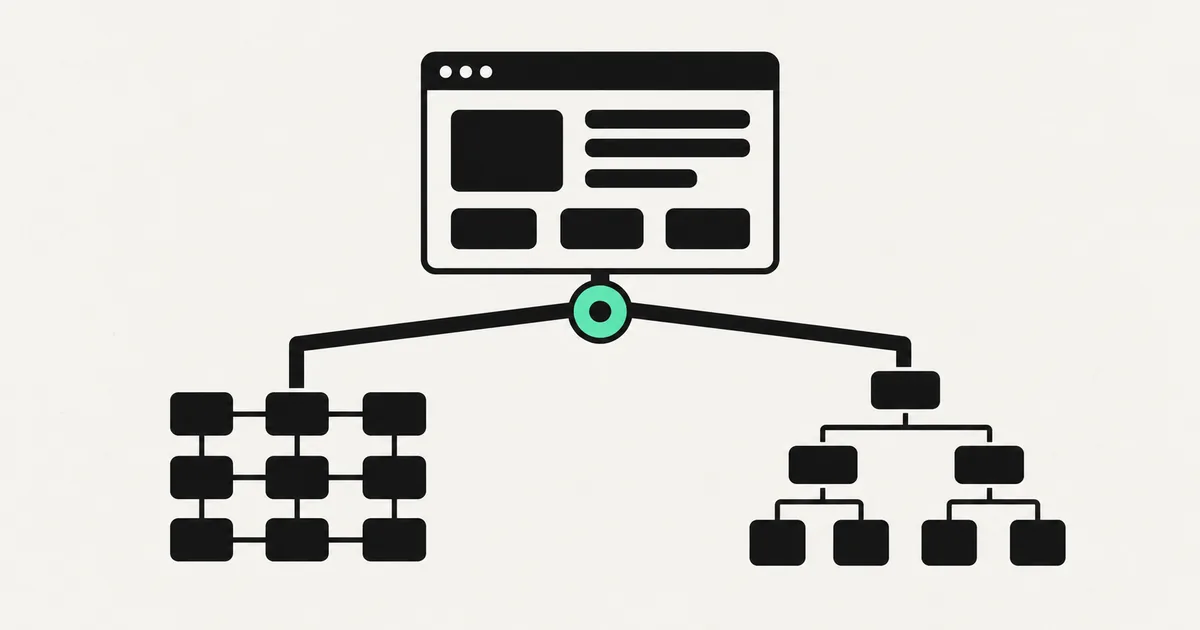
Pick a backend and you're living with it for a long time. That's why the Supabase versus Firebase question comes up on almost every new app — the choice touches your database, your auth, your realtime features, your bill, and how easily you can leave if you ever want to. Both are excellent. They're also built on genuinely different foundations, and that difference should drive your decision more than any feature checklist.
Here's an honest comparison for 2026.
The core difference: SQL vs NoSQL
Everything else flows from this one fact.
- Firebase is built around Firestore, a NoSQL document database. You store data as flexible documents in collections. There's no fixed schema, which makes early development fast and forgiving, and it scales horizontally without you thinking much about it.
- Supabase is built around Postgres, a mature relational SQL database. You define tables, columns, and relationships. You get real joins, constraints, and the full power of SQL — plus everything the huge Postgres ecosystem offers.
If your data is highly relational — users, orders, line items, permissions that reference each other — Postgres (Supabase) tends to feel natural and stay clean as it grows. If your data is more document-shaped and you want maximum flexibility early, Firestore (Firebase) is comfortable. Neither is wrong; they reward different shapes of app.

Comparison at a glance
| Supabase | Firebase | |
|---|---|---|
| Database | Postgres (SQL) | Firestore (NoSQL) |
| Schema | Structured, relational | Flexible documents |
| Auth | Built in | Built in (very mature) |
| Realtime | Yes | Yes (a core strength) |
| Storage | Yes | Yes |
| Functions | Edge functions | Cloud functions |
| Pricing model | Predictable, usage tiers | Per-read/write/operation |
| Portability | High (it's just Postgres) | Lower (more lock-in) |
| Owner | Open source |
Where Firebase wins
Firebase has a decade of maturity and it shows. Its realtime sync is a genuine strength — data updates propagate to connected clients seamlessly, which is why it's a favorite for chat, live dashboards, collaborative features, and mobile apps that need offline support and automatic sync. The auth system is battle-tested and integrates tightly with the rest of Google's ecosystem. And because it's schemaless, you can move extremely fast in the earliest days when your data model is still changing daily.
If you're building a realtime-first mobile app and you're already comfortable in Google's ecosystem, Firebase remains a strong, safe pick.
Where Supabase wins
Supabase's biggest advantages are SQL and portability. Because it's real Postgres, you get relational integrity, complex queries, and an enormous ecosystem of tools — and if you ever want to leave, you can take a standard Postgres database with you. That's a meaningful hedge against lock-in, and it's a big reason Supabase has become the default backend for a wave of new apps (including many built in tools like Lovable).
Its row-level security lets you enforce access rules right in the database, which is powerful for multi-user and multi-tenant apps — when it's configured correctly. That last clause matters: misconfigured RLS is one of the most common security holes we find in apps that shipped fast, so it's worth getting right.
Supabase's pricing also tends to be more predictable. Firebase's per-operation model (charging for reads, writes, and deletes) can surprise you when an app gets chatty or a query pattern reads far more documents than expected. It's a well-known Firebase gotcha at scale.
Which should you choose?
Cut through it with a few questions:
- Is your data relational? Lots of connected entities and complex queries lean Supabase. Loose, document-shaped data leans Firebase.
- Is realtime sync core to the product? Firebase's realtime and offline story is exceptionally mature; Supabase's is good and improving.
- How much do you fear lock-in? If owning and being able to move your data matters, Supabase's plain-Postgres portability is a real advantage.
- What's your team comfortable with? SQL people are instantly productive in Supabase; teams already deep in Google's stack may prefer Firebase.
For most new web apps — especially SaaS with users, roles, billing, and relational data — we reach for Supabase with a Postgres backend and Next.js on the front, because the data stays clean, the costs stay predictable, and you're never trapped. For realtime-heavy or offline-first mobile apps inside Google's ecosystem, Firebase is a perfectly good default. Both are things our web development team ships on regularly.
Frequently asked questions
Is Supabase just an open-source Firebase? It's often described that way, but the core is different: Supabase is Postgres (SQL) and Firebase is Firestore (NoSQL). Supabase offers a similar bundle of auth, storage, realtime, and functions around a relational database, plus the portability of open source. The database model, not the feature list, is the real distinction.
Which is cheaper? It depends on usage shape. Firebase charges per read/write/operation, which can spike for read-heavy or chatty apps, while Supabase's tiered pricing tends to be more predictable. Model your actual query patterns before assuming either is cheaper — the surprises usually come from operation counts, not the base plan.
Can I switch from Firebase to Supabase later? You can, but it's a real migration — the NoSQL-to-SQL data model shift means restructuring, not a copy-paste. It's very doable (we've done it), just not free. Choosing the right foundation up front saves that cost.
Is Supabase secure by default? Its row-level security is powerful but only protects you when configured correctly. Wide-open RLS policies are one of the most common vulnerabilities we find in fast-shipped apps. Whichever backend you choose, get the access rules reviewed before real users arrive.
The right backend depends on your data shape, your realtime needs, and how much you value owning your stack — not on which brand is trendier. SprintX builds and hardens apps on both Supabase and Firebase, with Next.js and React front ends, on a fixed-scope quote and no lock-in. Tell us what you're building and we'll recommend the backend that fits — and set it up securely from day one.
Building software
Systems your business runs on.
Custom platforms, internal tools and integrations that move work off spreadsheets.
Keep reading.
More on building software
Building software · 11 Jul 2026 · 8 min read
Headless CMS vs Traditional CMS: Which Is Right for You?
A practical, jargon-free comparison of headless and traditional CMS platforms — how they differ, what each costs, and which one fits your project.

Building software · 11 Jul 2026 · 8 min read
Next.js vs React: What's the Difference and When to Use Each
A plain-English guide to Next.js vs React — what each does, why the comparison is slightly wrong, and how to pick the right one for your project.

Building software · 8 Aug 2026 · 6 min read
CORS Errors in an AI-Generated App, Explained Properly
CORS explained without hand-waving, the specific mistakes AI-generated backends make, and why disabling it is the wrong fix even though it works.