AI Agent vs Chatbot: What's the Real Difference?
A straight comparison of AI agents and chatbots — what separates them, where each fits, and how to choose without overbuying.
 SprintX Team8 min read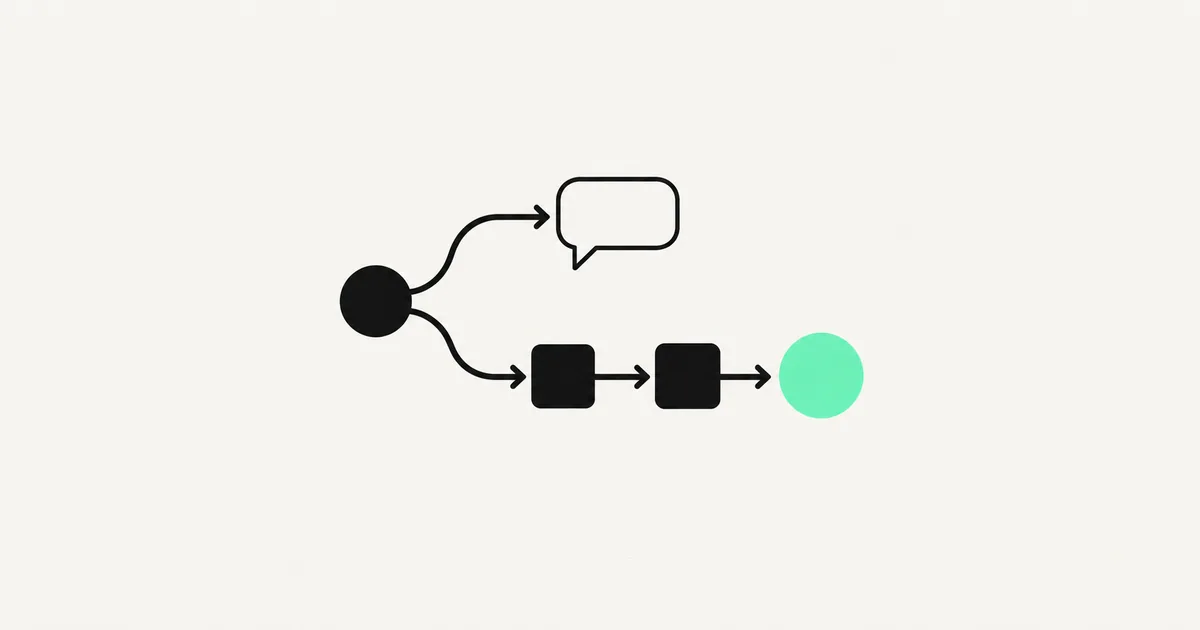
"We want an AI agent" is the request. What the business usually needs is a good chatbot — or the other way around, and they are about to underbuild. The two words get used interchangeably in sales decks, but they describe genuinely different things, with different price tags and different risks. Getting the distinction right before you commission a build saves you from paying agent money for chatbot work, or worse, shipping a chatbot into a job that needed an agent.
Here is the difference in plain terms, with real examples and an honest take on which one your situation calls for.
The core distinction: talk vs act
A chatbot answers. You ask a question, it responds — from a script, a knowledge base, or a language model. It lives inside a conversation. When the conversation ends, so does its job. A great chatbot answers "what are your hours," "where is my order," or "how do I reset my password" instantly and accurately.
An AI agent does. It takes a goal, breaks it into steps, decides which tools to use, and carries out actions across systems until the goal is met — often without a human in the loop for each step. An agent does not just tell you your order is late; it checks the carrier, drafts an apology, issues a discount code, and updates the CRM.
The one-line version: a chatbot has a conversation; an agent gets a job done. Talking is a feature an agent can use, not the point of it.

What actually separates them
The marketing blurs it, so here are the real technical differences that matter to a buyer.
- Tools and actions. A chatbot mostly reads and replies. An agent has "tools" — the ability to call your calendar, your database, a payment API, an email service — and it chooses when to use them.
- Multi-step reasoning. A chatbot handles one turn at a time. An agent plans a sequence: do A, check the result, then B or C depending on what happened.
- Autonomy. A chatbot waits for you. An agent can run on a trigger — a new email, a form submission, a scheduled time — and act without anyone typing anything.
- State and memory. Agents track progress toward a goal across steps and systems. Chatbots usually only remember the current conversation.
- Failure surface. This cuts both ways. An agent that can act can also act wrongly, so it needs guardrails, approvals, and logging that a read-only chatbot does not.
Side by side
| Dimension | Chatbot | AI Agent |
|---|---|---|
| Primary job | Answer questions | Complete tasks |
| Interaction | Reactive — waits for a message | Proactive — can run on triggers |
| Takes actions | Rarely; mostly replies | Yes — books, updates, sends, pays |
| Steps per task | One turn at a time | Plans and executes many |
| Typical tools | Knowledge base, FAQ, RAG | APIs, databases, calendars, email |
| Risk level | Low (read-only) | Higher — needs guardrails |
| Typical cost | $3,000–$15,000 | $8,000–$40,000+ |
| Good example | Website support bot | Automated refund + follow-up flow |
Real examples so it clicks
Chatbot territory: A support bot on your site that answers pricing and shipping questions, a WhatsApp bot that shares your menu and hours, an internal assistant that answers "what is our PTO policy" from the employee handbook. These are knowledge problems — answered well, they deflect a huge share of routine tickets.
Agent territory: An after-hours system that fields a customer complaint, checks the order status in your database, decides whether a refund is warranted under your rules, issues it, emails the customer, and logs the whole thing. Or a sales agent that watches for new leads, researches each one, drafts a tailored outreach, and books the meeting. These are doing problems.
The tell is in the verb. If the value is "it tells me / it tells the customer," you want a chatbot. If the value is "it handles the whole thing," you want an agent.
Which does your business need?
Do not start with the fancier one. Start with the job.
- Write down the outcome you want, as a verb. "Answer product questions 24/7" versus "process routine refunds without a human."
- Count the steps and systems. One system and one reply? Chatbot. Several systems, several steps, and real actions? Agent.
- Check the risk. If a wrong action costs money or trust, budget for the guardrails an agent needs — approvals, limits, human sign-off on the risky steps.
- Start narrow. The best agents begin as a chatbot plus one or two safe actions ("book the appointment," "create the ticket"), then earn more autonomy as they prove reliable.
Most businesses are best served by a strong chatbot first, with a clear path to add agent-style actions where they obviously pay off. That staged approach keeps cost down and trust high. If your automation needs already span several tools, the sibling question of AI automation across your stack is worth reading alongside this.
The trap of overbuilding
The word "agent" is having a moment, and that creates pressure to buy one whether the job calls for it or not. Resist it. An agent you do not need is not just wasted money — it is a larger attack surface, more things that can break unattended, and a longer, riskier build before you see any value. We have watched teams spend three months and five figures on an "autonomous agent" to do work a two-week chatbot would have covered, then quietly turn off the risky autonomy after the first bad action.
The reverse mistake is real too. Underbuild a job that genuinely needs to take actions across systems, and you get a chatbot that answers beautifully but still hands every real task back to a human — so nobody's workload actually drops. The fix for both is the same: define the outcome as a verb, count the steps and the systems, and let that decide the category. Buy the tool the job needs, not the one in the headlines.
Frequently asked questions
Is an AI agent just a smarter chatbot? No — it is a different category. A chatbot answers within a conversation; an agent plans and takes actions across systems to complete a goal. An agent can include a chat interface, but chatting is not what makes it an agent.
Do I need an agent if a chatbot can answer my questions? No. If answering questions is the whole job, a well-built chatbot is cheaper, safer, and faster to ship. Only step up to an agent when you need real actions taken, not just replies.
Are AI agents safe to let act on their own? They can be, with the right guardrails: scoped permissions, spending and rate limits, logging, and human approval on high-stakes steps. The engineering around safety is a real part of an agent build — and a reason it costs more than a chatbot.
What does each typically cost? A production chatbot commonly runs $3,000–$15,000 depending on integrations. An agent that acts across systems usually starts around $8,000 and climbs with the number of tools and the guardrails required.
Not sure whether you need a chatbot, a full agent, or a chatbot that grows into one? SprintX builds both, and we will steer you to the smallest thing that solves the actual problem — no overbuying. Get a fixed-scope quote, own the result outright, and tell us the outcome you are after so we can scope it right the first time.
AI agents and automation
AI agents that do the work.
We build agents and automations for the repetitive work your team does by hand, and measure what they save.
Keep reading.
More on ai agents and automation
AI agents and automation · 18 Jul 2026 · 9 min read
RPA vs AI Agents: Which Should Automate Your Back Office?
A decision guide to robotic process automation vs AI agents: what each is good at, where each breaks, costs, and how to pick the right tool for back-office work.
AI agents and automation · 18 Jul 2026 · 8 min read
What Is an MCP Server? A Plain-English Guide for Businesses (2026)
A no-jargon guide to MCP servers: what they are, why every major AI vendor adopted them, and how businesses use them to connect AI agents to real systems.
AI agents and automation · 18 Jul 2026 · 8 min read
AI Agent Development Services: Custom Agents That Actually Ship
A practical guide for founders evaluating an AI agent development company: what these agents really do, what they cost, and how to choose a team that ships production, not demos.