Using AI Chatbots for Coding: What Actually Ships to Prod
A grounded look at coding with AI chatbots: the real wins, the failure modes, and how to keep AI-written code production-safe.
 SprintX Team8 min read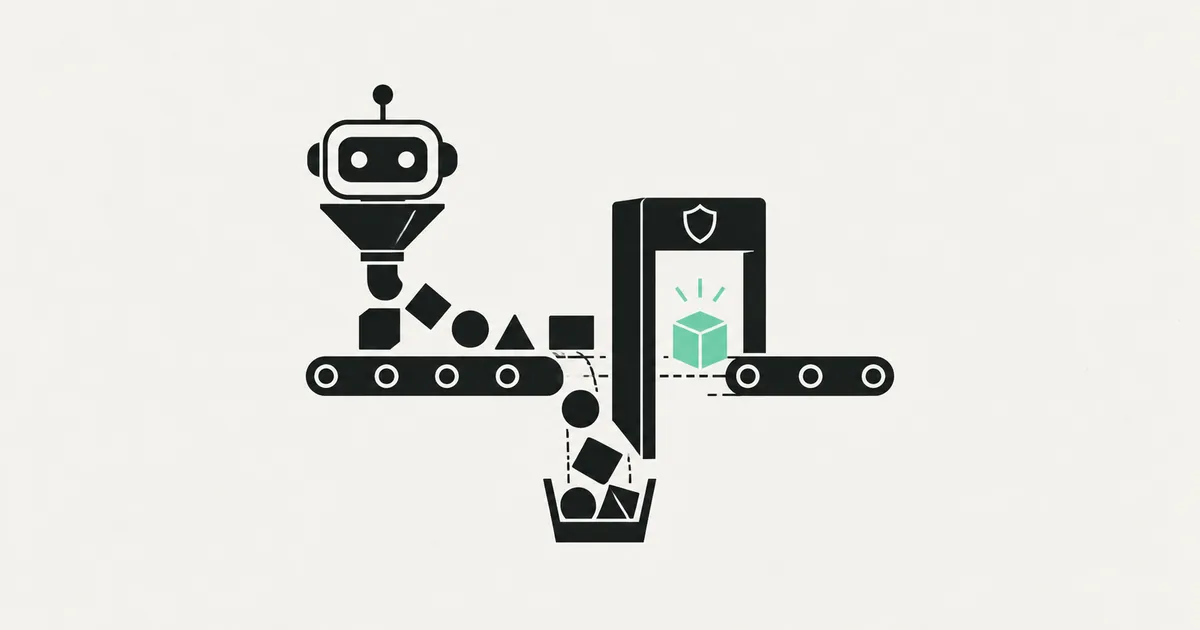
AI coding assistants write a startling amount of working code, fast — and they also produce some of the most confident, plausible, subtly-broken code you will ever debug. Both are true at once, which is exactly why "we used AI to build it" tells you almost nothing about whether an app is production-ready. The tools are real leverage in the right hands and a liability in the wrong workflow.
If you or your team lean on AI chatbots for coding, here is a grounded look at what genuinely ships to production, where these tools fall down, and how to use them without shipping their mistakes to your customers.
Where AI coding assistants genuinely shine
Used well, tools like Claude, ChatGPT, Cursor, and GitHub Copilot are a real productivity multiplier. The wins are concrete:
- Boilerplate and scaffolding. Setting up a form, a CRUD endpoint, a config file, a test skeleton — the repetitive stuff — is where they save the most time with the least risk.
- Unfamiliar syntax and APIs. Working in a language or library you do not use daily, an assistant gets you moving without a dozen documentation tabs.
- Explaining and translating code. "What does this function do?" or "convert this from Python to TypeScript" are tasks they handle well.
- First drafts. A rough version of a function you then read, correct, and shape is faster than a blank file.
- Debugging help. Pasting an error and asking for likely causes often points you in the right direction quickly.
For an experienced developer, this can meaningfully speed up the tedious parts of the job. The key phrase is experienced developer — someone who can tell good output from confident nonsense.

Where it breaks
The failure modes are consistent, and they are exactly the ones that hurt in production.
- Confident wrong answers. An assistant will invent a function that does not exist, cite an API that changed two versions ago, or write logic that looks right and fails on the edge case. It never signals doubt.
- Security blind spots. AI-written code routinely misses input validation, leaks secrets, and sets weak access rules. It optimizes for "works in the demo," not "safe with real users."
- No sense of your whole system. A chatbot sees the snippet in front of it, not your architecture. It will happily write code that conflicts with patterns elsewhere in your codebase or duplicates something you already have.
- The happy path only. It writes for the case where everything goes right. What happens when the payment fails, the network drops, or two requests collide is usually an afterthought — or absent.
- Silent cost and performance traps. It may write a query that works on ten rows and melts on ten thousand, or an AI feature with no caching that burns API credits.
None of these are reasons not to use the tools. They are reasons not to trust the output blindly — which is a very different thing.
Prototype code vs production code
| Aspect | AI-generated first draft | Production-ready |
|---|---|---|
| Correctness | Often right, sometimes confidently wrong | Verified, tested |
| Security | Frequently overlooked | Reviewed and hardened |
| Edge cases | Happy path only | Failures handled |
| Fits your system | Sees the snippet, not the whole | Consistent with architecture |
| Tests | Rarely complete | Real coverage |
| Reviewed by a human | No | Always |
The gap between those columns is the work. AI gets you a strong first draft of the left column; a competent engineer moves it to the right. Pretending the left column is the finished product is how vibe-coded apps reach real users with wide-open security holes.
How to use AI coding assistants safely
A workflow that captures the speed without the risk:
- Treat every output as a draft, never as final. The assistant proposes; a human decides. Read every line before it goes anywhere near your codebase.
- Keep a human reviewer who understands the system. The single biggest predictor of whether AI-assisted code holds up is whether someone who understands the whole app reviewed it.
- Test the unhappy paths yourself. Assume the edge cases were skipped, because they usually were. Try the empty form, the failed payment, the double click.
- Review anything touching auth, payments, or data. These are where AI mistakes are most common and most expensive. They get extra scrutiny, always.
- Watch for cost traps. Check that AI features have caching and limits, and that database queries will survive real volume.
Do this and AI chatbots become a genuine accelerator. Skip it and they become a fast way to accumulate bugs you will pay to fix later.
The team question nobody asks
There is a second-order effect worth naming. When a team leans hard on AI assistants, code volume goes up but shared understanding can go down. People merge code they did not fully write and do not fully grasp, because it passed a quick test and the assistant sounded sure. Six months later, when that code needs to change, nobody remembers how it works — and neither does the assistant, because it never really "knew."
The teams that stay healthy treat AI output the way they would treat a junior developer's pull request: useful, worth reviewing, and never merged unread. They keep ownership of the architecture and the hard decisions in human hands, and let the assistant accelerate the typing. That single cultural rule — the human owns the code, the AI helps write it — is what separates teams that ship faster with AI from teams that just accumulate debt faster with AI.
Frequently asked questions
Can AI chatbots write production-ready code? They write strong first drafts, not finished production code. Getting to production takes human review, testing of edge cases, security hardening, and a check that the code fits your wider system. The draft is fast; the finishing is the real work.
Is it safe to build my whole app with an AI coding tool? For a prototype, yes. For an app with real users or payments, only if an experienced engineer reviews and hardens it — especially around authentication, data access, and error handling, which is where AI-written code most often falls short.
Which AI coding assistant is best? They are close and improving fast. Claude and ChatGPT are strong general assistants; Cursor and Copilot integrate into the editor for in-context help. The bigger factor in outcomes is the workflow and review discipline around the tool, not the tool itself.
Why does AI-written code pass in testing but break in production? Because assistants write for the happy path and miss edge cases, load, and security. Code that works with one user and clean input can fail with real traffic, bad input, or concurrent requests — the conditions only production exposes.
Shipped something built mostly by an AI assistant and unsure it will hold up? SprintX reviews and hardens AI-written code for production — security, edge cases, performance, and cost controls — with a fixed-scope quote and full ownership of the result. Send us your codebase and we will tell you what stands between it and a safe launch.
Engineering and operations
Once it’s live, we keep it healthy.
Monitoring, backups, security updates and a monthly health report you can read in ten minutes.
Keep reading.
More on engineering and operations
Engineering and operations · 10 Aug 2026 · 6 min read
Refactoring AI-Generated Code Without Breaking It
AI-generated code fails in predictable patterns. Here is the sequence for cleaning it up that keeps the app working the entire time.
Engineering and operations · 29 Jul 2026 · 6 min read
AI-Built Apps That Broke in Production, and What Broke Them
Real failure patterns from AI-built apps that reached production — the symptom, the root cause underneath it, and the fix that actually held.
Engineering and operations · 23 Jul 2026 · 8 min read
Why a Vibe-Code Rescue Should Be Fixed-Scope, Not Hourly
The case for buying rescue work as fixed scope rather than hourly, what the contract needs to say, and the situations where hourly is genuinely the right call.