Why AI-Generated Apps Keep Shipping Auth Bypasses
AI builders get login right and access control wrong. The five bypass patterns we find in nearly every generated codebase — and how to test yours in twenty minutes.
 SprintX Team7 min read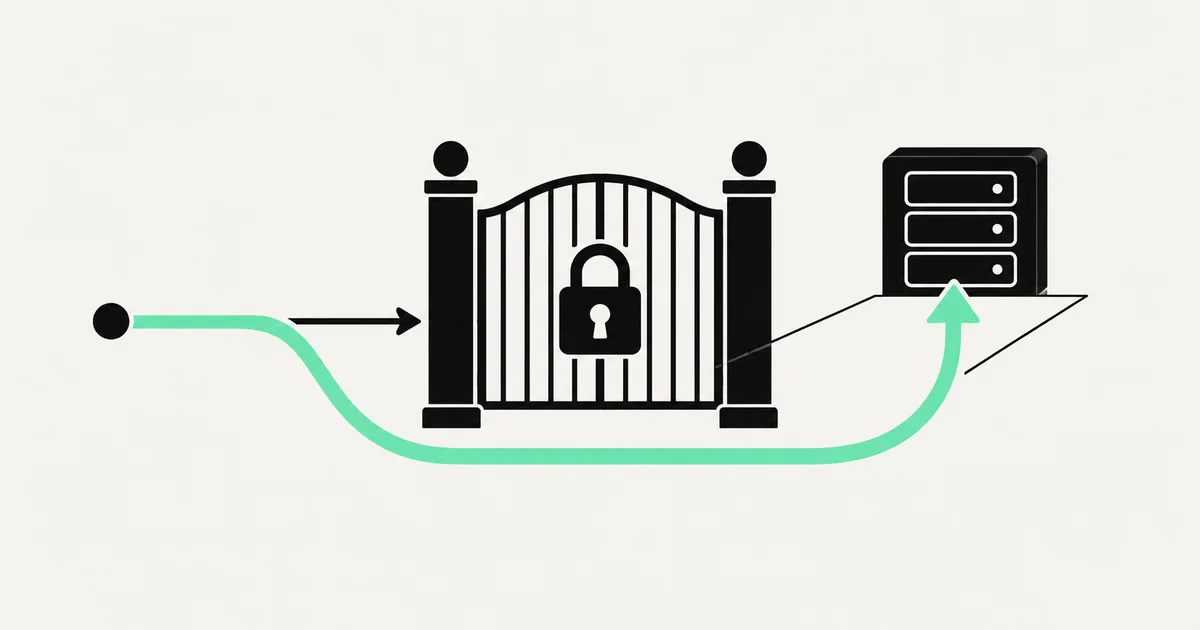
A founder we worked with last year found out about her authorization bug the good way: a friendly beta user emailed to say the invoice page was showing someone else's company name. Change one number in the URL, get a different customer's billing history. The app had a login screen, email verification, password rules, the works.
That combination — solid authentication, absent authorization — is the most consistent finding in AI-generated codebases. It is not a coincidence, and once you see why it happens the bugs become easy to predict and easy to test for.
Login is a feature. Access control is an invariant.
When you prompt a builder for "user accounts," it produces a login screen, a signup flow, session handling, and probably a password reset. All of that is visible, describable, and demoable. The model does it well.
Authorization is different in kind. It is not a screen; it is a rule that must hold at every point in the system where data is read or written, forever, including on the endpoint you add next month. Nothing in your prompt described that rule. Nothing in the demo exercises it, because you are testing as one user with one account and everything you request is legitimately yours.
So the generator does the reasonable thing: it fetches the record you asked for. The check that you were allowed to have it never gets written, because nobody said it was missing.
The five shapes
1. The check lives in the interface
A conditional in a component hides the delete button for non-admins. The endpoint behind it accepts any authenticated call. Anyone who opens the network tab, or reads the client bundle to learn the route name, has admin.
Test: log in as a normal user, capture an admin action's request, and replay it. If it succeeds, the interface was your entire security model.
2. The identifier comes from the request
The endpoint reads an ID from the URL or body and queries the row directly. This is the classic insecure direct object reference, and it is the single most common critical we file.
Test: two accounts, swap an ID. A correct implementation either filters by the authenticated user's ID in the query itself, or fetches then verifies ownership before returning.
3. The role comes from the client
A "role" field sits in the request body, in local storage, or in a user-editable metadata blob on the token, and the server believes it. Supabase apps hit a specific version of this: user metadata is writable by the user, so a policy that checks a role stored there is checking a value the attacker controls. Roles belong in a table the user cannot write, or in a claim signed by something they cannot forge.
Test: edit the stored role and reload. If the app changes what it lets you do, the role is decorative.
4. The wrong key at the data layer
The client holds a key intended for server use, or row-level security is off, or a policy evaluates to a permanent true because that was what made the query work at 2am. The app then relies entirely on the frontend to ask nicely for the right rows. If your policies exist but nothing seems to be enforced, why Supabase RLS is not working covers the specific gotchas; the broader catalogue of policy mistakes is in Supabase RLS mistakes in AI-built apps.
Test: connect to your API with a raw anonymous client and try to select from a table you should not see.
5. The new endpoint that missed the middleware
The app had a pattern. Then you asked for a feature, and the generator wrote a route without the auth wrapper the other routes use — or with a subtly different one. This is why bypasses reappear in apps that were audited three months ago; the surface grows every time you prompt.
Test: enumerate every route and check each against a call with no token at all. Anything that returns data is public.
Symptom to cause
| What you notice | Likely cause | Where the fix goes |
|---|---|---|
| A user sees another user's record | ID trusted from request | Filter by session user in the query |
| Non-admin performs an admin action | Check only in the UI | Server-side role check in the handler |
| Role changes when local storage is edited | Client-supplied role | Server-owned roles table |
| Data readable with no login at all | Missing middleware or open policy | Default-deny at the route and the database |
| Files downloadable by URL | Public bucket, permanent links | Private bucket, short-lived signed URLs |
| Bypass reappears after a new feature | No shared enforcement point | One layer everything routes through |
Testing yours in twenty minutes
You do not need a security background for this.
Create two accounts, A and B, each with some data. Open the app as A with your browser's network tab recording, and click through everything — every read, every write, every export. Save the requests.
Now log in as B and replay A's requests with B's session. Anything that returns A's data is a critical finding. Then replay them with no session at all. Then take one of B's own requests, change the record ID to one of A's, and send it. Finally, copy a file URL from A's account and open it in a private window.
Most founders get a hit inside half an hour. It is an unpleasant twenty minutes, and it is cheaper than a customer finding it and telling their network before they tell you.
Where the fix actually belongs
The instinct after finding three bypasses is to patch three endpoints. Do that, and the fourth arrives with the next feature.
Put enforcement in a place everything must pass through. For most stacks that means two layers working together: a server-side guard that resolves the caller's identity and permissions on every request, and a default-deny data layer that refuses cross-tenant reads even when the application layer is wrong. Belt and braces is correct here, because the application layer is the one your AI assistant will keep editing.
Write the rules down before implementing them — who can read what, who can write what, what an admin is, what happens at the boundary between accounts. That document is the thing the model never had. With it in the repo, an assistant can implement the checks competently; without it, it will keep guessing. If you are building for multiple companies rather than individuals, the isolation model deserves explicit design, which is what building multi-tenant SaaS and implementing RBAC are for.
Then write tests. Two fake users and a handful of "B must not read A" assertions, running in CI, will catch the regression that a future prompt introduces. It is the highest-value test suite in an AI-built product, and it takes an afternoon.
Frequently asked questions
Is this the same thing as an IDOR? Insecure direct object reference is one shape of it — trusting an identifier from the request. The broader category is broken access control, which also covers missing role checks, client-supplied privileges, and unprotected endpoints. They share a root cause and a fix location.
Why did my app pass a security scan with these bugs in it? Automated scanners are good at patterns: known-vulnerable dependencies, exposed secrets, missing headers. A query that fetches a record by ID looks identical whether or not the caller owns that record. Detecting the difference requires knowing your business rules, which is why access-control testing is done with real accounts, by hand or by purpose-written tests. See the vulnerability classes AI generators keep producing for what scanners do and do not cover.
Can I have the AI fix these for me? It can implement the checks well once you have decided what they are. The part it cannot do is decide — whether a team lead sees peer records, whether a deleted account's data stays visible to the org, whether an admin at company A can ever see company B. Specify the rules, then let the tool write the code, then test the boundary yourself.
If your app has a login screen and you have never verified what happens when one customer requests another customer's data, that is a twenty-minute test and a decision worth making today. SprintX finds access-control gaps in AI-built products and installs enforcement that survives the next feature — send us your app.
Engineering and operations
Once it’s live, we keep it healthy.
Monitoring, backups, security updates and a monthly health report you can read in ten minutes.
Keep reading.
More on engineering and operations
Engineering and operations · 13 Aug 2026 · 7 min read
Implementing Roles and Permissions Without Painting Yourself In
Most permission systems fail the first time a customer asks for something slightly unusual. Here is how to build one that bends instead of breaking.

Engineering and operations · 1 Aug 2026 · 8 min read
The OWASP Top 10, Read Through AI-Generated Code
A category-by-category translation of the OWASP Top 10 into the specific things Lovable, Cursor, Bolt and friends leave in your codebase.

Engineering and operations · 1 Aug 2026 · 7 min read
Rate Limiting: The Control Your AI-Built App Almost Certainly Lacks
Why AI-built apps ship without rate limiting, what it exposes, and a layered approach to adding limits that protect your login, your database, and your API bill.