Custom Shopify Theme Development: When Templates Aren't Enough
When a Shopify template stops serving your store — and what custom theme development actually involves, costs, and delivers in 2026.
 SprintX Team8 min read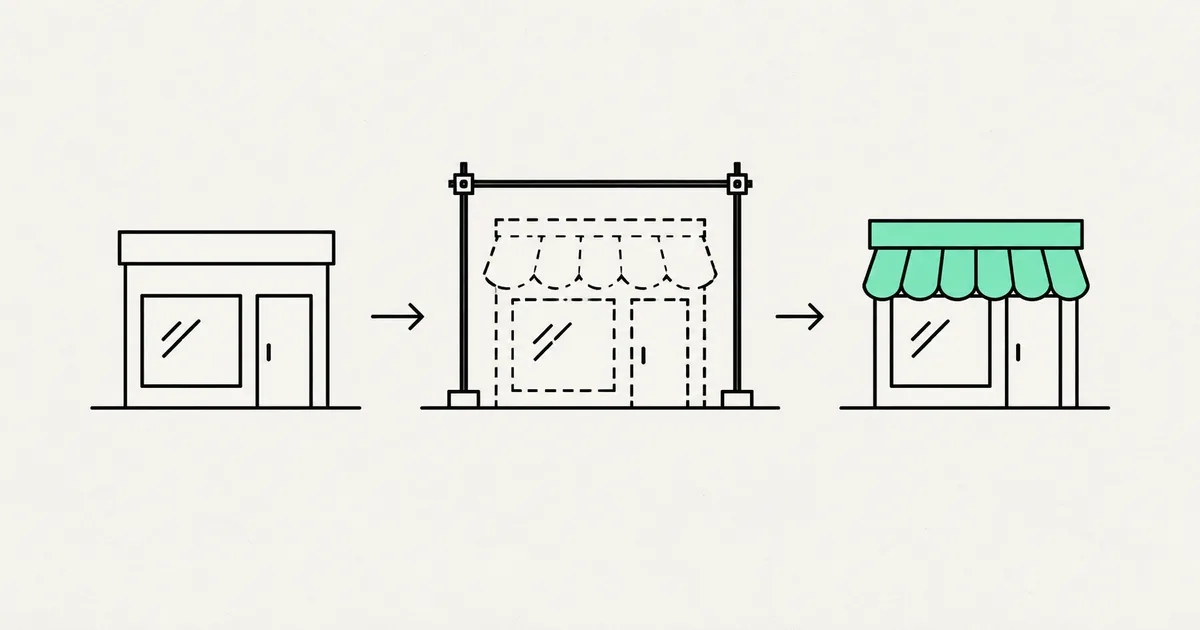
A good Shopify template gets a store live fast, and for a lot of merchants that is exactly right. But there is a moment — usually once the store is doing real revenue — when the template starts working against you. You want a product page that does something the theme cannot do. You are paying for four apps to bolt on features that fight each other. Your store is slow because the theme carries code for a hundred use cases you will never touch. That is the moment custom theme development starts paying for itself.
This is a plain-English guide to when a template is no longer enough, what a custom Shopify theme actually involves in 2026, what it costs, and how to scope it so you get a fast, maintainable storefront instead of a bespoke headache.
Template vs. custom: what you are really choosing
A Shopify template is a pre-built theme you configure — swap colors, fonts, and sections through the editor. A custom theme is one built (or heavily rebuilt) around your specific products, brand, and buying flow. The line between them is not "cheap vs. expensive." It is "generic vs. fitted."
| Template / configured theme | Custom theme development | |
|---|---|---|
| Time to launch | Days | Weeks |
| Upfront cost | Low (theme is $0–$400ish) | Higher, quoted per project |
| Fit to your brand | Good, within limits | Exact |
| Unusual buying flows | Hard, needs apps | Built in |
| Speed | Depends on the theme + apps | Tuned, only your code |
| Best for | New or simple stores | Established stores with specific needs |
Neither is "better." A new store testing demand should not spend on custom work it may throw away. An established store losing sales to a slow, app-bloated theme absolutely should.
Signs a template is no longer enough
You do not need to guess. These are the concrete signals we see most often.
- You are paying for a stack of apps to patch missing features. Each app adds monthly cost and page weight, and they often conflict. A custom theme can fold several of those into native code.
- Your store is slow and you cannot fix it. Bloated themes and app scripts are the usual culprits. If speed work keeps hitting a wall, the theme itself is the wall. Our Shopify speed optimization guide covers what is fixable without a rebuild first.
- Your brand looks like everyone else's. When your storefront is visibly the same theme thousands of stores use, a custom design differentiates.
- You have a buying flow the theme fights. Bundles, subscriptions, delivery-zone logic, complex variants, B2B pricing — anything non-standard is where templates strain.
- The theme editor has become a game of workarounds. When every change needs a hack, you have outgrown the template.

What custom Shopify theme development actually involves in 2026
A modern custom theme is built on Shopify's Online Store 2.0 architecture: JSON templates, flexible sections, and app blocks, with the presentation layer written in Liquid. Practically, a build includes:
- Design — either a fresh design or your existing brand translated into a real storefront layout (home, collection, product, cart).
- Sections and blocks — modular, editable pieces so your team can rearrange pages later without a developer. A good custom theme leaves you in control, not dependent.
- Custom product and cart experiences — the parts a template cannot handle: bundles, custom variant pickers, delivery-zone logic, quick-add, and so on.
- Performance work — lean code, optimized images, and only the scripts you actually use, so the store is fast by construction rather than patched afterward.
- Checkout considerations — checkout itself is customized through Shopify's Checkout Extensibility (UI extensions, Functions, and the branding API), not the retired
checkout.liquid. If a developer proposes editingcheckout.liquid, they are working from an outdated playbook.
One important 2026 note: Shopify Scripts are being retired (end of June 2026) in favor of Shopify Functions, and non-Plus stores have a Thank-you and Order-status page migration deadline (late August 2026). A competent build accounts for these instead of leaning on soon-to-be-removed features.
When headless is the answer instead
Sometimes the right move is not a custom Liquid theme but a headless build — a separate front end (often React or Next.js) talking to Shopify through its GraphQL Storefront API, with Shopify handling products, cart, and checkout behind the scenes. Headless buys maximum design and performance freedom, at the cost of more engineering and more to maintain.
For most merchants, a well-built Online Store 2.0 custom theme is the sweet spot: nearly all the flexibility, far less complexity. Headless earns its keep for large catalogs, unusual front-end requirements, or content-heavy stores. We weigh the trade-off honestly in is headless Shopify worth it — the short version is "usually not, until it clearly is."
What this looks like in practice
A recent project pattern: a store needed a custom storefront with delivery-zone logic — customers should only see products they could actually receive at their address. That is not something a template supports, and stacking apps to fake it made the site slow and fragile. The clean answer was a custom storefront built on Shopify's Storefront API, with the zone logic written directly into the buying flow. The result was faster, simpler to run, and did exactly one thing the business needed that no off-the-shelf theme could.
What it costs, and how to scope it
Custom theme pricing depends entirely on scope — a reskin of an existing theme is a different animal from a ground-up build with custom product logic. As a rough guide, straightforward custom themes tend to land in the low-four-figure range, while builds with significant custom functionality run higher, often phased across milestones. Treat any number here as a ballpark, not a quote.
To keep the project sane:
- Write down what the template cannot do. The specific features are the whole reason to go custom — list them.
- Separate must-haves from nice-to-haves. Ship the must-haves first; phase the rest.
- Insist on editable sections. You should be able to run day-to-day changes without paying a developer each time.
- Confirm ownership. The theme code, the store, and the accounts are yours. Get it in writing.
- Ask about the 2026 deadlines. Make sure Checkout Extensibility and the Functions migration are handled, not ignored.
Frequently asked questions
How much does custom Shopify theme development cost? It depends on scope. A brand-fitted custom theme often starts in the low four figures; builds with custom product, cart, or delivery logic run higher and are usually phased across milestones. Ranges only — get a fixed-scope quote against your actual feature list.
Do I need a custom theme or can I stick with a template? If you are a newer or simple store, a good template is usually the right call. Go custom when you are paying for apps to patch missing features, fighting the theme editor, losing sales to speed, or need a buying flow templates cannot handle.
Is a custom Shopify theme better for speed? It can be, because it carries only the code your store uses instead of a template's catch-all feature set plus a stack of apps. Speed still depends on how the theme is built and how many scripts run, so make performance an explicit requirement.
Should I go custom theme or headless? For most stores a custom Online Store 2.0 theme gives you nearly all the flexibility with far less to maintain. Headless makes sense for large catalogs, unusual front ends, or content-heavy stores where the extra engineering pays off.
If your template has become the thing holding your store back, that is worth fixing properly. SprintX builds custom Shopify themes and storefronts on a fixed-scope, milestone-based quote — fast by design, editable by your team, and fully owned by you with no lock-in. Send us the list of what your theme cannot do and we will scope the build before you commit.
Building software
Systems your business runs on.
Custom platforms, internal tools and integrations that move work off spreadsheets.
Keep reading.
More on building software
Building software · 18 Jul 2026 · 8 min read
Shopify App Development Services: Custom Public & Private Apps
What Shopify app development services actually involve in 2026 — public vs custom apps, the current API and extension stack, cost ranges, and how to choose a builder.
Building software · 18 Jul 2026 · 9 min read
Is Headless Shopify Worth It? Costs, Benefits and Trade-offs
A straight answer on whether headless Shopify is worth it — the real benefits, the hidden costs, who it fits, who it does not, and how to decide in 2026.

Building software · 18 Jul 2026 · 8 min read
Shopify App Development Cost: Public vs Private App Pricing
What Shopify app development actually costs in 2026 — public vs private pricing, the real cost drivers, and how to keep the quote honest.