Is Headless Shopify Worth It? Costs, Benefits and Trade-offs
A straight answer on whether headless Shopify is worth it — the real benefits, the hidden costs, who it fits, who it does not, and how to decide in 2026.
 SprintX Team9 min read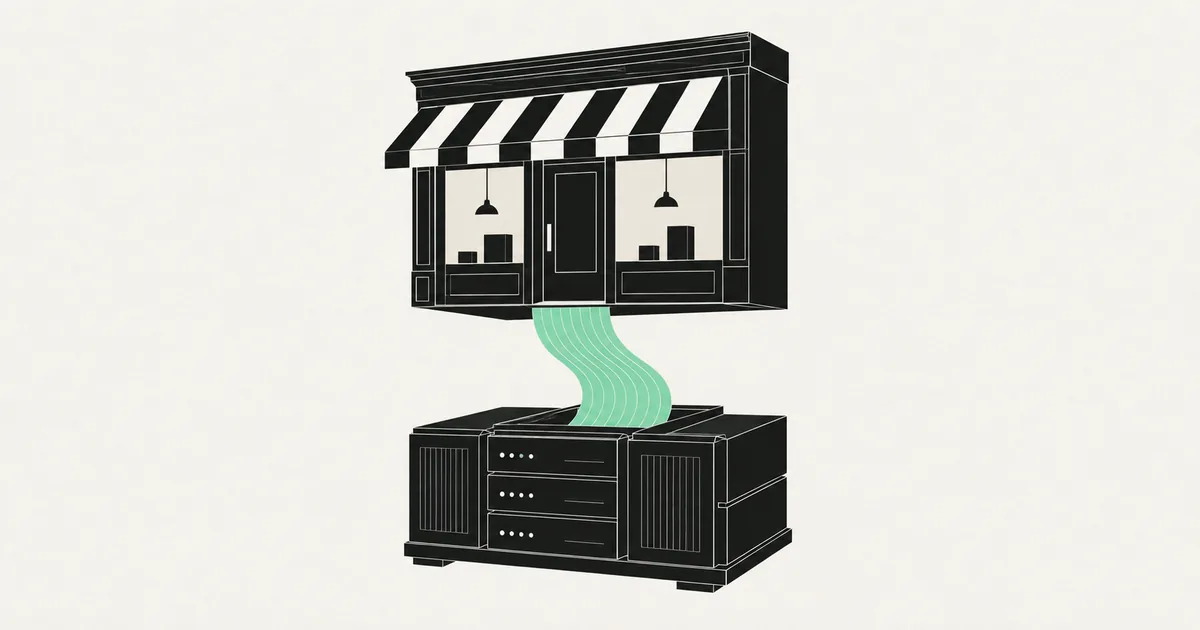
Someone — a developer, an agency, a conference talk — told you headless Shopify would make your store faster and more flexible, and now you're staring at a decision that could add tens of thousands to your build. Here's the uncomfortable truth most "headless is the future" articles skip: for a large share of Shopify merchants, going headless is a costly answer to a problem they don't have. For a specific minority, it's exactly right and pays for itself.
This guide gives you the honest version — what headless Shopify actually is, the real benefits, the hidden costs nobody quotes upfront, who it fits, and how to decide without getting talked into a rebuild you'll regret.
What "headless Shopify" actually means
A normal Shopify store is coupled: Shopify runs both the back end (products, cart, checkout, orders) and the front end (your theme, built in Liquid). One system, one platform, tightly integrated.
Headless means you decouple them. You keep Shopify as the commerce engine — catalog, cart logic, and the hosted checkout — but you build your own front end (typically in React/Next.js, or Shopify's Hydrogen framework) that talks to Shopify through the GraphQL Storefront API. The storefront becomes a custom application; Shopify becomes the back end behind it.
Two things worth knowing for 2026, because they shape any headless build:
- The legacy Checkout API was shut down in April 2025. Custom storefronts now build the cart with the Storefront Cart API and hand off to Shopify's hosted checkout — you don't rebuild payments.
- Shopify's Checkout Extensibility (UI extensions, Functions, Branding API) replaced
checkout.liquid, and Shopify Scripts retire June 30, 2026. A modern headless build lives on the GraphQL APIs and Functions, not the retired pieces.

The real benefits (when they apply)
Headless isn't hype — the upsides are genuine. They just don't apply to every store.
- Front-end freedom. You're no longer bound by theme architecture. Bespoke UX, complex product configurators, unusual layouts, and content-heavy experiences become far easier. If you're building something like a 3D product configurator, headless is often the natural home for it.
- Performance ceiling. A well-built headless front end on a modern framework (Next.js 16, React 19 with the compiler, server components) can hit performance a heavy theme struggles to match — if it's built well. Poorly built headless is slower than a good theme, so this cuts both ways.
- Omnichannel and content flexibility. One Shopify back end can feed a website, a mobile app, kiosks, and a marketing site from a single source of truth — often paired with a headless CMS. Our headless CMS vs traditional CMS piece covers that side.
- Developer experience. Your team works in a modern JavaScript stack instead of Liquid, which matters if you have real front-end engineering ambitions.
The pattern in all four: headless pays off when your front-end needs exceed what a theme can do. If a theme (even a customized one) covers you, most of these benefits are theoretical.
The hidden costs nobody quotes upfront
This is where the "worth it?" question actually lives. Going headless trades convenience for control, and control has a bill.
| Cost area | What it means going headless |
|---|---|
| Upfront build | Custom front end from scratch, not a theme you configure |
| Ongoing maintenance | You own the storefront code and its updates forever |
| Lost native features | Many theme features and some apps assume a standard storefront |
| App compatibility | Storefront-facing apps may not "just work" and need re-integration |
| Team requirement | You need real developers, not a theme editor |
| Hosting | The front end lives somewhere (e.g. Vercel-class hosting) you now manage |
The big one is maintenance. On a standard theme, Shopify and app vendors carry a lot of the upkeep. Go headless and that responsibility shifts to you — every Storefront API version change (Shopify ships new versions roughly quarterly, and the 2026-07 version restructured several discount fields), every framework upgrade, every app you re-wire. Headless isn't a one-time cost; it's an ongoing commitment.
What headless Shopify costs
Cost tracks the ambition of the front end and how many custom experiences you're building. Rough 2026 ranges, hedged:
| Path | Typical range | Notes |
|---|---|---|
| Customized Shopify theme | ~$2k – $8k | Not headless; often enough |
| Headless MVP (core catalog + cart) | ~$12k – $30k | Custom front end, Storefront + Cart API |
| Full headless with custom experiences | $30k+ (phased) | Configurators, omnichannel, CMS, bespoke UX |
Compare that to a customized theme in the low-thousands and the gap is stark. Headless typically only makes financial sense when the revenue or conversion upside — or a genuinely unmet UX need — clears that gap. For broader context on build pricing, website development cost is a useful companion.
What this looks like in practice
A recent client project was a custom storefront rather than a standard theme, because the merchant needed delivery-zone logic no off-the-shelf app handled cleanly — carts that behaved differently based on the customer's location, with rules the store owner controlled. We built it on the GraphQL Storefront API with the Storefront Cart API driving the cart and Shopify's hosted checkout closing the sale, so the merchant kept PCI scope low and still got exactly the behavior they wanted. Work like this runs in phases in the low-thousands-per-phase range, which lets the risky custom logic get proven before the polish. The lesson we take from projects like it: go headless for a specific capability a theme can't deliver, not for the label.
So — is it worth it for you?
A quick decision filter. Headless is likely worth it if two or more of these are true:
- A standard theme genuinely can't deliver the storefront experience you need.
- You're building custom experiences (configurators, complex bundling, omnichannel).
- Performance is a measured, revenue-linked bottleneck — not a vague wish.
- You have (or will hire) developers to own the front end long-term.
Headless is probably not worth it if:
- A customized theme covers your needs. Most stores land here.
- Your priority is speed on an existing theme — that's usually a Shopify speed optimization job, not a rebuild.
- You don't have a technical team and don't want ongoing dev overhead.
- The main driver is "it sounds more modern." That's not a reason.
The honest default: stay on a well-built, customized theme unless a concrete need pushes you off it. Headless is a power tool, and power tools are wasted — and dangerous — on jobs that don't need them.
Frequently asked questions
Is headless Shopify faster than a regular theme? It can be — a well-built headless front end on a modern framework can beat a heavy theme. But "headless" doesn't guarantee speed; a poorly built headless store is slower than a good theme. If speed is your only goal, optimizing your existing theme is usually cheaper and lower-risk than going headless.
How much does headless Shopify cost in 2026? As of mid-2026, a headless MVP covering core catalog and cart typically runs roughly $12k–$30k, and full headless builds with custom experiences $30k and up, usually phased. A customized theme by contrast often lands in the low-thousands. The gap is why headless needs a concrete justification.
Do I lose Shopify checkout if I go headless? No. Modern headless builds keep Shopify's hosted checkout — you build the cart with the Storefront Cart API and hand off to checkout, which keeps your PCI scope low. The legacy Checkout API was shut down in April 2025, so rebuilding checkout yourself isn't the path anyway.
Who should NOT go headless on Shopify? Stores whose needs a customized theme already meets, merchants without a technical team to own the front end, and anyone whose main motivation is that headless "sounds modern." For most small-to-mid merchants, a well-built theme plus targeted optimization delivers more value than a headless rebuild.
Not sure whether your store needs headless or just a sharper theme? SprintX builds both — customized themes, custom storefronts on the GraphQL Storefront and Cart APIs, and the Checkout Extensibility work Shopify now requires — and we'll tell you honestly which one your store actually needs before you commit. Send us what your storefront has to do and we'll scope it as a fixed-price, milestone-based build; you own the code and store assets, no lock-in.
Building software
Systems your business runs on.
Custom platforms, internal tools and integrations that move work off spreadsheets.
Keep reading.
More on building software
Building software · 18 Jul 2026 · 8 min read
Shopify App Development Services: Custom Public & Private Apps
What Shopify app development services actually involve in 2026 — public vs custom apps, the current API and extension stack, cost ranges, and how to choose a builder.

Building software · 18 Jul 2026 · 8 min read
Shopify App Development Cost: Public vs Private App Pricing
What Shopify app development actually costs in 2026 — public vs private pricing, the real cost drivers, and how to keep the quote honest.
Building software · 18 Jul 2026 · 8 min read
Shopify Plus Development: When to Upgrade and What It Unlocks
When Shopify Plus is worth the upgrade, what it actually unlocks for developers, and how to plan custom Plus work.