How to Build a Booking Website (with Calendar & Payments)
A practical guide to building a booking website that takes appointments and payments without double-booking, from the tools to the launch checklist.
 SprintX Team8 min read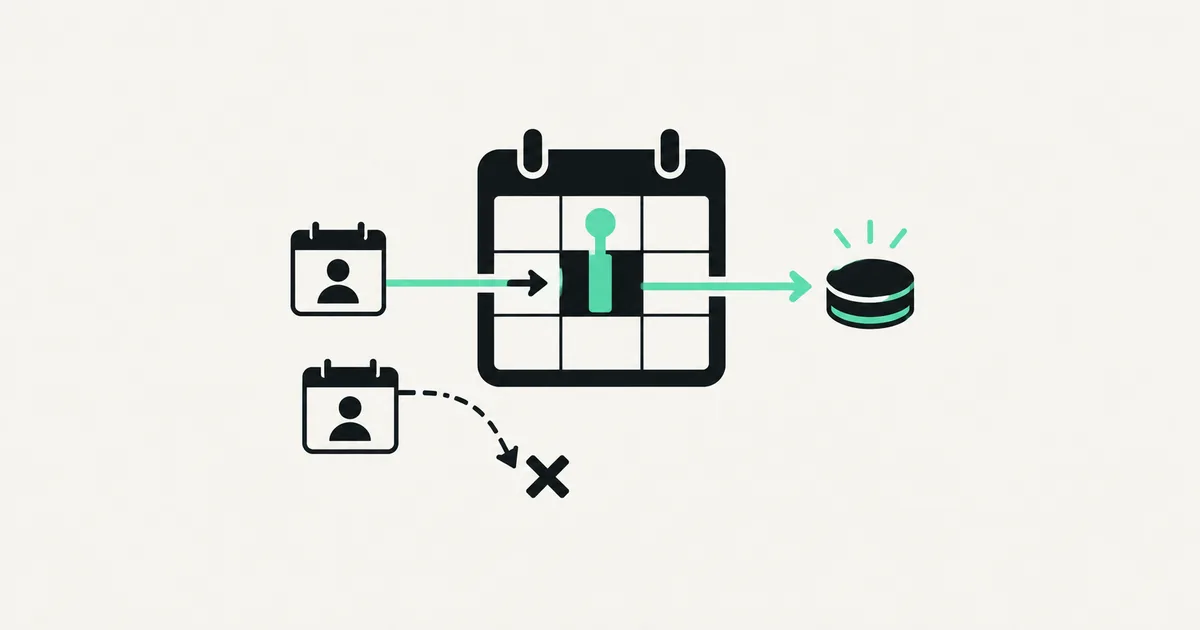
Every missed call is a booking that went to a competitor. If your customers have to phone during business hours, wait for a callback, or email back and forth to lock a time, you are losing money you will never see on a report. A booking website fixes that: someone finds you at 11pm, picks a slot, pays, and gets a confirmation — no human in the loop.
The catch is that "just add a calendar" hides a lot of hard problems: time zones, double-booking, deposits, refunds, reminders, and staff schedules. This guide walks through how to build a booking website that actually holds up, the tools worth using, and what it costs.
First, decide: plugin, SaaS tool, or custom build
There are three honest paths, and the right one depends on how weird your business is.
| Approach | Best for | Rough cost | Trade-off |
|---|---|---|---|
| SaaS booking tool (Calendly, Cal.com, Acuity) | Simple, one-service scheduling | $0 – $50/mo | Fast, but their UI and their rules |
| WordPress plugin (Amelia, Bookly) | Small service businesses on WordPress | $100 – $300 + hosting | Cheap, but clunky at scale |
| Custom booking website | Multi-staff, multi-location, custom rules, payments your way | $4,000 – $15,000 build | You own it, no per-seat fees |
If your needs are simple — one calendar, one service, a Stripe payment — embed Cal.com or Calendly and move on. You do not need a developer for that. The rest of this guide is for when the off-the-shelf tools start fighting you: multiple staff with different schedules, service durations that vary, deposits, packages, or a booking flow that has to match your brand and feed your CRM.
The five parts of a real booking system
A booking website is not one feature. It is five that have to agree with each other.
- Availability engine — the rules for when slots exist: business hours, staff schedules, service duration, buffers between appointments, blackout dates.
- Calendar UI — the customer-facing part where they pick a date and time, in their own time zone.
- Payments — deposits or full payment up front, powered by Stripe, plus refunds and no-show handling.
- Notifications — confirmation, reminders, and cancellation emails or SMS so people actually show up.
- Admin dashboard — where you and your staff see the schedule, block time, and reschedule.

Miss any one of these and the whole thing feels broken. A gorgeous calendar that lets two people book the same slot is worse than a phone line.
Step 1: Model availability before you touch the UI
This is where most DIY booking sites fall apart. Availability is a data problem, not a design problem. Before building any screen, define:
- Working hours per staff member or resource.
- Service duration and any setup/cleanup buffer.
- Capacity — is a slot for one person or a group class of ten?
- Time zone — always store times in UTC and convert for display.
Get this model right and everything downstream is easy. Get it wrong and you will be patching double-booking bugs forever. A clean schema in Postgres — services, staff, availability rules, and bookings as separate tables — is worth the extra hour of thinking up front.
Step 2: Build the booking flow
The customer-facing flow should feel obvious: pick a service, pick a time, enter details, pay, done. For a custom build, the modern stack is Next.js and React on the front end, a Supabase or Postgres database for the schedule, and Stripe for payments. React handles the interactive calendar; server-side API routes check availability in real time so two people can't grab the same slot.
The critical detail: check availability again at the moment of booking, inside a database transaction. Never trust the slot the browser showed thirty seconds ago — that is exactly how double-bookings happen under load.
Step 3: Wire in payments and deposits
Taking payment up front cuts no-shows dramatically. Stripe Checkout is the fastest route: the customer pays, you get a webhook, and only then does the booking get confirmed. Decide your policy early:
- Full payment for fixed-price services.
- Deposit for higher-value or variable jobs, with the balance on the day.
- Hold a card for no-show protection without charging up front.
Handle the Stripe webhook carefully — a booking should only exist once payment succeeds, or you'll end up with "confirmed" slots nobody paid for.
Step 4: Reminders that reduce no-shows
A confirmation email is table stakes. The money is in reminders. A 24-hour and 1-hour reminder by email or SMS can cut no-shows by a third or more. Tools like Resend or Postmark handle email; Twilio handles SMS. If you want the reminders to also let people reschedule or confirm with one tap, wire the flow through an automation layer like n8n so you are not rebuilding logic in five places.
Step 5: Give staff a dashboard they trust
Your team needs one screen that shows today's schedule, lets them block personal time, and handles reschedules without emailing the customer manually. This admin side is often bigger than the customer side, and it is the part SaaS tools handle worst for multi-staff businesses. If you have several providers, each needs their own view and their own availability — a common reason businesses outgrow Calendly and move to a custom build. It is the same "own your stack" logic behind building a proper SaaS product instead of renting one forever.
What it costs to build
| Scope | Typical cost |
|---|---|
| Embed a SaaS tool (Cal.com/Calendly) | $0 – $50/mo, no build |
| WordPress + booking plugin | $500 – $2,000 setup |
| Custom single-service booking site | $4,000 – $7,000 |
| Multi-staff / multi-location with payments | $8,000 – $15,000+ |
The jump to custom is worth it when per-seat SaaS fees, clunky flows, or missing rules start costing you real bookings. At that point you are paying monthly to be frustrated.
Frequently asked questions
Do I really need a custom booking website? Not if your needs are simple. One service, one calendar, Stripe payment — embed Cal.com and you're done in an afternoon. Go custom when you have multiple staff, custom rules, or a flow that has to match your brand and feed your systems.
How do I stop double-bookings? Check availability at the moment of booking inside a database transaction, not just when the page loads. Storing all times in UTC and converting for display also prevents a whole category of time-zone bugs.
Can customers pay a deposit instead of the full price? Yes. Stripe supports deposits, full payment, or holding a card for no-show protection. Decide the policy first, then build the flow around it.
Will a booking site work on mobile? It has to — most bookings happen on phones. Build the calendar mobile-first and test the whole flow on a real device before launch.
Outgrowing Calendly or tired of a plugin that fights your workflow? SprintX builds custom booking websites — real-time calendars, Stripe payments, reminders, and a staff dashboard — on a fixed-scope quote you own, with no per-seat fees or lock-in. Tell us how your bookings work and we'll scope it.
Building software
Systems your business runs on.
Custom platforms, internal tools and integrations that move work off spreadsheets.
Keep reading.
More on building software
Building software · 11 Jul 2026 · 9 min read
Building a Next.js Site With a Headless CMS (Strapi Guide)
Step-by-step: how to pair Next.js with Strapi as a headless CMS — content modeling, data fetching, previews, and going to production.
Building software · 11 Jul 2026 · 8 min read
How to Build an AI-Powered Chrome Extension
A builder-focused guide to shipping an AI Chrome extension the right way — where the model call lives, how to protect your keys, and what it costs.
Building software · 8 Aug 2026 · 6 min read
CORS Errors in an AI-Generated App, Explained Properly
CORS explained without hand-waving, the specific mistakes AI-generated backends make, and why disabling it is the wrong fix even though it works.