AI Invoice Processing: Automate OCR to Your Accounting System
How AI invoice processing turns a pile of PDFs and photos into clean, posted entries in your accounting system — the flow, the tools, and the pitfalls.
 SprintX Team8 min read
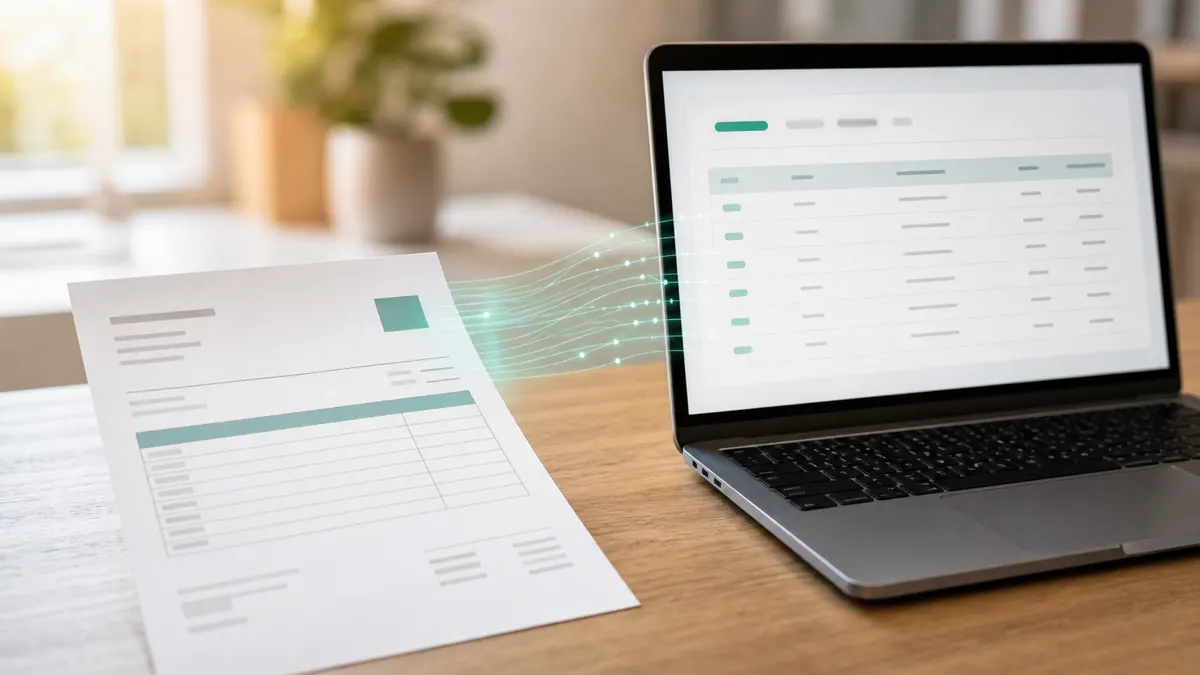
Every month, someone in your business opens a folder of PDFs, photos of crumpled receipts, and emailed invoices, and starts typing. Vendor name here, line items there, tax, due date, GL code, into QuickBooks or Xero, one at a time. It is slow, it is mind-numbing, and it is where mistakes creep in — a transposed number, a missed early-payment discount, a duplicate paid twice. For a business handling even 200 invoices a month, that is days of work no one wants.
AI invoice processing removes almost all of it. A well-built flow reads any invoice format, pulls out the fields that matter, checks them against your purchase orders, and posts a clean entry to your accounting system — with a human only stepping in on the exceptions. Here is how it actually works, what it costs, and how to start without buying a bloated enterprise platform.
What "AI invoice automation" really means
It is three capabilities stitched together, not one magic button.
- OCR and document AI turn a scan, photo, or PDF into structured text, even when the layout is messy or handwritten.
- An AI extraction layer reads that text and pulls the fields you care about — vendor, invoice number, date, line items, subtotal, tax, total, currency, payment terms — regardless of where each vendor puts them on the page.
- An automation layer (usually n8n, Make, or a custom workflow) validates the data, matches it to a purchase order, and writes it into QuickBooks, Xero, NetSuite, or your ERP through their API.
Older "template" OCR tools broke every time a vendor changed their layout. Modern document AI models read invoices the way a person does — by understanding what a field means, not where it sits — so a new vendor does not mean a new template.
The end-to-end flow, step by step
A production accounts-payable automation looks like this:
- Capture. Invoices arrive by email, upload, or a shared drive. A dedicated inbox (like [email protected]) is the cleanest trigger — every email that lands there kicks off the flow.
- Extract. The document goes through OCR and an AI model that returns structured JSON: vendor, amounts, line items, dates, terms.
- Validate. The system checks the math (do line items sum to the total?), confirms the vendor exists, and flags duplicates by invoice number.
- Match. For businesses using purchase orders, it runs two- or three-way matching — invoice against PO against goods received — so you only pay for what you ordered and got.
- Route. Clean, matched invoices post straight to accounting. Anything unusual — no PO, price mismatch, new vendor, amount over a threshold — routes to a human for a quick approve or reject.
- Post and archive. The approved entry is written to your accounting system, the original document is filed against it, and a payment can be scheduled.
The key design principle: automate the 80% that is routine, and route the 20% that needs judgment to a person with everything pre-filled. You are not removing humans; you are removing typing.
What it saves
The numbers are the reason this project pays for itself fast.
| Metric | Manual entry | AI-assisted flow |
|---|---|---|
| Time per invoice | 4–8 minutes | 15–30 seconds review |
| Cost per invoice (loaded) | $6–$15 | $1–$3 |
| Error rate | 1–3% | Well under 1% |
| Duplicate payments | Common, hard to catch | Auto-flagged |
| Month-end close | Days of catch-up | Largely current |
At 300 invoices a month, shaving five minutes off each is 25 hours back every month — most of a working week. Add the duplicate-payment catches and missed early-payment discounts recovered, and the flow often pays for itself in the first quarter. This is the same principle behind broader AI automation for small business: delete the repetitive middle, keep the human judgment.
Where automated invoicing goes wrong
Being honest about the failure modes is what separates a build that sticks from one that gets abandoned.
- Trusting extraction blindly. No model is perfect. You need a confidence threshold: below it, a human reviews. Above it, it flows. Skipping this is how a bad number reaches your ledger.
- Ignoring duplicates. Vendors resend invoices. Without a dedupe check on invoice number and amount, you will eventually pay one twice.
- No PO matching. If you use purchase orders and the flow does not match against them, you have automated data entry but not control — the point of AP is paying the right amount for the right thing.
- Over-buying. Enterprise AP suites cost thousands a month and assume you have an AP department. A small business usually needs a focused custom flow at a fraction of the price.
- Weak audit trail. Every automated action needs a log — what was extracted, what was changed, who approved it. Your accountant and any auditor will ask.
The tool stack
You do not need a monolithic platform. A lean, owned stack handles the vast majority of businesses:
- Document AI / OCR — a document-understanding model (from OpenAI, Google, or a dedicated invoice API) for extraction.
- n8n — the orchestration engine that captures, validates, matches, routes, and posts. Self-hosted, no per-task fees, full control over the logic.
- Your accounting system — QuickBooks, Xero, or your ERP, connected through its API for posting.
- A review interface — even a simple approvals screen or a Slack/email approval step for the exceptions.
Built this way, the whole thing is yours. No per-invoice vendor pricing, no lock-in, and you can extend it to expense receipts, statement reconciliation, or payment scheduling later. If you are weighing which orchestration tool to standardize on, the n8n-vs-Make-vs-Zapier question is worth settling early — it shapes everything downstream.
Is your business ready?
You get the most value if you have real volume and repetition. Signs it is time:
- You process more than roughly 100–150 invoices a month.
- Month-end close is a scramble of catch-up data entry.
- You have caught (or suspect) duplicate or overpaid invoices.
- Invoices arrive in a dozen different formats and inboxes.
- Your bookkeeper's time would be better spent on analysis than typing.
If you are under a handful of invoices a week, a simpler receipt-capture tool may be enough for now. The automation earns its keep once the volume hurts.
Frequently asked questions
Will it work with my accounting software? Almost certainly. QuickBooks, Xero, NetSuite, Zoho, and most ERPs expose APIs that a custom flow can write to. The build connects to whatever you already use — you do not switch systems.
How accurate is the data extraction? Modern document AI reads clean invoices with high reliability. The right design does not depend on perfection: a confidence threshold sends anything uncertain to a human, so a wrong value never posts silently.
Can it handle invoices in different formats and languages? Yes. Because the AI understands fields by meaning rather than fixed position, it copes with new vendors, varied layouts, and multiple currencies and languages without a template per supplier.
Do I still need a bookkeeper? You still need someone accountable for the numbers — but their job shifts from typing to reviewing exceptions and doing actual finance work. The automation handles volume; the human handles judgment.
Tired of paying people to retype invoices? SprintX builds AI invoice-processing flows that read any invoice, match it to your POs, and post clean entries to your accounting system — fixed-scope quote, and the workflow is yours to keep. Tell us how invoices reach you today and we will map the fastest path from inbox to ledger.
AI agents and automation
AI agents that do the work.
We build agents and automations for the repetitive work your team does by hand, and measure what they save.
Keep reading.
More on ai agents and automation
AI agents and automation · 18 Jul 2026 · 9 min read
RPA vs AI Agents: Which Should Automate Your Back Office?
A decision guide to robotic process automation vs AI agents: what each is good at, where each breaks, costs, and how to pick the right tool for back-office work.
AI agents and automation · 18 Jul 2026 · 8 min read
Playwright MCP Server: AI Browser Automation That Actually Works
A plain-English guide to the Playwright MCP server: how AI agents control a real browser, why it beats pixel-guessing bots, and where it fits your business.

AI agents and automation · 18 Jul 2026 · 9 min read
The Best MCP Servers for Business in 2026 (Curated + Tested)
A curated shortlist of the most useful MCP servers for real businesses in 2026 — what each connects your AI agent to, where it shines, and what to watch out for.