How to Stabilize an AI App That 'Used to Work'
When an AI app that shipped fine starts hallucinating, timing out, or failing at random, the cause is usually predictable. Here is how to stabilize it.
 SprintX Team9 min read
"It used to work." That is how the message almost always starts. The AI feature demoed beautifully, shipped, and ran fine for a few weeks. Then it started answering questions wrong, timing out at the worst moments, or throwing errors that never showed up in testing — and nobody changed the code. If your AI app has quietly gone from reliable to a coin flip, you are not imagining it, and it is fixable.
The frustrating part is that AI apps rarely break loudly. A traditional bug crashes; an unstable AI app just gets worse — a little more wrong, a little slower, a little more often — until users stop trusting it. Here is why LLM apps drift into instability and the playbook we use to make them dependable again.
Why AI apps drift even when the code is frozen
A normal app is deterministic: the same input gives the same output every time, so if it worked yesterday it works today. AI apps break that assumption in ways teams do not plan for.
The model itself is probabilistic — identical prompts can return different answers, and a flow that happened to work in ten tests can fail on the eleventh. On top of that, the ground shifts underneath you: the provider updates or deprecates the model version, your data grows past what fits in the context window, a third-party API changes its response shape, or usage climbs until you hit a rate limit you never saw in the demo. None of that touches your code, and all of it can turn a working app flaky.
The usual suspects behind an unstable AI app
When we take on an AI app that "used to work," the cause is almost always on this list.
1. A pinned model that changed under you
The app was built against a model version that the provider has since updated, throttled, or scheduled for retirement. Behavior shifts, latency changes, or calls start failing outright. Teams rarely pin the exact model version or watch deprecation notices, so the rug moves without warning.
2. Prompts that were never robust
The prompt worked for the happy path in testing. In production, real users send messy input — empty fields, huge pastes, weird characters, other languages — and the prompt has no guardrails, so the model wanders, hallucinates, or returns something the app cannot parse.
3. No handling for the model's bad days
The model occasionally returns malformed JSON, an empty answer, or nonsense. If the app assumes a clean response every time, one bad reply throws an unhandled error or corrupts downstream logic. There is no retry, no validation, no fallback.
4. Context that outgrew the window
At launch the knowledge base or conversation history fit comfortably. Months later it is far bigger, silently truncated, or blowing past the token limit — so the model answers from a fraction of the data and gets things wrong in ways that look random.
5. Rate limits and timeouts at real traffic
Under demo load everything was instant. Under real concurrency the app hits provider rate limits, requests queue, and calls time out. Without retries with backoff, users see errors that never appeared in testing.
The stabilization playbook
Fixing this is methodical, not magic. This is the order we work in.
| Step | What it does | Why it matters |
|---|---|---|
| Pin the model version | Locks behavior to a known version | Stops silent provider changes from breaking you |
| Validate every response | Checks structure before using it | Catches malformed output before it corrupts logic |
| Add retries with backoff | Retries transient failures gracefully | Absorbs rate limits and timeouts |
| Harden the prompts | Adds guardrails and clear output format | Tames messy real-world input |
| Manage context deliberately | Trims, summarizes, or retrieves | Keeps you inside the token limit with the right data |
| Add logging and alerts | Makes failures visible | Turns "it feels flaky" into a specific, fixable signal |
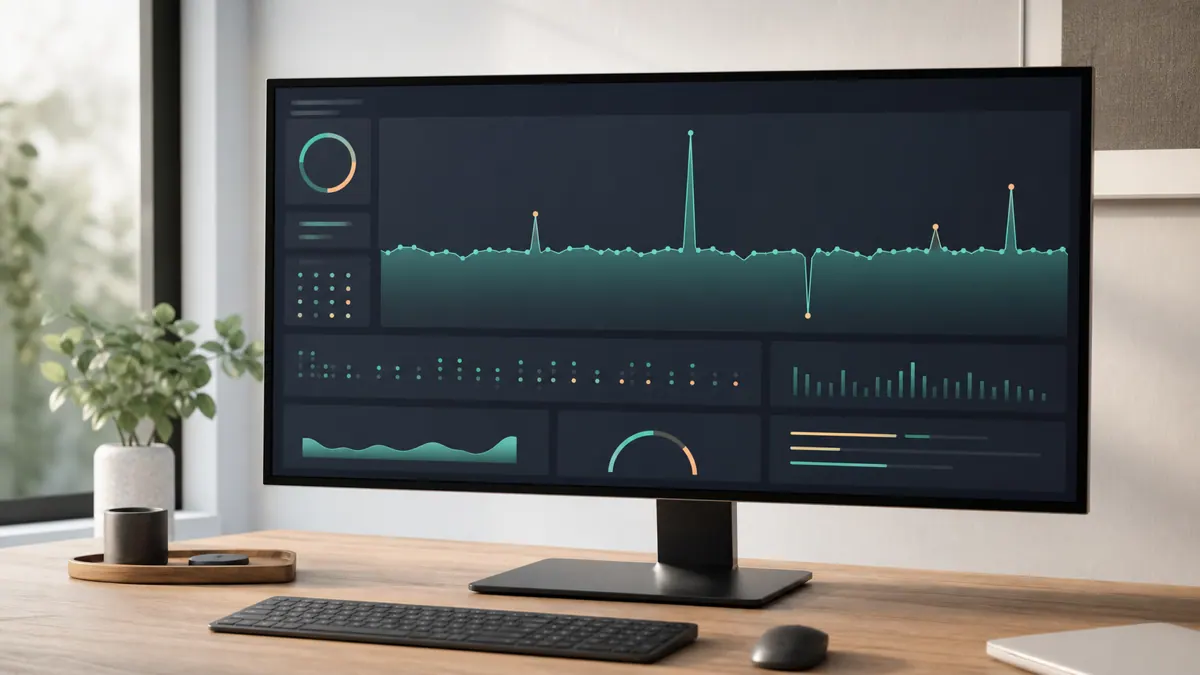
The single highest-leverage move is usually the last one done first: you cannot fix what you cannot see. Most unstable AI apps have no logging of prompts, responses, latency, or error rates, so the team is debugging by anecdote. Add structured logging and a simple alert on error rate, and the vague "it's flaky" becomes "it fails on inputs over 8,000 tokens, at 2pm, under load" — which is a problem you can actually solve.
From there the fixes compound. Validate the model's output and wrap calls in retries with exponential backoff, and a large share of the intermittent errors simply vanish. Pin the model version so the provider stops moving your baseline. Harden the prompts against garbage input. Bring context under deliberate control so the model always sees the right slice of data. What was a coin flip becomes boring and reliable — which is exactly what you want from infrastructure.
Building so it stays stable
Stabilizing an app once is good; keeping it stable is the real goal. A few habits make AI features hold up over time:
- Treat the model as an unreliable dependency. Assume any call can fail or return junk, and handle that everywhere.
- Never trust unstructured output blindly. Ask for a strict format, validate it, and have a fallback when validation fails.
- Watch the provider. Track model deprecations and version changes the way you track any critical dependency.
- Load-test with real concurrency. Demo traffic hides rate limits and timeouts that production will find for you.
- Keep the logs on. Ongoing visibility is what catches drift early, before users lose trust.
This is the same discipline behind taking any vibe-coded MVP to a production-ready app — the prototype proves the idea, but reliability is engineering, not luck. If your AI feature is the core of the product, it deserves to be treated like infrastructure rather than a demo that got lucky for a while.
Frequently asked questions
Why did my AI app get worse without any code changes? Because the things around your code moved. The provider likely updated or throttled the model, your data grew past the context window, or real traffic hit rate limits that the demo never did. The model is also probabilistic, so a flow that passed ten tests can fail the eleventh.
Is my whole app broken, or just the AI part? Usually just the AI layer and how it is called. The surrounding app is often fine — the instability lives in unvalidated model responses, missing retries, and prompts that cannot handle messy input.
How fast can an unstable AI app be stabilized? The highest-impact fixes — logging, response validation, retries, pinning the model — are often a few days of focused work. Deeper prompt and context redesign takes longer, but reliability usually improves dramatically within the first week.
Can you stabilize it without rebuilding everything? Almost always, yes. Instability is typically concentrated in a handful of call sites and prompts, not the whole codebase. A targeted rescue is far cheaper than a rebuild and gets you back to reliable faster.
If your AI app "used to work" and now you brace every time a user tries it, that is a fixable problem. SprintX rescues and stabilizes AI apps — adding the logging, validation, retries, and prompt hardening that turn a coin flip back into dependable software. Fixed-scope quote, you own the result, no lock-in. Get in touch and we will find why yours drifts.
Engineering and operations
Once it’s live, we keep it healthy.
Monitoring, backups, security updates and a monthly health report you can read in ten minutes.
Keep reading.
More on engineering and operations
Engineering and operations · 10 Aug 2026 · 6 min read
Refactoring AI-Generated Code Without Breaking It
AI-generated code fails in predictable patterns. Here is the sequence for cleaning it up that keeps the app working the entire time.
Engineering and operations · 29 Jul 2026 · 6 min read
AI-Built Apps That Broke in Production, and What Broke Them
Real failure patterns from AI-built apps that reached production — the symptom, the root cause underneath it, and the fix that actually held.
Engineering and operations · 23 Jul 2026 · 8 min read
Why a Vibe-Code Rescue Should Be Fixed-Scope, Not Hourly
The case for buying rescue work as fixed scope rather than hourly, what the contract needs to say, and the situations where hourly is genuinely the right call.