What Is Workflow Automation? A Business Owner's Guide
A jargon-free explanation of workflow automation — what it means, where it pays off, and how a business owner should think about getting started.
 SprintX Team8 min read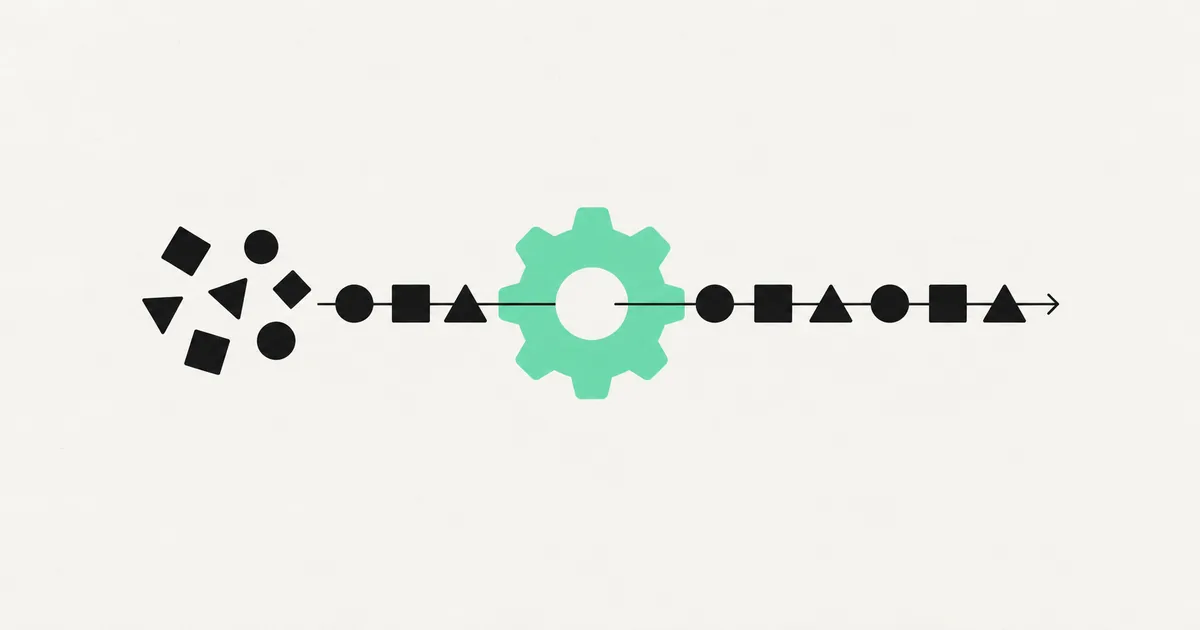
Every business runs on a hundred small handoffs: a form gets filled in, someone copies it into a spreadsheet, someone else emails the customer, a third person updates the CRM. None of it is hard. All of it is time. And most of it doesn't need a person.
That's what workflow automation is about. Not robots, not replacing your team — just handing the repetitive, rule-based glue work to software so your people spend their hours on the things that actually need a human. Here's what it means in plain English, what it looks like in practice, and how to think about starting.
What workflow automation actually means
A workflow is just a sequence of steps that gets something done: a new lead comes in, gets qualified, gets added to your CRM, gets a welcome email, and gets assigned to a salesperson. Workflow automation is using software to run those steps automatically, in the right order, without someone manually pushing each one along.
The key ingredients are always the same:
- A trigger — the thing that kicks it off (a form submission, a new email, a payment, a scheduled time).
- Actions — the steps that follow (create a record, send a message, update a spreadsheet, generate a document).
- Logic — the "if this, then that" decisions (if the deal is over $10k, alert a manager; otherwise auto-assign).
String those together and you've replaced a chunk of manual work with a flow that runs itself, day and night, without forgetting a step.
Where it pays off first
The best candidates for automation are tasks that are repetitive, rule-based, and happening often. A few examples that consistently earn their keep:
- Lead handling — capturing form or ad leads, enriching them, and routing them to the right person instantly instead of hours later.
- Onboarding — when someone signs up or pays, automatically creating their accounts, sending credentials, and kicking off a welcome sequence.
- Invoicing and finance — reading invoices, logging them, chasing overdue payments.
- Reporting — pulling the same numbers every week and assembling the report automatically.
- Support triage — classifying incoming tickets and routing or answering the routine ones.
If a task makes you think "why am I still doing this by hand?", it's probably a candidate.

Simple automation vs. AI-powered automation
Not all automation is equal, and the difference drives both capability and cost.
| Simple automation | AI-powered automation | |
|---|---|---|
| Handles | Structured, predictable data | Messy, unstructured input |
| Example | Form → spreadsheet → email | Read an email and decide what to do |
| Decisions | Fixed rules | Judgment, classification, summarizing |
| Cost to run | Very low | Higher (model usage) |
| Best for | Moving data between apps | Reading documents, understanding text |
Simple automation connects tools and moves structured data — a form to a spreadsheet to an email. Cheap, reliable, and the right place to start.
AI-powered automation adds a language model that can read unstructured input — an email, a PDF, a support message — and make a judgment: summarize it, classify it, draft a reply. More powerful, and worth it when the task genuinely needs understanding rather than just moving fields around. If you're weighing whether a project needs the AI layer at all, our guide on what workflow automation costs breaks down where the money actually goes.
The tools involved
You've probably heard the names. The common building blocks in 2026:
- n8n, Make, and Zapier — the automation engines that connect your apps and run the flows. n8n is favoured by teams who want to self-host and keep running costs flat.
- Your existing apps — CRM, email, Stripe, QuickBooks, Google Sheets, Slack — connected via their APIs.
- AI models — added only where a step needs to read or understand something.
You don't need all of it. Most valuable automations start with two or three connected tools and grow from there.
How to start without overcommitting
The mistake businesses make is trying to "automate everything" in one giant project. The better path:
- List your repetitive tasks and estimate hours each eats per week.
- Pick the single most painful one that's also rule-based.
- Automate just that, prove it works, and measure the time saved.
- Reinvest the saved time and momentum into the next one.
One well-chosen automation that saves ten hours a week builds more confidence — and more ROI — than a sprawling system that takes months to ship. This crawl-walk-run approach is exactly how we roll out AI automation for clients.
Frequently asked questions
Is workflow automation the same as AI? No. Much of it is simple rule-based logic moving data between apps, with no AI at all. AI comes in only when a step needs to understand messy input — reading a document, classifying a message — and it's added on top of the workflow, not the whole point of it.
Do I need a developer to automate my workflows? For a basic two-app connection, tools like Zapier let you do it yourself. The wall appears with branching logic, error handling, AI steps, or high volume — that's when a purpose-built solution and a developer save you from a fragile setup.
How much does workflow automation cost? A single simple flow can be a few hundred dollars; an AI-powered automation over real business data runs into the thousands to build, plus a modest monthly cost. Priced against the labour it replaces, it usually pays back within a quarter.
What if my process changes later? Good automations are built to be adjusted. Business processes evolve, and a well-structured flow can be updated rather than rebuilt — which is why it's worth building on maintainable tools rather than a tangle of quick hacks.
Sitting on repetitive work that eats your team's week? SprintX designs and builds workflow automations on a fixed-scope quote — starting with your single most painful task and using tools like n8n so you own the system. Tell us what's slowing you down and we'll show you what automating it looks like.
AI agents and automation
AI agents that do the work.
We build agents and automations for the repetitive work your team does by hand, and measure what they save.
Keep reading.
More on ai agents and automation
AI agents and automation · 11 Jul 2026 · 8 min read
What Is Prompt Engineering — and Does Your Business Need It?
A no-hype explanation of prompt engineering — what it is, why the same AI model gives wildly different results, and when your business needs it.

AI agents and automation · 18 Jul 2026 · 9 min read
RPA vs AI Agents: Which Should Automate Your Back Office?
A decision guide to robotic process automation vs AI agents: what each is good at, where each breaks, costs, and how to pick the right tool for back-office work.
AI agents and automation · 18 Jul 2026 · 8 min read
Playwright MCP Server: AI Browser Automation That Actually Works
A plain-English guide to the Playwright MCP server: how AI agents control a real browser, why it beats pixel-guessing bots, and where it fits your business.