Replacing Manual QuickBooks Work With an Automated Flow
A practical guide to replacing hours of manual QuickBooks bookkeeping with an automated workflow that reads documents and syncs your books.
 SprintX Team8 min read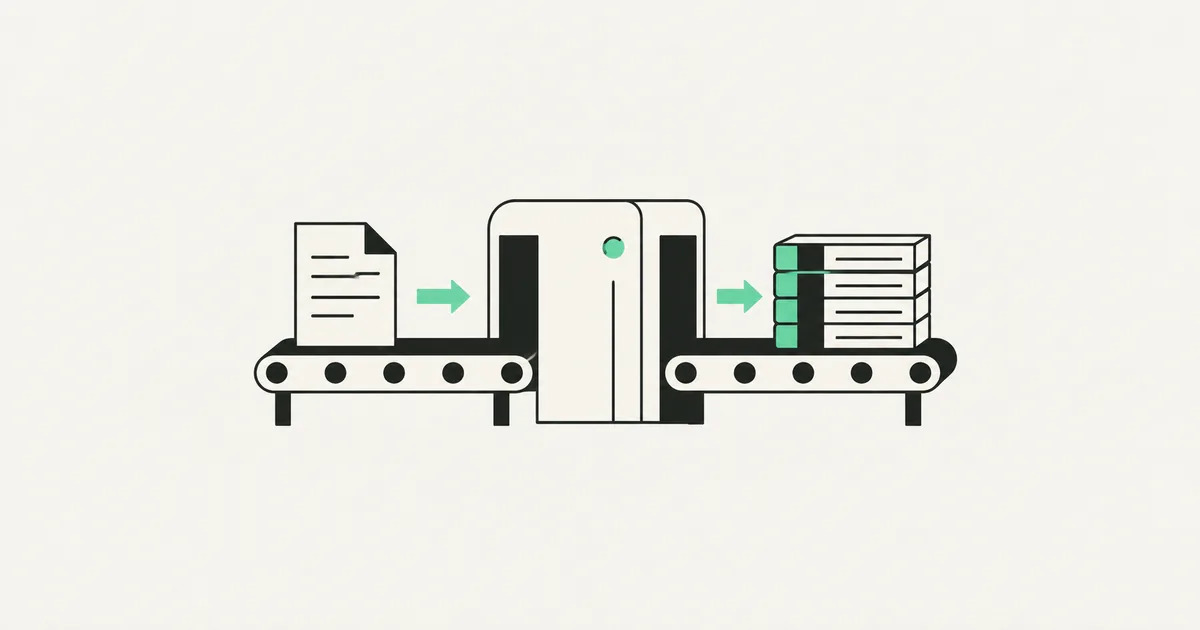
Somewhere in your business, someone spends hours every week typing numbers off invoices into QuickBooks. It's tedious, it's error-prone, and it's the kind of work that quietly costs a salary's worth of time over a year. The good news: most of it doesn't need a human at all anymore.
This isn't about replacing QuickBooks — it's a solid accounting system and there's no reason to leave it. It's about replacing the manual work around QuickBooks with an automated flow that reads documents, pulls out the data, and syncs it into your books. Here's how that actually works, what it costs, and where the limits are.
What "manual QuickBooks work" really is
When people say bookkeeping eats their week, they usually mean a handful of specific, repetitive jobs:
- Data entry from invoices and bills — reading a PDF or photo and typing vendor, date, amount, and line items into QuickBooks.
- Matching payments to invoices — reconciling what hit the bank against what was billed.
- Chasing receipts and expenses — collecting them from email, categorizing, and logging them.
- Recurring reports — pulling the same figures every week or month and pasting them into a spreadsheet.
Every one of these is a pattern: a document comes in, data comes out, something gets updated. Patterns are exactly what automation is good at.
How an automated flow replaces it
A modern automation stitches together a few pieces. QuickBooks stays as the system of record; the flow does the fetching, reading, and entering.
- Capture — invoices and receipts arrive by email, a shared inbox, or an upload folder. The flow watches for them automatically.
- Read (OCR + AI) — instead of a person reading the document, an AI model extracts the vendor, date, totals, tax, and line items — even from messy scans and varied layouts.
- Validate — the flow checks the numbers add up, flags duplicates, and matches the document to an existing purchase order or vendor.
- Sync — using the QuickBooks API, the flow creates the bill or expense with the right category, attaches the original document, and marks it ready for review.
- Escalate — anything ambiguous gets routed to a human instead of guessed. The person reviews exceptions, not everything.
That last point is the whole trick: automation handles the 80–90% that's routine and hands you only the cases that genuinely need judgment.

The tools behind it
You don't need a giant enterprise platform. A typical build uses:
- n8n or Make as the automation engine that orchestrates the steps.
- An AI model (OCR + a language model) to read documents and extract structured data reliably.
- The QuickBooks Online API to push entries in cleanly.
- A review step — a simple dashboard or an approval message in Slack/email — for the exceptions.
We favour tools like n8n because you can self-host them, which keeps running costs flat and your financial data under your control instead of flowing through a stack of third-party apps.
What it costs vs. what it saves
Here's a realistic view for a small-to-mid business.
| Item | Manual today | Automated flow |
|---|---|---|
| Build (one-time) | — | $3,000 – $10,000 |
| Running cost (monthly) | — | $50 – $300 |
| Time per week on entry | 6 – 15 hours | 1 – 3 hours (review only) |
| Error rate | Human typos | Validated, flagged |
| Who does it | A paid staff member | The flow, with human oversight |
If a bookkeeper spends ten hours a week on data entry, that's roughly 40 hours a month you get back. Against a one-time build and a small monthly cost, the flow typically pays for itself inside a quarter — and the accuracy improvement is a bonus that's hard to price.
Where automation should stop
Be honest about the boundaries. Automation should not make final accounting judgments, file your taxes, or approve payments on its own. The goal is to eliminate the typing and the fetching, not to remove the human who owns the books. A good build leaves your accountant firmly in control, just spending their time on decisions instead of data entry. This is the same philosophy behind broader workflow automation — automate the drudgery, keep the judgment.
Frequently asked questions
Do I have to switch away from QuickBooks? No. This keeps QuickBooks as your accounting system and automates the manual work feeding into it. The flow uses the official QuickBooks API to create bills, expenses, and entries just as a person would — only faster and without typos.
How accurate is AI at reading invoices? Very good on typical invoices and receipts, and improving fast — but not perfect on messy scans or unusual layouts. That's why a well-built flow validates the extracted numbers and routes anything uncertain to a human instead of guessing.
How long does it take to build? A focused flow — say, invoice-to-bill automation for one inbox — is usually a couple of weeks. A broader system covering expenses, reconciliation, and reporting takes longer and is best rolled out one piece at a time so you see value early.
Is my financial data safe in an automation? It can be, if it's built right. Self-hosting the automation engine, using official APIs, and limiting which services see the data all keep it tight. Avoid bolting your books onto a chain of consumer apps you don't control.
Still paying someone to type invoices into QuickBooks? SprintX builds document-to-books automations on a fixed-scope quote — you own the flow, it runs on tools like n8n, and your accountant stays in control. Tell us what eats your week and we'll tell you exactly what automating it would cost.
AI agents and automation
AI agents that do the work.
We build agents and automations for the repetitive work your team does by hand, and measure what they save.
Keep reading.
More on ai agents and automation
AI agents and automation · 18 Jul 2026 · 8 min read
AI-Powered Lead Generation Services: What an Automation Agency Actually Builds
A plain-English look at what "AI lead generation services" really means in 2026 — the systems an automation agency builds, what they cost, and where they go wrong.

AI agents and automation · 18 Jul 2026 · 9 min read
RPA vs AI Agents: Which Should Automate Your Back Office?
A decision guide to robotic process automation vs AI agents: what each is good at, where each breaks, costs, and how to pick the right tool for back-office work.
AI agents and automation · 18 Jul 2026 · 8 min read
Playwright MCP Server: AI Browser Automation That Actually Works
A plain-English guide to the Playwright MCP server: how AI agents control a real browser, why it beats pixel-guessing bots, and where it fits your business.