Abandoned Cart Recovery: Automations That Win Back Lost Sales
A practical playbook for abandoned cart recovery — the sequences, channels, timing, and tools that turn abandoned checkouts back into revenue.
 SprintX Team8 min read
Someone added your product to their cart, entered their email, and then left. They were interested enough to get most of the way — and then a phone rang, a kid needed dinner, or they wanted to check the price somewhere else. That shopper is the warmest lead your store will ever get, and most stores do nothing to bring them back.
Abandoned cart recovery is the automation that reaches out on your behalf. Done well, it recovers a meaningful share of otherwise-lost checkouts with almost no ongoing effort. Done badly, it spams people with three identical discount emails and trains your best customers to wait for a coupon. This is how to do it well.
Why carts get abandoned in the first place
Recovery works better when you understand the reasons, because different reasons need different messages:
- Unexpected costs at checkout (shipping, taxes, fees) — the most common killer.
- Being forced to create an account before buying.
- Comparison shopping — they will buy, just not yet, and maybe not from you.
- Distraction — genuine intent, interrupted.
- Payment friction — a declined card, a missing payment method, a slow page.
Some of these you fix in the checkout itself; the rest you fix with a well-timed nudge. If your checkout is where the leak is, our Shopify automation workflows guide covers the upstream fixes too.
The core abandoned cart recovery sequence
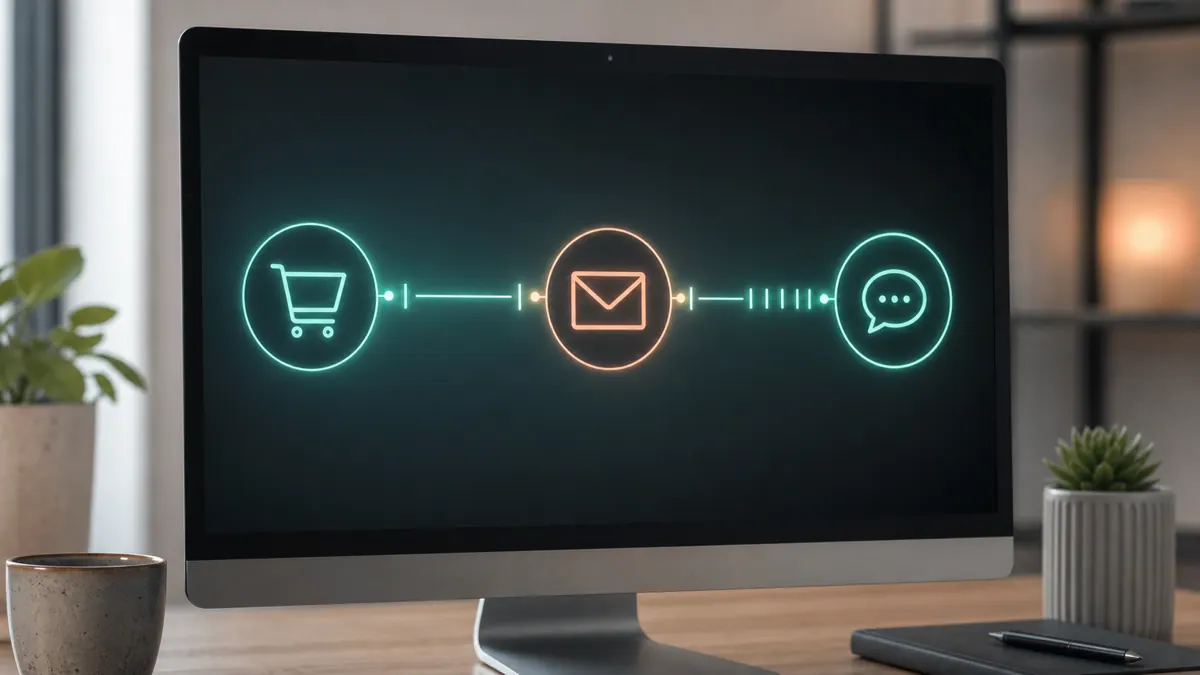
The proven structure is short and escalating. Do not send five emails; send three thoughtful touches across a couple of days.
| Timing | Channel | Message intent |
|---|---|---|
| ~1 hour after | Friendly reminder — "you left something." No discount. | |
| ~24 hours after | Email or SMS | Handle objections — reviews, shipping info, easy support link. |
| ~48–72 hours after | Email (or SMS) | Optional incentive or urgency — low stock, or a modest offer. |
Two principles make or break this:
Lead with the reminder, not the discount. If your very first message offers 15% off, you teach shoppers to abandon on purpose. Hold any incentive for the last touch, and only for carts above a value threshold.
Match the message to the likely reason. The second email is the place to answer objections — surface a return policy, real reviews, or a "questions? reply to this email" line. That single reply-to often recovers carts a discount never would.
Email, SMS, or both
Email is the workhorse: cheap, expected, and it carries product images. SMS is higher-urgency and gets read fast, but it is intrusive and regulated — you need explicit consent, and over-use burns the channel. The strong pattern for most stores is email-first, with SMS added only for higher-value carts and only when the shopper opted in. Some stores add a browser push or a retargeting ad as a third surface, but start with the two that you own outright.
For stores that want to answer questions in the moment rather than wait for a reply, an on-site assistant helps — see AI chatbots for e-commerce for how a bot can catch a hesitating shopper before they abandon at all.
Which tools run it
Three tiers, same as most e-commerce automation:
- Built-in / platform apps. Shopify's own abandoned checkout email and most email/SMS marketing apps ship pre-built recovery flows. Easiest starting point; fine for standard stores.
- Marketing automation platforms. Dedicated email/SMS tools give you branching, segmentation, and better analytics. Worth it once volume justifies the subscription.
- Custom automation. When recovery logic has to consider inventory, customer tier, margin, or data that lives outside your store, you wire it with Make, n8n, or custom code against the store's API. This is also where you avoid the trap of sending a "come back" email for an item that just sold out.
A note for custom storefronts: Shopify retired the legacy Checkout API and is sunsetting Shopify Scripts (June 30, 2026), so build recovery and checkout logic on the GraphQL Storefront/Admin APIs and Checkout Extensibility, not the old REST checkout endpoints. If you are picking an automation platform, our Zapier alternatives comparison weighs n8n, Make, and custom builds.
What this looks like in practice
A recent client pattern: a store on a custom Shopify Storefront API build wanted recovery messages that respected real-time inventory and a wholesale-vs-retail distinction — retail carts got the standard three-touch flow, wholesale carts routed to a rep instead of a discount. Off-the-shelf apps could not see the customer tier or the live stock, so a blanket "10% off, come back!" would have gone out for sold-out items and undercut wholesale pricing. We built a small automation layer that read the abandoned checkout, checked stock and tier through the API, and only then decided whether to send, hold, or hand off to sales. The owner recovered carts without accidentally discounting their most profitable channel.
Measuring whether it works
Track three numbers, not vanity opens:
- Recovery rate — recovered carts divided by abandoned carts. This is the headline.
- Revenue per recipient — protects you from a high recovery rate that is all deep discounts.
- Unsubscribe / opt-out rate — the early warning that you are sending too much.
Give each change a real window before judging it, and change one variable at a time — timing, subject, or offer — so you know what moved the number.
Frequently asked questions
How many abandoned cart emails should I send? Three is the sweet spot for most stores: a reminder within about an hour, an objection-handling message around 24 hours, and an optional incentive or urgency message at 48–72 hours. More than that tends to raise unsubscribes faster than it raises recovery.
Should abandoned cart emails include a discount? Not in the first message. Leading with a discount trains shoppers to abandon on purpose to trigger the coupon. Hold any incentive for the final touch, and ideally only apply it to carts above a value threshold so you protect margin.
What is a good abandoned cart recovery rate? It varies widely by store, price point, and traffic quality, so treat published averages cautiously. The more useful benchmark is your own trend: measure your baseline, then track recovery rate and revenue per recipient as you refine timing and messaging.
Can I recover carts with SMS instead of email? You can, but only with explicit consent, and SMS works best as a complement rather than a replacement. Email carries product images and is expected; SMS is high-urgency but intrusive and regulated. Most stores do email-first and add SMS for higher-value, opted-in carts.
Does abandoned cart recovery work for custom-built stores? Yes, and it is often better because you can factor in inventory, customer tier, and margin that off-the-shelf apps cannot see. Build the logic on your platform's current APIs and add duplicate protection so a shopper never gets two conflicting messages.
Build a recovery flow that fits your store
If your recovery needs to respect real inventory, customer tiers, or margin — the things generic apps ignore — SprintX builds custom cart recovery as a fixed-scope, milestone-based project. You own the code, there is no lock-in, and we instrument every send so you can see exactly what recovered what. Tell us about your store and we will scope a recovery flow.
AI agents and automation
AI agents that do the work.
We build agents and automations for the repetitive work your team does by hand, and measure what they save.
Keep reading.
More on ai agents and automation
AI agents and automation · 18 Jul 2026 · 8 min read
Shopify Automation: 12 Workflows That Save Store Owners Hours
A hands-on guide to Shopify automation with 12 real workflows, the tools that run them, and where a custom build beats an off-the-shelf app.

AI agents and automation · 18 Jul 2026 · 9 min read
RPA vs AI Agents: Which Should Automate Your Back Office?
A decision guide to robotic process automation vs AI agents: what each is good at, where each breaks, costs, and how to pick the right tool for back-office work.
AI agents and automation · 18 Jul 2026 · 8 min read
Playwright MCP Server: AI Browser Automation That Actually Works
A plain-English guide to the Playwright MCP server: how AI agents control a real browser, why it beats pixel-guessing bots, and where it fits your business.