Zapier Alternatives in 2026: n8n, Make and When to Go Custom
A practical guide to Zapier alternatives in 2026: how n8n, Make, and others compare, and the point where a custom-built automation beats any SaaS tool.
 SprintX Team9 min read
Zapier made automation approachable for millions of businesses, and for a lot of them it is still the right answer. The reason people go looking for Zapier alternatives is almost always one of three things: the per-task bill climbs faster than the value, a workflow needs logic Zapier makes awkward, or the data has to stay on infrastructure they control. If none of those describe you, you may not need to switch at all — and that is a fine outcome.
But if one of them does, 2026 has genuinely good options. This guide compares the main Zapier alternatives, explains what each is actually best at, and is honest about the moment when the smartest move is to stop renting workflows and build your own.
Why teams leave Zapier
- Per-task pricing at scale. Zapier bills per task, and a busy multi-step workflow burns tasks quickly. At low volume it is cheap; at high volume the math can flip hard.
- Complex logic feels bolted on. Branching, loops, error handling, and custom code are possible but not where Zapier shines.
- No self-hosting. Zapier is cloud-only. If data residency or full control is a hard requirement, that is a dealbreaker on its own.
What Zapier still wins on is breadth: its app library — 8,000+ integrations — is the widest available, and in 2026 it added Zapier Agents and Zapier MCP, so it connects AI agents across that whole library. If your automation is "connect these two well-known SaaS apps," Zapier is hard to beat. The alternatives earn their place when you outgrow that shape.
The main Zapier alternatives
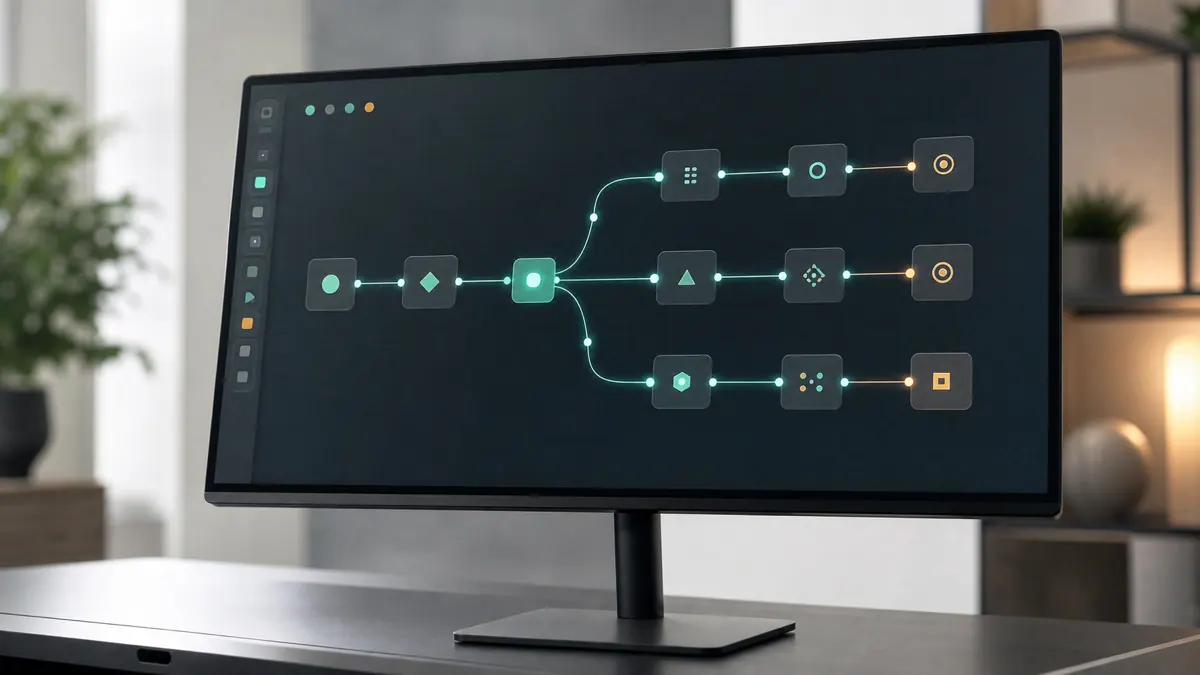
n8n — The choice for teams that want control. It is self-hostable and free for internal use under its Sustainable Use License, with execution-based pricing on its cloud. The 2026 release (n8n 2.0) leaned hard into AI: native LangChain, an Agent node with tool-calling and memory, and local-model endpoints. It is the deepest option for custom logic and the only major one you can run on your own infrastructure. The trade-off is that self-hosting is real responsibility — backups, upgrades, monitoring, and someone who owns them.
Make — The visual powerhouse. Cloud-only, with a canvas that makes branching, routers, and iterators genuinely pleasant, and it added native AI Agents plus a natural-language builder in 2026. It bills per operation, which usually works out cheaper than per-task Zapier for multi-step flows, though a workflow that fans out over many items can consume operations quickly. Great when a non-developer needs to build and maintain moderately complex scenarios.
Pipedream — Developer-leaning, code-first automation with a generous free tier and easy inline JavaScript/Python. A strong fit for engineering teams that want to script glue logic without standing up infrastructure.
Workato / Tray — Enterprise integration platforms aimed at larger orgs with governance, security, and complex internal systems. Powerful and priced accordingly; overkill for a small team.
Zapier MCP-connected agents — Worth noting you can also keep Zapier as the connective tissue and let an AI agent drive it via MCP, rather than replacing it. Sometimes the fix is architectural, not a migration.
Quick comparison
| Tool | Best for | Self-host | Pricing model | AI in 2026 |
|---|---|---|---|---|
| Zapier | Widest app coverage, simple flows | No | Per task | Agents + MCP |
| n8n | Control, custom logic, privacy | Yes | Executions (cloud) / free self-host | Agent node, LangChain |
| Make | Visual complex workflows | No | Per operation | AI Agents + NL builder |
| Pipedream | Developer glue code | No | Credits | Code + AI steps |
| Workato/Tray | Enterprise integration | No | Enterprise | Enterprise AI |
Pricing models differ enough that seat-to-seat comparison is meaningless — model your real workflow's volume against each unit (task, operation, execution) before deciding. We go deeper on two of these in n8n vs Make, and if you are new to n8n specifically, start with what is n8n.
When to go custom
Every tool on that table is still someone else's platform, priced on someone else's units. There is a point where the smartest automation is code you own outright. You have reached it when:
- Volume makes per-unit pricing painful. When tasks, operations, or executions add up to more than the cost of a build plus cheap hosting, renting stops making sense.
- The logic is genuinely yours. Custom matching, real-time decisions, tight coupling to your own database, or rules no visual builder anticipates.
- Reliability is business-critical. When a silently skipped step means a missed invoice or a lost order, you want observability, tests, and idempotency built the way you need — not the way a SaaS exposes.
- You want zero lock-in. Owned code moves with you; a proprietary workflow does not.
Custom does not mean rebuilding everything from scratch — often it is a lean service that handles the critical path, with a tool like n8n still doing the simpler glue. The point is to put the expensive, high-stakes logic somewhere you control. If you are mapping where automation fits at all, what is workflow automation is a good primer, and smaller teams may find enough in AI automation for small business.
What this looks like in practice
A common project pattern for us is the Make.com-to-self-hosted-n8n migration, and increasingly a step past it. One recent engagement we scoped started as exactly that: a growing operation had a sprawl of Make scenarios whose per-operation bill kept climbing, and some flows touched data they wanted on their own infrastructure. We moved the standard integrations to self-hosted n8n to cut the recurring cost, then rebuilt the one high-stakes path — where a failure meant a missed customer commitment — as a small owned service with proper retries, logging, and alerts. The result was lower monthly spend, data on their own servers, and the critical workflow no longer dependent on a black box. Projects like this usually land in the low-few-thousand range per phase.
Frequently asked questions
Is n8n really free? n8n is free to self-host for internal business use under its Sustainable Use License — you pay only for the server and the work of running it. Its managed cloud is paid, billed on executions. "Free" here means no license fee, not no cost: hosting, upgrades, and maintenance are real.
Is Make cheaper than Zapier? Often, for multi-step workflows, because Make bills per operation rather than per task and its operations tend to go further. But a scenario that fans out over many items can consume operations quickly, so model your actual workflow against both unit types before assuming savings.
Which Zapier alternative is best for AI automation? All three main options added first-class AI in 2026 — Zapier has Agents and MCP across the widest app library, n8n has a dedicated Agent node with LangChain and local models, and Make has native AI Agents with a natural-language builder. n8n gives the most control; Zapier gives the most reach.
When should I stop using no-code tools and build custom? When per-unit pricing at your volume exceeds a build plus hosting, when the logic is specific enough that visual builders fight you, or when a failure is costly enough to demand real observability and tests. Many teams do both — custom for the critical path, no-code for the glue.
Get an honest build-vs-buy read
If your automation bill is climbing or a workflow keeps fighting the tool, the answer might be a migration, a partial custom build, or nothing at all — and it is worth knowing which. SprintX scopes automation projects as fixed-price, milestone-based work you fully own, no lock-in, whether that is a Make-to-n8n migration or a custom service for your critical path. Bring your workflow and monthly volume and we will send a scoped plan.
AI agents and automation
AI agents that do the work.
We build agents and automations for the repetitive work your team does by hand, and measure what they save.
Keep reading.
More on ai agents and automation
AI agents and automation · 11 Jul 2026 · 10 min read
n8n vs Make: Which Automation Platform Fits Your Workflow?
A practical n8n vs Make comparison built around simple and branching workflows, with honest trade-offs on credits, executions, hosting, and maintenance.
AI agents and automation · 11 Jul 2026 · 8 min read
ChatGPT vs Claude for Business Automation: Which to Use
A practical comparison of ChatGPT and Claude for real business automation work — not benchmarks, but which model to reach for on which job.

AI agents and automation · 27 Jul 2026 · 6 min read
Cursor vs Claude Code for Building Something You Ship
Both work on your real repo, which puts them ahead of every builder. The difference is how much you see, how much you review, and what the codebase looks like in month three.