My App Is Firing Thousands of API Calls I Did Not Ask For
Why AI-generated React apps end up in request loops, how to trace the specific effect causing it, and the guardrails that keep one bug from draining a budget.
 SprintX Team6 min read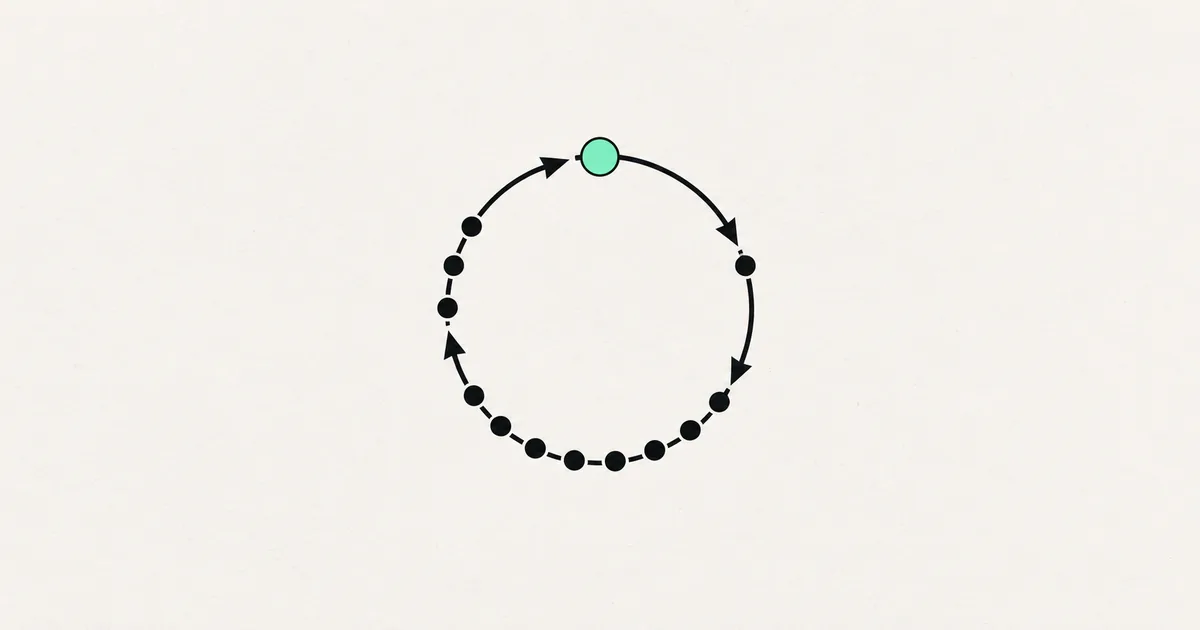
You opened the network tab for an unrelated reason and found the same request repeating forever. Or the OpenAI bill arrived. Or your database provider emailed about egress. Either way, one page of your app is talking to your backend hundreds of times a minute while a single user sits there doing nothing.
This is the most reliably reproducible bug in AI-generated React apps. It has one dominant cause, and once you have seen it you will spot it in ten seconds.
Stop the bleeding first
If money is going out the door, do these before debugging:
- Set a hard spend cap at the provider. Most metered APIs support one; use the hard limit, not the alert.
- Rotate the key if it is anywhere near the browser, and check whether it was the app looping or someone else using your key — the symptoms overlap. What to do when an API key is exposed covers telling those apart.
- Take the offending page down or put it behind a flag if the loop is in production and expensive.
Then debug with the meter off.
Confirm the shape of the loop
Open the network tab, filter to the endpoint, and look at the timing. Three distinct patterns, three different causes:
- Requests as fast as the browser can issue them. A render loop: a fetch triggers a state update, which triggers a render, which triggers the fetch.
- Requests at a steady interval. A timer that was never cleaned up. Often several of them, stacked, because each remount added one.
- Bursts on every keystroke or scroll. An unthrottled handler firing a request per event.
Check whether the requests are identical. Identical URL and payload means a loop; varying parameters means something is iterating over data it should have batched.
The one bug behind most of these
React effects re-run when their dependencies change, and dependencies are compared by reference. An object, an array, or a function created during render is a brand-new reference on every render — so an effect that depends on one runs every render, forever.
The generated pattern that produces this looks entirely reasonable: a component builds a filters object inline, passes it to an effect that fetches data, the fetch sets state, the state change re-renders, the re-render builds a new filters object, and the effect fires again. Nothing in the code says "loop."
The fixes:
- Depend on primitives. Instead of an options object, list the individual string and number values it contains. Stable by value, no loop.
- Memoize the object or function so its identity survives re-renders, and make sure the memo's own dependencies are primitives.
- Move the fetch out of the effect entirely and into a data-fetching library. Caching, deduplication, and lifecycle handling stop being your problem.
That third option is the one we recommend for anything beyond a toy. A query library will collapse duplicate in-flight requests, share results across components, and refetch on rules you choose rather than by accident.
The other repeat offenders
| Pattern | What it looks like | Fix |
|---|---|---|
| Effect with no dependency array | Fetch on every single render | Add the array, with primitive dependencies |
| State set unconditionally in an effect | Update triggers render triggers update | Set state only when the value actually changed |
| Timer without cleanup | Steady drumbeat that speeds up over time | Clear the interval when the component unmounts |
| Subscription re-created per render | Duplicate messages, growing listener count | Set up once, tear down on unmount |
| Per-item request in a list | One call per row, hundreds on a big page | Batch into a single call, or fetch on the server |
| Retry on failure with no backoff | Failing endpoint hammered continuously | Cap retries, add exponential backoff |
| Polling to fake real-time | Request every second, per open tab | Longer interval, or a real subscription |
The retry row is worth a warning. Generated error handling often retries immediately and indefinitely, which means the moment an upstream service has a bad minute, your app converts it into a self-inflicted flood — exactly when the upstream service can least handle it.
Find the culprit in five minutes
Rather than reading every component, use the runtime.
- In the network tab, open one of the repeated requests and read the initiator stack. It names the file and line.
- If the initiator is buried in a library, put a temporary console log with a counter inside the fetch call and watch which component's render it correlates with.
- Comment out the suspect effect. If the flood stops, you have it. If it does not, you have eliminated it — keep going.
- Once fixed, verify with the network tab open for a full minute of idle time. Idle should mean zero requests, or a small predictable number.
React's development mode intentionally mounts components twice, so seeing exactly two of each request locally is expected and not a bug. Hundreds is a bug.
Guardrails so this cannot cost you again
Fixing the loop is a one-hour job. Making sure the next one is cheap is the more valuable work.
- Rate limit your own API. A per-user, per-endpoint ceiling turns a runaway client into a few hundred rejected requests instead of a bill. Rate limiting an AI app covers doing it without breaking legitimate use.
- Never call a paid model directly from the browser. Route it through your backend so you can cap, cache, and log it. This is also the only way to keep the key private.
- Cache identical requests. Most loops call the same endpoint with the same arguments; a short server-side cache absorbs the damage while you fix the cause.
- Alert on request volume, not just errors. A loop produces perfectly successful responses, so error monitoring stays silent. Track requests per user per minute and alert when it crosses something absurd.
- Watch spend daily during the first weeks after launch. If the bill is already the problem, an AI app burning API credits and reducing OpenAI API costs go further on the cost side.
If the loop hits your database rather than a paid API, the failure shows up as timeouts and connection exhaustion instead of a bill — see an app that crashes with more than a few users, which is frequently the same bug wearing a different hat.
Frequently asked questions
Why does AI-generated code do this so consistently? Because the model writes each component in isolation and cannot observe the running app. Reference-identity dependency bugs are invisible in static code and obvious at runtime, so they survive review by both the model and the person reading the diff.
Could this be a bot rather than my own app? Possible, and worth ruling out — check whether the requests carry a real session and whether they come from many IPs or one. Your own loop looks like a single authenticated user making impossible numbers of identical calls.
Is polling always wrong? No. Polling every thirty seconds for a status that changes rarely is perfectly sensible. Polling every second, from every open tab, for something that could be pushed, is where it becomes a cost problem.
If your app is making requests nobody asked for, the loop itself is a quick fix and the missing limits around it are the real exposure. SprintX finds runaway call patterns in AI-generated apps and puts caps, caching, and monitoring behind them so the next one costs nothing. Send us your repo and a screenshot of the network tab.
Engineering and operations
Once it’s live, we keep it healthy.
Monitoring, backups, security updates and a monthly health report you can read in ten minutes.
Keep reading.
More on engineering and operations
Engineering and operations · 9 Aug 2026 · 6 min read
My Database Is Full of Duplicate and Half-Finished Records
If your only validation is in the form, your database will eventually hold every record your users almost created. Here is how to clean up and prevent it.

Engineering and operations · 9 Aug 2026 · 6 min read
Every Feature I Add Makes the App Slower
An app that gets slower with every feature has a compounding problem, not a slow feature. Here is how to find what compounds and how to stop it.
Engineering and operations · 7 Aug 2026 · 6 min read
A Schema Change Broke My App and I Have No Migrations
What to do when a schema change takes down an app with no migration files to fall back on, and how to introduce real migrations without a rewrite.