The AI Breaks a Working Feature Every Time I Add a New One
The structural reasons an AI agent breaks working features while building new ones, and the safety net that lets you keep shipping without regressions.
 SprintX Team8 min read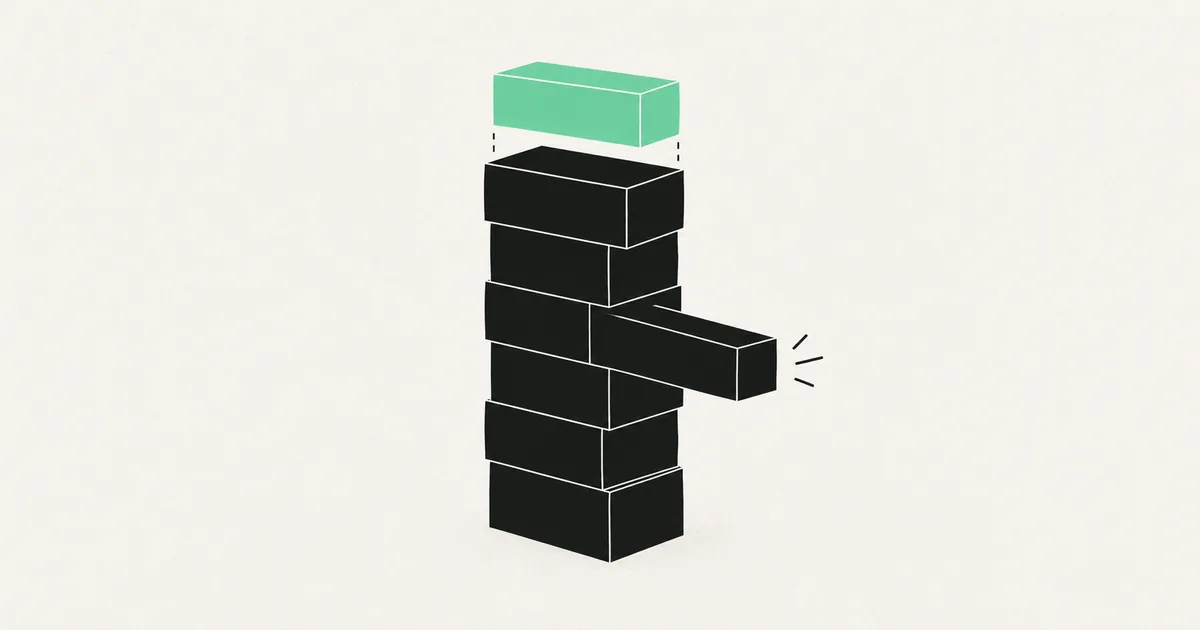
You ask for a new filter on the dashboard. You get the filter. Two days later a customer emails to say invoice emails stopped sending. You did not touch invoices.
So you ask the AI to fix invoices. It does. Now the dashboard filter is broken again, or the login redirect goes to the wrong page, or a page that rendered yesterday shows a blank screen. Each fix costs a prompt, a wait, a deploy, and a bit more of your confidence in the whole thing.
This is not bad luck and it is not a bad model. It is a predictable consequence of how agentic coding works when there is nothing underneath it. Once you understand the mechanism, the fix is straightforward and mostly one-time.
Why this happens, mechanically
Four causes, usually stacked.
The model cannot see your whole app. Every agent works from a slice of your repo — the files it retrieved, the files you had open, a summary of the rest. When it edits a shared component, it does not know about the four other screens that use it, because those files were never in the window. It is not being careless. It genuinely does not know they exist.
It rewrites instead of extending. Asked to change behavior in a function, a model will frequently regenerate the whole function. Everything in the original that was not mentioned in your prompt — a null guard someone added after a bug report, a special case for legacy accounts, a workaround for a vendor quirk — vanishes. The new version looks cleaner. That is the tell.
There is no regression signal. In a normal codebase, a test suite fails and you find out in ninety seconds. In a vibe-coded app there are usually no tests, so the only detector is a human clicking around, and humans only click on what they just changed. The regression sits in production until a customer finds it.
Duplicated logic drifts. Agents copy patterns rather than extract them. The same permission check exists in six places with small differences. Fix the bug in one and the other five keep the old behavior — which reads exactly like "fixing X broke Y."
The multiplier on all four is architectural drift. Every session adds a slightly different convention, so by month three there is no single way anything is done, and any edit can plausibly conflict with something. That accumulation has a name and a cost model — see our technical debt guide for why it compounds rather than adds.
Diagnose which one you have
The symptom pattern tells you the cause, and each cause has a different fix.
| What you observe | Likely cause | First move |
|---|---|---|
| An unrelated screen breaks after an edit | Shared component rewritten | Find the shared file in the diff, restore the removed branch |
| The same bug returns weeks later | Duplicated logic, only one copy fixed | Grep for the pattern, consolidate to one function |
| Edge cases fail that used to work | Function regenerated, guards dropped | Diff against the older commit, re-add the conditions |
| Breakage appears only in production | Environment or build differences, not regression | See works locally, not in production |
| Data disappears or duplicates after a change | Schema edit without migration discipline | Stop deploying and check migration damage first |
The single most useful habit here: read the diff before accepting any AI change. Not the summary the agent writes — the actual file changes. Ninety percent of these regressions are visible as deletions in a diff nobody looked at.
The four changes that end the loop
None of these require rewriting your app, and they compound.
1. Get commit granularity back
If your builder commits once a day with a message like "updates," you cannot bisect, revert, or review. Move to real git with one commit per change and a message describing intent. This alone converts "the app is broken and I do not know when it started" into a five-minute bisect. If you are still inside a hosted builder, getting your code out is the prerequisite for everything else in this list.
2. Put a test around the flows that must never break
You do not need coverage. You need three to eight end-to-end tests over the paths that cost you money when they fail: signup, login, the core action your product exists for, checkout, and any email that must send. Run them on every change.
This is the highest-leverage hour you will spend. A regression caught by a test costs ninety seconds. The same regression caught by a customer costs a support thread, a credibility hit, and an emergency deploy. Our guide on adding tests to AI-generated code covers where to start when there are none.
3. Delete the duplicates
Pick the three things that appear everywhere — permission checks, the API client, date formatting, the fetch wrapper — and consolidate each into one implementation. This is boring work and it removes an entire category of "fixing one thing broke another," because there is only one thing left to fix. It also shrinks the context an agent needs to hold, which measurably reduces future breakage. More on this in refactoring AI-generated code.
4. Change how you prompt
Small changes, large effect:
- Name the constraint. "Add the filter. Do not modify the existing sort behavior or the shared table component." Models respect explicit boundaries far better than implicit ones.
- Ask for the smallest diff. "Change only what is necessary" is not magic, but it measurably reduces gratuitous rewrites.
- Ask what else touches this file before the edit. The answer tells you whether the model has the right context, and when it says "nothing else uses this component" and you know six screens do, you have learned something important before any code changed.
- Start a new session per feature. Long sessions accumulate stale assumptions about a codebase that has since changed.
When to stop patching
Some codebases have crossed a line where each fix genuinely does cost more than the last. The signals are consistent: you are afraid to deploy, the same bug has now returned three times, nobody can say what a given change will affect, and your feature velocity has gone to roughly zero while your credit spend has not.
At that point you are not fixing bugs, you are paying interest. The productive move is a scoped stabilization pass — untangle the shared layer, add the safety net, then resume shipping — rather than another round of prompts. Stabilizing an AI-built app walks through what that looks like, and rebuild vs harden covers how to tell when the codebase is past saving.
Frequently asked questions
Would a better model stop breaking my code? It helps at the margin and does not solve it. Stronger models regenerate less aggressively and reason better about dependencies, but no model can protect code it cannot see, and none of them can tell you a change broke something without a test to report it. The safety net matters more than the model.
Should I tell the AI not to break things? Naming specific constraints works. "Do not break anything" does not — it carries no information the model can act on. Point at the files and behaviors that must stay unchanged, then verify in the diff rather than trusting the reply.
Is it my prompting that is the problem? Partly, and it is the smaller part. Better prompts reduce the rate; structure eliminates the category. A team with tests and clean module boundaries can prompt sloppily and still catch regressions in ninety seconds, which is the actual goal.
If every new feature costs you an old one, you are not short on prompts — you are short on the structure that makes changes safe. SprintX untangles shared code, adds a regression net around the flows that matter, and hands the codebase back so you can keep building with AI without the whack-a-mole. Show us the repo and we will tell you which of the four causes you have.
Engineering and operations
Once it’s live, we keep it healthy.
Monitoring, backups, security updates and a monthly health report you can read in ten minutes.
Keep reading.
More on engineering and operations
Engineering and operations · 5 Aug 2026 · 8 min read
The AI Wrote Code I Do Not Understand. Now What?
A practical method for getting oriented in a codebase an AI wrote for you, what you actually need to understand, and how to stop the gap from widening.
Engineering and operations · 9 Aug 2026 · 6 min read
My Function Times Out on Vercel
Raising the timeout buys you seconds. Here is how to tell which of the four common causes is behind your 504s and restructure the work so it stops timing out.
Engineering and operations · 9 Aug 2026 · 6 min read
My Database Is Full of Duplicate and Half-Finished Records
If your only validation is in the form, your database will eventually hold every record your users almost created. Here is how to clean up and prevent it.