Your API Keys Are in the Frontend. Here Is What to Do Today.
A same-day plan for API keys shipped in client code: confirm the exposure, rotate in the right order, assess the damage, and fix the architecture that caused it.
 SprintX Team6 min read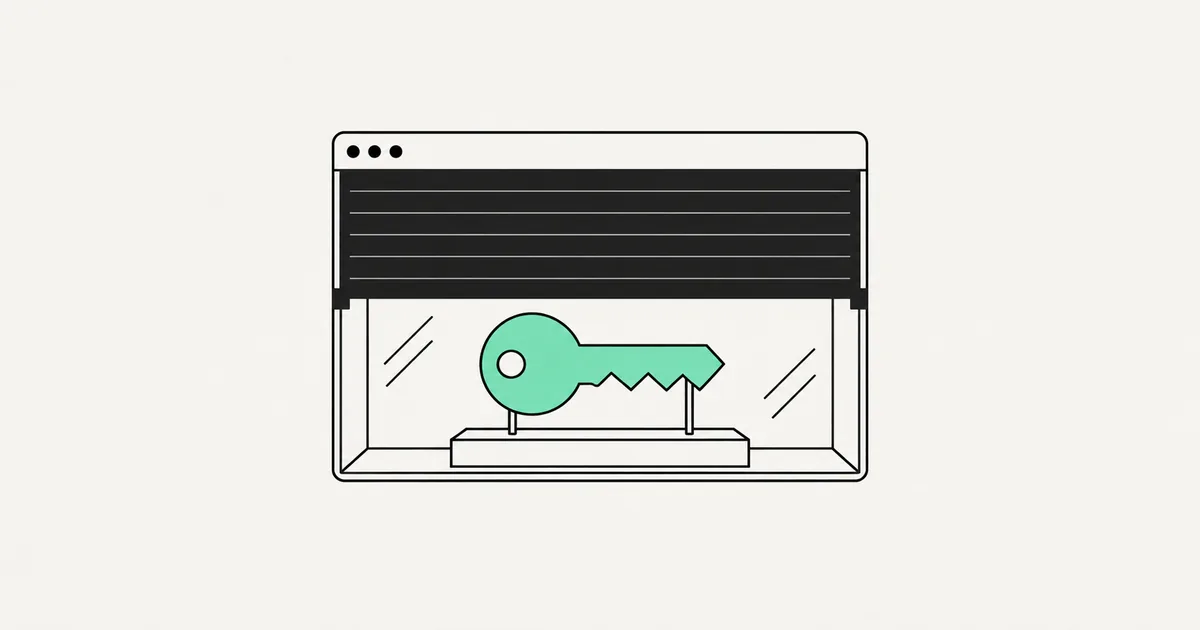
There is no way to hide a secret in a frontend. Not with obfuscation, not with a build-time variable, not by splitting it across files, not with base64. Everything the browser needs to run your app, it hands to anyone who asks — and the network tab asks by default.
If you found a secret key in your client code, you are in a well-populated group. GitGuardian counted 28.65 million new hardcoded secrets in public GitHub commits during 2025, up 34% year over year, and AI-assisted commits leak at roughly 3.2% against a 1.5% baseline. The generator does it because the code calling the API happened to run client-side, and it wrote code that worked.
Here is the order of operations for today. Do not start with the refactor.
Step 1: confirm what is actually exposed
Ten minutes, and it changes what you do next.
Open your deployed site, view source, then search the loaded JavaScript bundles for the distinctive prefixes: sk-, sk_live, AKIA, ghp_, AIza, and your provider's own format. Then open the network tab, trigger the feature you are worried about, and read the outgoing request headers — a key in an Authorization header sent from the browser is exposed regardless of where it lives in your source.
Check git history too. A key removed from current code but present in an earlier commit is still public if the repository ever was; secret scanning an AI codebase covers the tooling.
Step 2: know which keys are supposed to be public
Not every key in a bundle is an incident, and treating them alike wastes an afternoon you need.
| Key | Safe in the browser? | Why |
|---|---|---|
| Stripe publishable key (pk_) | Yes | Designed for client use; cannot move money |
| Stripe secret key (sk_) | No | Full account access — charges, refunds, customer data |
| Supabase anon key | Yes, if RLS is enforced | It is a public key whose limits come entirely from your policies |
| Supabase service role key | No | Bypasses RLS completely |
| Firebase web config | Yes | Identifiers, not credentials; security comes from rules |
| OpenAI / Anthropic API key | No | Metered spend against your account, no per-user limit |
| AWS access key | No | Whatever the IAM policy allows, which is usually too much |
| Google Maps browser key | Yes, with restrictions | Must be restricted by HTTP referrer and API |
The Supabase anon key deserves a warning: it is safe only in the sense that it is meant to be seen. If your policies are wrong, that public key is a full read of your database — check it against the RLS mistakes in AI-generated Supabase apps first.
Step 3: rotate, in this order
For every genuinely secret key that was exposed:
- Create a new key first. Revoking before you have a replacement turns a security problem into an outage.
- Deploy the new key server-side. Environment variables on your host, never in the repository.
- Revoke the old key. Not "delete it from the code" — revoke at the provider so it stops working everywhere.
- Verify the old key is dead. Try to use it. If it still works, you revoked something else.
- Check everywhere else it lives. CI secrets, a teammate's local file, a Slack message, an old deployment, a screenshot in a doc.
Rotating without revoking is the most common half-measure, and it accomplishes nothing. The old key is still valid and still public.
Step 4: find out what it cost you
Exposure is not the same as abuse, and you need to know which one you had.
Pull the usage or billing history for the key across its entire life, not just this month. Look for volume spikes, requests from regions you do not serve, calls at hours your users are asleep, and endpoints your app never touches. For a cloud key, check for created resources — abused cloud credentials usually spin up compute for mining rather than going after your data.
If it was a metered AI service and the usage looks wrong, an AI app burning API credits covers containment. If there is evidence of abuse touching customer data, this becomes a disclosure question and not just an engineering one; get advice before deciding it was nothing.
Step 5: fix the architecture, not the symptom
Now the refactor. The rule is simple: the secret never reaches the browser, so the browser never calls the third party directly.
Put a server route in between. Your frontend calls your backend; your backend holds the key and calls the provider. On a typical AI-built stack that is one serverless or edge function — an afternoon per integration.
The proxy is not free security. A wide-open proxy is the same problem wearing a hat: anyone can call it and spend your money, they just cannot steal the key. The route also needs to:
- Requires authentication. The user's session, checked server-side, on every request.
- Rate limits per user, not per IP. Details in rate limiting an AI-built app.
- Validates and constrains input. Cap prompt length, restrict which model or endpoint can be requested, reject anything unexpected rather than passing it through.
- Logs who called what. You cannot investigate abuse you did not record.
- Has a spend ceiling at the provider. A hard cap is the backstop for everything you forgot.
For the AI-spend case specifically, reducing OpenAI API costs pairs well with this — the proxy is also where caching lives, and caching is usually the largest single saving.
Step 6: make the next one impossible
Add a secret scanner to your pre-commit hook and to CI so a key cannot be committed at all, and turn on your git host's push protection. Commit an example environment file listing variable names with no values, so the next person — or the next agent — has an obvious place to look instead of inlining a literal.
And know your framework's exposure rule. Anything behind a public prefix ends up in the bundle by design; that prefix is a decision, not a formality. A secret sitting behind one is a five-second fix and a five-figure risk.
Frequently asked questions
Can I restrict a key instead of hiding it? Sometimes, and it is the right answer for keys designed to be public. Google Maps keys lock to a referrer and to specific APIs; Stripe publishable keys are inherently limited. Most provider keys are all-or-nothing, though, and no restriction makes an OpenAI or AWS key safe in a browser.
Nobody knew about the key and nothing bad happened. Do I still have to rotate? Yes. Scanners crawl public repositories and deployed bundles continuously, and no abuse today is not evidence the key was never collected. A key that was ever public is compromised.
How long does the proper fix take? For one integration, an afternoon: server route, auth check, rate limit, redeploy. For an app with several third-party services wired directly into the frontend, a few days, and it is a good moment to review the rest — a proper audit usually surfaces the missing authorization checks sitting next to the exposed keys.
If you just found a live secret in your own bundle, rotate it now and worry about elegance afterward — every hour it stays valid is an hour it can be used. SprintX handles the whole sequence: rotation, abuse review, server-side proxies with auth and rate limits, and scanning so it cannot happen again. Send us the repo and we will start with the keys.
Security and compliance
Models you own.
When data can’t go to a public AI service, we deploy and train models that run in your environment.
Keep reading.
More on security and compliance
Security and compliance · 7 Aug 2026 · 6 min read
My Supabase RLS Policy Is Not Working
A debugging order for Supabase row-level security when policies seem ignored or block everything, including the service-role trap and the tests that prove it.

Security and compliance · 6 Aug 2026 · 6 min read
Someone Found My API Key. What Do I Do Right Now?
A calm, ordered playbook for the hour after you discover an API key leaked: rotate the right things first, read the logs, and purge the key from history.

Security and compliance · 4 Aug 2026 · 8 min read
My App Works for Me but Not for Other Users
A diagnostic guide for the app that works perfectly on your account and breaks for every other user, including the security problems hiding behind the symptom.