Customer Support Automation: What to Automate (and What Not To)
Where support automation actually pays off, where it backfires, and how to draw the line between the two.
 SprintX Team8 min read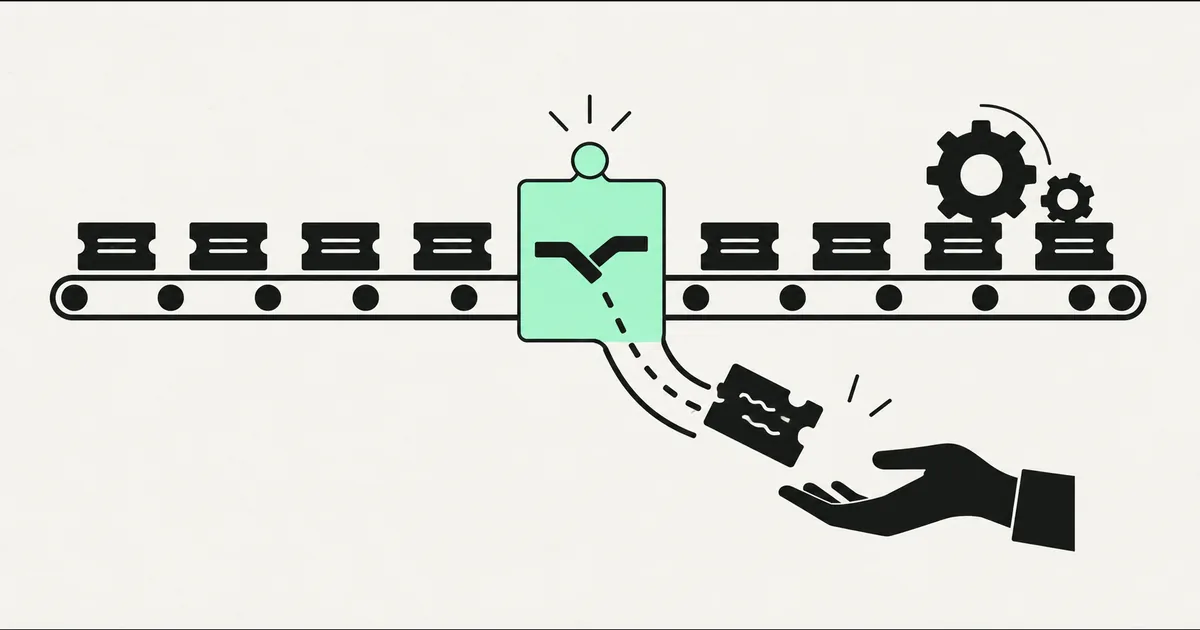
Most support automation projects fail for the same reason: someone tries to automate the wrong things. They point a bot at every incoming message, it fumbles the angry customer and the billing dispute alike, CSAT drops, and the whole idea gets labelled "we tried AI support, it didn't work."
The teams that win do the opposite. They automate the boring, repetitive 60% and route the rest — fast — to a human who now has time to handle it well. This guide is about drawing that line: what genuinely belongs to the machine, what should never leave a person's hands, and how to roll it out without torching customer trust.
What "support automation" actually covers
Customer support automation isn't one thing. It's a stack of layers, and you can adopt any subset of them:
- Deflection — answering common questions before a ticket is ever created (help center, in-app answers, an AI chat widget).
- Triage — reading an incoming message and classifying it: topic, urgency, sentiment, which team it belongs to.
- Routing — sending the ticket to the right agent, queue, or system, with the right priority.
- Drafting — writing a suggested reply an agent reviews and sends, instead of typing from scratch.
- Resolution — the bot actually completes the request end to end (reset a password, check an order status, issue a refund within policy).
- Post-ticket — tagging, logging, updating the CRM, triggering a follow-up survey.
Notice that only two of those — deflection and resolution — put the machine directly in front of the customer unsupervised. The others quietly make your existing team faster. That distinction matters, because the low-risk, high-return wins almost all live in triage, routing, drafting, and logging.
What to automate
Automate the work that is repetitive, rule-based, and high-volume — the stuff a new hire would be trained to do in their first week.
- Tier-1 FAQs. "Where's my order?", "How do I reset my password?", "What are your hours?", "How do I change my plan?" These are the same 20–30 questions asked thousands of times. An AI assistant grounded in your real help docs answers them instantly, 24/7.
- Ticket triage and tagging. Every incoming message gets read, categorized, and prioritized before a human sees it. Your team opens a queue that's already sorted instead of a chaotic inbox.
- Order and account lookups. Connect the assistant to your order system so it can answer "where's my package" with the actual tracking number, not a canned "please check your email."
- Reply drafting. For messages that do need a human, the AI drafts a grounded first response citing your policy. The agent edits and sends in seconds. This alone often cuts handle time meaningfully.
- Routine actions with clear rules. Refunds under a set amount, address changes, subscription pauses — anything with an unambiguous policy can be executed automatically, with a log.
- The busywork after resolution. Tagging, CRM updates, follow-up surveys, escalation reminders. Nobody enjoys it, and machines never forget it.
What NOT to automate
The failures are always in the same places. Keep a human on:
- Angry or emotional customers. A frustrated person wants to feel heard, not processed. Detecting sentiment and escalating fast is the automation's job here — not answering.
- Anything involving money it shouldn't move. Large refunds, chargebacks, billing disputes, cancellations you'd want a chance to save. Let the bot gather context; let a human decide.
- Ambiguous or novel problems. If the request isn't in the knowledge base, a confident-sounding wrong answer is worse than "let me get someone." Bots should say they don't know and hand off.
- High-stakes accounts. Your biggest customers expect a name and a relationship, not a widget.
- Anything legal, medical, or safety-related. These need human judgment and accountability, full stop.
The golden rule: automate the resolution only when the outcome is unambiguous and reversible. Everything else, automate the preparation — triage, context-gathering, drafting — and let a person make the call.
Automate vs. escalate: a quick reference
| Scenario | Automate fully | Automate the prep, human decides |
|---|---|---|
| "Where's my order?" | Yes | — |
| Password / account help | Yes | — |
| Refund within policy | Yes | — |
| Refund over policy limit | — | Yes |
| Angry / churn-risk customer | — | Yes (detect + escalate fast) |
| Billing dispute | — | Yes |
| Feature question in the docs | Yes | — |
| Novel bug report | — | Yes (gather logs, route) |
| Enterprise / VIP account | — | Yes |
The tools involved in 2026
You're assembling three things: a place customers talk to you, a brain that understands the message, and connections to your systems.
- Help desk — Zendesk, Intercom, Freshdesk, Re:amaze, or Help Scout hold your tickets and knowledge base. Most now ship native AI features, though depth varies. If you're weighing platforms, our takes on Zendesk alternatives and Intercom alternatives go deeper.
- The AI layer — a current model (the Claude Sonnet 5 or Haiku 4.5 tier is a common price/performance pick for support volume) grounded in your documentation using retrieval, so it answers from your policies rather than making things up. This is the same RAG pattern behind any AI chatbot for customer service.
- Automation glue — n8n, Make, or Zapier to wire triage results into routing, CRM updates, and downstream actions. n8n 2.0's agent nodes make it a common self-hosted choice when you want the logic to live on your own infrastructure.
The one non-negotiable: the AI must answer from your real, current knowledge base, with a hard rule to escalate when it isn't confident. A support bot that invents policies is a liability, not a feature.
What this looks like in practice
A recent client project started exactly where you'd expect: a small team drowning in the same handful of questions across email and chat. We didn't build a "replace the team" bot. We built a triage-and-draft layer. Every incoming message was read, classified by topic and urgency, and tagged automatically. Routine order-status and account questions were answered directly from their order system and help docs. Everything else landed in a pre-sorted queue with an AI-drafted first reply the agent could edit and send. The team kept full control of the hard conversations — they just stopped spending their day on the easy ones. Work like this typically lands in the low-thousands-per-phase range and pays for itself against the labor it frees up.
How to roll it out without wrecking CSAT
- Start with deflection and drafting, not autonomous resolution. Low risk, immediate time savings, and you learn how customers actually phrase things.
- Ground the AI in your real docs and give it a clear "I don't know → escalate" behavior. Confidence without knowledge is the failure mode.
- Watch the handoffs. Measure how often the bot escalates and whether those escalations were right. Tune from real transcripts, not guesses.
- Expand into resolution slowly, one unambiguous, reversible action at a time.
- Never hide the human option. A visible "talk to a person" path is what keeps trust intact while the automation earns it.
Frequently asked questions
Will support automation replace my agents? No — the good implementations make agents faster, not redundant. Automation handles volume and busywork so your people spend their time on the conversations that actually need judgment, empathy, or a decision.
How much of my support can realistically be automated? It varies by business, but a large share of tier-1, repetitive questions can be deflected or auto-answered, while the complex minority stays human. The point isn't a percentage target — it's freeing your team from the repetitive majority.
How is this different from a chatbot? A chatbot is one surface. Support automation is the whole pipeline — triage, routing, drafting, resolution, and logging — most of which the customer never directly sees. The chatbot is just the front door.
How do I stop the AI from giving wrong answers? Ground it in your actual knowledge base with retrieval, restrict it to verified sources, and enforce escalation when confidence is low. An honest "let me get someone" beats a confident wrong answer every time.
Tired of your team answering the same questions all day? SprintX builds customer support automation on a fixed-scope quote — grounded in your real docs, wired into your help desk, with humans firmly in the loop on anything that matters. Tell us where your support time goes and we'll map what's safe to automate first.
AI agents and automation
AI agents that do the work.
We build agents and automations for the repetitive work your team does by hand, and measure what they save.
Keep reading.
More on ai agents and automation
AI agents and automation · 18 Jul 2026 · 9 min read
RPA vs AI Agents: Which Should Automate Your Back Office?
A decision guide to robotic process automation vs AI agents: what each is good at, where each breaks, costs, and how to pick the right tool for back-office work.
AI agents and automation · 18 Jul 2026 · 8 min read
Playwright MCP Server: AI Browser Automation That Actually Works
A plain-English guide to the Playwright MCP server: how AI agents control a real browser, why it beats pixel-guessing bots, and where it fits your business.
AI agents and automation · 18 Jul 2026 · 9 min read
The Best MCP Servers for Business in 2026 (Curated + Tested)
A curated shortlist of the most useful MCP servers for real businesses in 2026 — what each connects your AI agent to, where it shines, and what to watch out for.