HR Automation: Onboarding, Leave and Payroll Workflows That Scale
How to automate the repetitive HR workflows — onboarding, leave, payroll prep — without losing the human judgment that people processes need.
 SprintX Team8 min read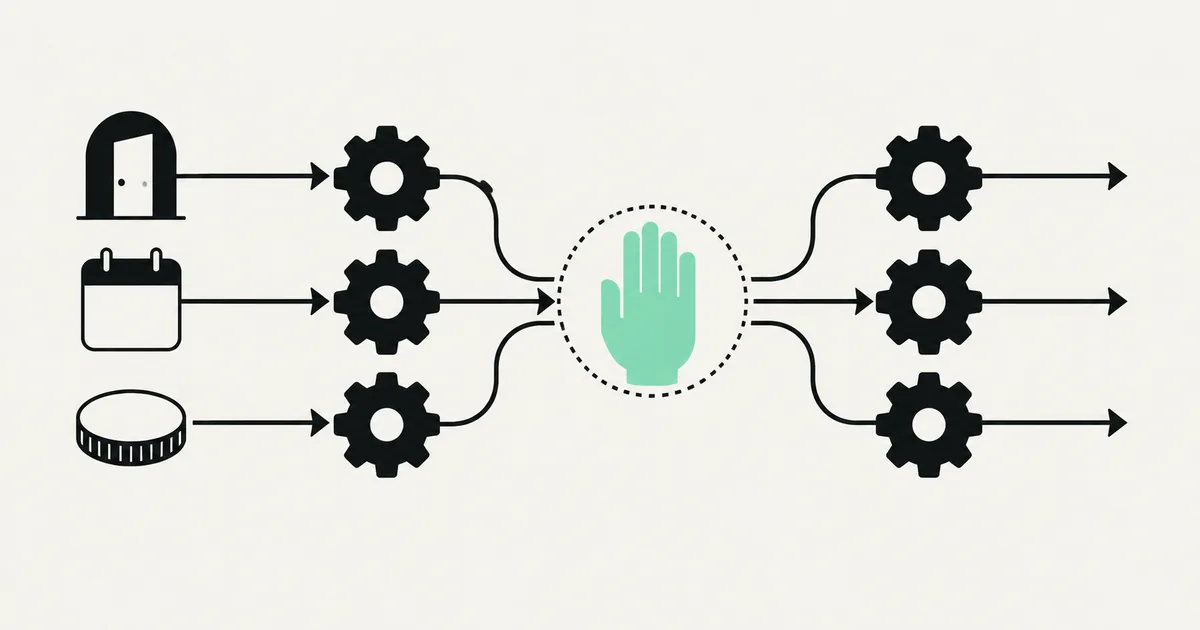
Ask any HR team where their week goes and the answer is depressingly consistent: chasing signatures, copying new-hire details into five systems, approving leave requests that could approve themselves, and assembling the same payroll spreadsheet every month. None of it is the work HR is actually good at. All of it is the work that eats the day.
HR automation is about handing that glue work to software so your people can do the parts that need a human — coaching managers, handling sensitive conversations, keeping culture intact. This guide covers the three workflows that pay off first — onboarding, leave, and payroll prep — plus where the human absolutely has to stay in the loop.
Why HR is a perfect automation candidate
HR runs on structured, repetitive, deadline-driven processes with clear rules — which is exactly what automation is good at. A new hire always needs the same accounts, documents, and introductions. A leave request always follows the same approval logic. Payroll always pulls from the same sources on the same date.
The catch is that HR is also personal and legally sensitive. So the goal isn't "automate HR" — it's automate the mechanics of these workflows while keeping people in charge of anything involving judgment, money, or compliance. Get that balance right and you remove hours of admin without turning your team into a helpdesk ticket.
Onboarding: the highest-ROI workflow to automate
Onboarding is death by a thousand tasks, and every one of them is predictable. That predictability is the opportunity.
A well-built onboarding automation triggers the moment an offer is accepted and runs the checklist for you:
- Collect and file paperwork — send the contract for e-signature, gather tax and banking details through a form, store everything in the right place.
- Provision accounts — create email, Slack, and tool logins; assign the right permission groups by role and department.
- Kick off the schedule — book the first-week meetings, assign a buddy, send the welcome pack and equipment order.
- Notify the humans — tell IT, facilities, payroll, and the hiring manager, each with only what they need.
- Track completion — nudge anyone who hasn't finished their step instead of relying on someone to remember.
The employee gets a smooth, consistent first week. HR stops playing project manager for every single hire. This is the same trigger-action-logic pattern behind any workflow automation — it just happens to map perfectly onto how onboarding already works.

Leave management: rules that can run themselves
Leave is the clearest case for automation because the rules already exist in writing. An employee requests time off; the system checks their balance, applies your policy, routes to the right approver, and — for straightforward requests within entitlement — can auto-approve, update the calendar, and notify the team.
Where it stays human: overlapping requests during a critical period, negative balances, or anything that needs a manager's judgment about coverage. The automation handles the 80% that's routine and surfaces the 20% that needs a decision, with all the context attached. Your managers stop being a rubber stamp for obvious approvals and only weigh in when it actually matters.
Payroll prep: automate the gathering, not the judgment
Payroll is where people get nervous about automation — rightly. The move here is to automate everything up to the payment, not the payment decision itself.
Automation shines at the assembly: pulling approved hours, leave taken, expense claims, new-hire and leaver changes, and bonuses into a single, validated payroll input. It flags anomalies — a timesheet that doubled, a leaver still on the list — before they become a payroll error. A human reviews the assembled figures and approves the run. You've removed the tedious, error-prone data-gathering while keeping a person accountable for the money that goes out.
What to automate vs. keep human
| HR task | Automate | Keep human |
|---|---|---|
| New-hire paperwork & accounts | Yes | — |
| Onboarding scheduling & reminders | Yes | — |
| Routine leave within entitlement | Yes (auto-approve) | — |
| Overlapping / edge-case leave | Prep only | Manager decides |
| Payroll data gathering & checks | Yes | — |
| Final payroll approval | — | Human signs off |
| Performance reviews | Reminders only | Human conversation |
| Disciplinary / grievance | — | Human, always |
| Answering repetitive policy questions | Yes (grounded AI) | — |
The tools involved in 2026
Most HR teams already own an HRIS — BambooHR, Rippling, Deel, Gusto, or similar — that holds employee records and often handles payroll. The automation work is usually about connecting that system to everything around it, because the gaps between tools are where the manual copying lives.
- Your HRIS / payroll platform as the system of record.
- Automation glue — n8n, Make, or Zapier to orchestrate multi-step flows across your HRIS, email, Slack, e-signature, and IT provisioning. n8n 2.0 is a common self-hosted pick when employee data needs to stay on your own infrastructure for privacy reasons.
- An AI layer, used sparingly — a current model (a fast, cheap tier like Claude Haiku 4.5 is well-suited) grounded in your policy documents to answer the repetitive "how many days do I have left?" and "what's the parental leave policy?" questions, escalating anything sensitive to a person.
If you're deciding between building on off-the-shelf connectors or a purpose-built flow, our comparison of n8n vs. Make covers the trade-offs that matter for HR-grade reliability.
What this looks like in practice
A recent client project unified a set of disconnected HR steps that had been living in email and spreadsheets. When a new hire was confirmed, a single flow handled e-signature, collected their details through a form, created their accounts with the right role-based access, booked their first-week schedule, and notified each internal team with only what they needed — while nudging anyone who fell behind on their part. Leave requests within policy approved and synced to the shared calendar automatically; edge cases went to a manager with full context. HR kept ownership of every judgment call and lost the copy-paste. Projects like this generally land in the low-thousands-per-phase range and pay back quickly against the admin hours they remove.
How to roll it out safely
- Start with onboarding. It's the most repetitive, the most painful, and the easiest to prove value on fast.
- Treat employee data as sensitive from day one — least-privilege access, encryption, and, where required, self-hosting to keep records in your control.
- Automate approvals only where the rule is unambiguous; route everything else to a human with context attached.
- Keep a person accountable for money and compliance — payroll approval, contracts, and anything with legal weight.
- Expand one workflow at a time, measuring hours saved before adding the next.
Frequently asked questions
Is HR automation only for large companies? No. Small teams often benefit most because they don't have a dedicated HR ops function — one well-built onboarding or leave flow can give a lean team the consistency a much larger one has, without hiring.
Will automation replace our HR team? No. It removes the administrative load — chasing forms, copying data, scheduling — so your HR people can focus on the human work: coaching, culture, and sensitive conversations that software has no business touching.
Is it safe to automate anything involving employee data? Yes, if it's built properly: least-privilege access, encryption, audit logs, and self-hosting where privacy demands it. The risk comes from sloppy implementation, not from automation itself — which is exactly why the build matters.
Can we automate payroll entirely? You can automate the data-gathering and validation, which is where the errors and hours actually are, but keep a human approving the final run. That gives you speed and accuracy without removing accountability for the money.
Spending your HR week on paperwork instead of people? SprintX builds HR automation on a fixed-scope quote — onboarding, leave, and payroll-prep flows wired into your existing HRIS, with sensitive data kept in your control and humans on every judgment call. Tell us which HR workflow hurts most and we'll map the fastest win.
AI agents and automation
AI agents that do the work.
We build agents and automations for the repetitive work your team does by hand, and measure what they save.
Keep reading.
More on ai agents and automation
AI agents and automation · 18 Jul 2026 · 9 min read
RPA vs AI Agents: Which Should Automate Your Back Office?
A decision guide to robotic process automation vs AI agents: what each is good at, where each breaks, costs, and how to pick the right tool for back-office work.
AI agents and automation · 18 Jul 2026 · 8 min read
Playwright MCP Server: AI Browser Automation That Actually Works
A plain-English guide to the Playwright MCP server: how AI agents control a real browser, why it beats pixel-guessing bots, and where it fits your business.
AI agents and automation · 18 Jul 2026 · 9 min read
The Best MCP Servers for Business in 2026 (Curated + Tested)
A curated shortlist of the most useful MCP servers for real businesses in 2026 — what each connects your AI agent to, where it shines, and what to watch out for.