Database Migration Services: Moving Data Without Downtime
What a database migration service actually does, how zero-downtime moves work, and what it costs to migrate without breaking production.
 SprintX Team8 min read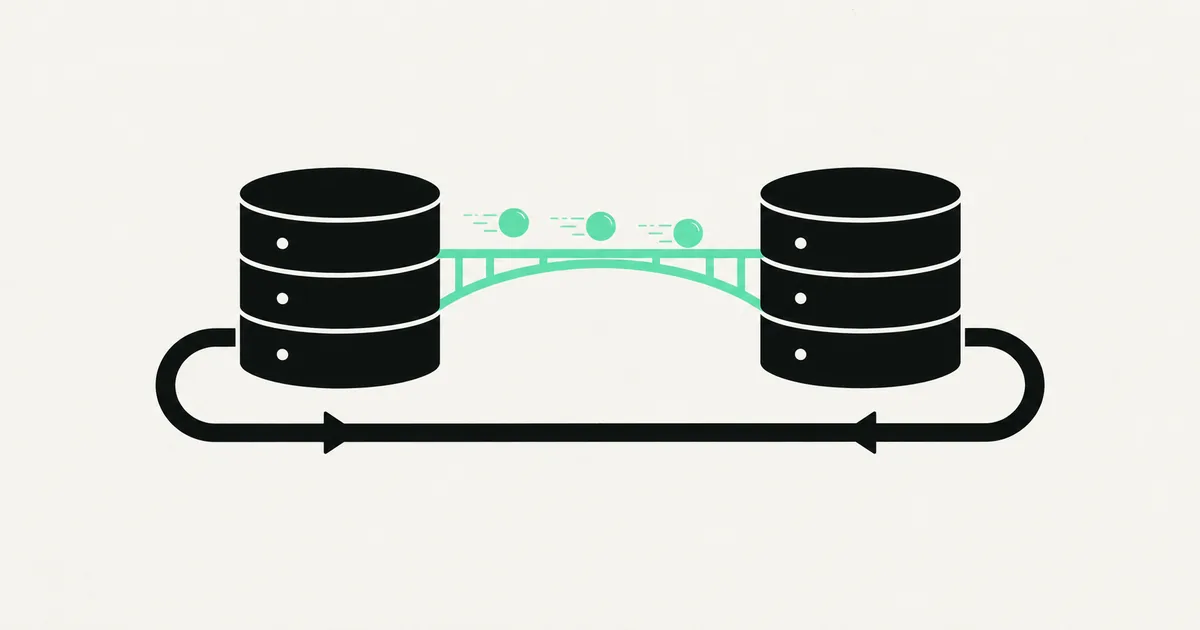
Every database migration has one moment everyone dreads: the cutover. The instant you point production at the new database, one of two things happens — traffic flows and nobody notices, or orders start failing and you're rolling back at 2 a.m. with customers watching. The difference between those two outcomes isn't luck. It's whether the migration was designed to move data while the app keeps serving live traffic, or whether someone planned a "quick maintenance window" that turned into a six-hour outage.
This guide explains how a database migration service actually moves data without downtime, what the work involves, realistic cost ranges, and how to tell a careful partner from one who's going to gamble your production data on a single overnight dump-and-restore.
Why teams migrate in the first place
Nobody migrates a database for fun. The trigger is almost always one of these:
- Outgrowing the engine — a prototype shipped on SQLite or a file-based store, and now it needs real concurrency, so it's moving to Postgres. Our walkthrough of a Prisma SQLite-to-Postgres migration is a common version of this.
- Leaving a platform — a managed host is being shut down or repriced (Vercel Postgres was discontinued in 2025, for example), so the data moves to Supabase or another Postgres provider.
- Cost or performance — the current database is too expensive at scale, or queries have gotten slow enough to hurt the product.
- Consolidation — a merger or a rebuild collapses several databases into one, which means reconciling schemas that were never meant to meet.
The reason matters because it shapes the risk. Moving between two Postgres instances is very different from changing engines, and changing engines is different again from restructuring the schema mid-move.
The zero-downtime playbook
"Zero downtime" isn't a product you buy; it's a sequence you follow. The standard approach for a live system looks like this:
- Provision and mirror the schema. Stand up the target database and recreate the schema, adjusting for engine differences (data types, sequences, constraints).
- Backfill a snapshot. Copy the existing data in bulk while the old database keeps serving reads and writes.
- Dual-write or replicate. New writes go to both databases (or stream via change-data-capture) so the target stays current as the backfill catches up.
- Verify. Reconcile row counts and checksums, and run the app against the new database in staging to catch type and query differences.
- Cut over reads, then writes. Shift read traffic first, watch it, then flip writes. Because both databases are in sync, the actual switch is near-instant.
- Keep the old database warm. Leave it running long enough that a rollback is a config change, not a restore.
The point of all this is that the risky moment — the cutover — happens with both databases already holding the same data. If something looks wrong, you switch back. No restore, no lost orders.

What actually goes wrong (and how good teams prevent it)
Migrations fail in predictable ways. A competent service plans around each:
| Risk | What it looks like | Mitigation |
|---|---|---|
| Data-type drift | Dates, decimals, or booleans convert wrong between engines | Explicit type mapping + row-level verification |
| Silent data loss | Backfill misses rows written during the copy | Change-data-capture or dual-write to catch in-flight writes |
| Constraint surprises | Foreign keys or unique indexes reject data the old DB allowed | Schema audit before backfill, fix data first |
| Query breakage | App queries behave differently on the new engine | Run the full app against the target in staging |
| No way back | Cutover fails and there's no rollback | Keep the source warm and read-consistent post-cutover |
Notice the pattern: none of these are exotic. They're the boring failures that happen when a migration is treated as a copy job instead of a live-systems problem. The engineering is in the verification and the reversibility, not the copy itself.
What this looks like in practice
A recurring pattern in our rescue work is a product that shipped on SQLite or a single-file store to move fast, then hit a wall the moment real traffic arrived — concurrent writes locking, backups that were really just file copies, no way to run analytics. A recent client project was exactly this: a Prisma app on SQLite that needed to become a Postgres app without a maintenance outage, because it was already serving paying users. We mapped the schema, backfilled a snapshot, dual-wrote through the transition, reconciled counts, and cut over reads before writes. The app never went dark. Work like this usually lands in the low-thousands-per-phase range, with the schema audit and verification — not the copy — being where the hours go.
What a database migration costs
Cost tracks data volume, how different the source and target are, and whether the app must stay live throughout. Hedged 2026 ranges:
| Scenario | Typical range | Notes |
|---|---|---|
| Same-engine move (Postgres → Postgres) | ~$2k – $5k | Provider change, schema mostly intact |
| Engine change (SQLite/MySQL → Postgres) | ~$4k – $10k | Type mapping, query fixes, app testing |
| Zero-downtime on a live system | ~$6k – $15k+ | Dual-write/CDC, staged cutover, rollback plan |
| Schema restructure during migration | Scoped case-by-case | Data reshaping adds real engineering |
Hosting the target is separate and modest by comparison — a managed Postgres provider is a monthly cost you'd carry anyway. The migration spend is almost entirely the engineering to move safely, not the infrastructure. If you're weighing where to land, our comparison of Supabase vs. Firebase covers the Postgres-backed option many teams pick.
How to choose a database migration partner
Four things to look for:
- They ask about uptime requirements first. A partner who assumes a maintenance window without asking is planning for downtime you may not be able to afford.
- They talk about verification, not just copying. Row counts, checksums, staging runs against the real app. The copy is the easy 20%.
- They keep a rollback. If the plan has no way back, it's a gamble, not a migration.
- Fixed scope, phased. Schema audit, backfill, cutover as distinct milestones you can approve one at a time.
If your migration is part of a broader cleanup, it often pairs with paying down technical debt — the schema you're moving is frequently the debt you've been meaning to fix.
Frequently asked questions
Can you migrate a database without any downtime? For most live systems, yes — using a dual-write or change-data-capture approach that keeps the old and new databases in sync until cutover. Because both hold the same data at the switch, the actual changeover is near-instant and reversible. True zero downtime is harder for large schema restructures, where a short window is sometimes the safer choice.
How long does a database migration take? A same-engine provider move can take days; an engine change with app testing usually runs one to three weeks; a zero-downtime migration on a busy live system takes longer because of the sync-and-verify phases. Data volume matters less than schema complexity and uptime requirements.
How much does a database migration service cost? As of mid-2026, a same-engine move is roughly $2k–$5k, an engine change $4k–$10k, and a zero-downtime migration on a live system $6k–$15k or more. The cost is mostly the engineering to verify and cut over safely, not the infrastructure.
What's the biggest risk in a database migration? Silent data loss — rows written during the copy that never make it to the new database, or type conversions that quietly corrupt values. Both are prevented by capturing in-flight writes and reconciling the data after backfill, which is why verification is where careful teams spend their time.
If a migration is looming and the phrase "maintenance window" makes you nervous, that instinct is correct. SprintX plans and runs database migrations with dual-write cutovers, full verification, and a rollback path — fixed-scope, milestone-based, and you own every artifact with no lock-in. Send us your current setup and target and we'll map the safe path before anything touches production.
Building software
Systems your business runs on.
Custom platforms, internal tools and integrations that move work off spreadsheets.
Keep reading.
More on building software
Building software · 6 Aug 2026 · 6 min read
I Cannot Get My Code Out of the Builder
What to do when a no-code or AI builder will not hand over your code: what each export really contains, how to extract the missing pieces, and the runway plan.
Building software · 28 Jul 2026 · 6 min read
How to Get Your Code Off Replit
Replit gives you real files, but not a portable app. Here is how to get the code out, replace the platform-specific pieces, and run it on infrastructure you own.
Building software · 28 Jul 2026 · 6 min read
How to Get Your App Out of Base44
Base44 hands you a frontend and keeps the backend. Here is what you can actually export, what has to be rebuilt, and the order that keeps the app running.