How to Connect an AI Assistant to WhatsApp (n8n Guide)
A step-by-step guide to wiring an AI assistant into WhatsApp using n8n, the WhatsApp Business API, and an LLM, plus the costs and pitfalls.
 SprintX Team8 min read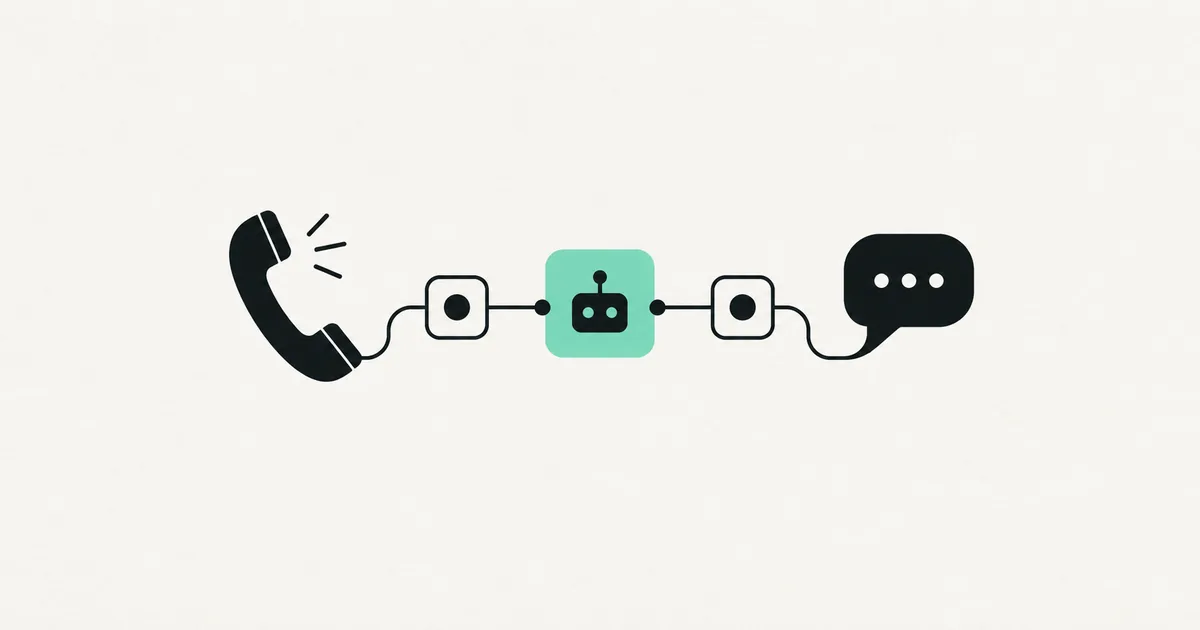
Your customers already live in WhatsApp. They'd rather message you there than fill out a form, wait on hold, or dig through your website. So the question isn't whether an AI assistant on WhatsApp is useful — it's how to connect one without it turning into a brittle mess that answers questions wrong or ghosts people at 2am.
This guide walks through exactly how to connect an AI assistant to WhatsApp using n8n, the WhatsApp Business API, and an LLM. You'll see the moving parts, a step-by-step workflow, what it costs, and the mistakes that make these projects fail.
The two ways in: which WhatsApp API
WhatsApp doesn't let just any script send messages. You go through one of two doors, and picking the right one saves a lot of pain.
| Option | Best for | Notes |
|---|---|---|
| WhatsApp Cloud API (Meta) | Most businesses | Official, hosted by Meta, generous free tier, easiest to start |
| Business Solution Provider (Twilio, 360dialog) | Teams wanting extra tooling | Adds a layer and cost, but nicer dashboards and support |
For most projects, the WhatsApp Cloud API direct from Meta is the right call. It's official, it's hosted, and it has a free conversation tier. You'll need a Meta Business account, a verified phone number, and an approved app — the setup is fiddly but a one-time cost. Avoid unofficial libraries that automate the consumer app: they get numbers banned.
The architecture at a glance
Four pieces talk to each other:
- WhatsApp Cloud API receives the customer's message and fires a webhook.
- n8n catches that webhook — it's the orchestrator, the glue between everything.
- An LLM (OpenAI, Anthropic's Claude, or similar) generates the reply.
- Your knowledge base — a vector database or a simple document store — grounds the answer so the assistant talks about your business, not the generic internet.

n8n sits in the middle because it lets you wire all of this together visually — webhook in, LLM call, database lookup, message out — without building a backend from scratch. It's the same reason small teams reach for it across automation projects generally.
Step by step: the n8n workflow
Here's the build, in the order you'd actually do it.
1. Set up the WhatsApp Cloud API
Create a Meta Business app, add the WhatsApp product, connect a phone number, and grab your access token and phone number ID. Set the webhook URL to point at your n8n instance and verify it. Send a test message to confirm the pipe works before adding any AI.
2. Catch the incoming message in n8n
Add a Webhook node in n8n as the trigger. When a customer messages your number, Meta posts the payload here. Parse out the sender's number and the message text — that's your input.
3. Ground the reply (RAG)
Before calling the LLM, look up relevant context. Query a vector database — Supabase with pgvector, Pinecone, or similar — for the chunks of your docs, pricing, or FAQs that match the question. This retrieval step is what separates a useful assistant from one that confidently makes things up. Skip it and your bot will invent policies you don't have.
4. Call the LLM
Pass the customer's question plus the retrieved context into an LLM node. Your system prompt sets the personality and the rules: answer only from the provided context, hand off to a human when unsure, never guess prices. Keep it tight — a vague prompt produces a vague assistant.
5. Send the reply back
Take the LLM's answer and POST it to the WhatsApp Cloud API using the sender's number. n8n's HTTP node handles this. Add a "typing" indicator and a short delay so it feels human rather than instant-robot.
6. Handle handoff and memory
Two things make it production-grade: conversation memory (store recent messages so the assistant remembers context within a chat) and human handoff (a keyword or a confidence threshold that pings your team and pauses the bot). Without handoff, every edge case becomes an angry customer.
Real use cases worth building for
An assistant that only answers FAQs is a nice demo but a weak business case. The projects that pay for themselves connect WhatsApp to something that moves money or saves hours:
- Lead qualification — the assistant greets an inbound message, asks a few qualifying questions, and drops a scored lead into your CRM before a salesperson lifts a finger.
- Appointment booking — it checks your calendar, offers real slots, and confirms the booking, all inside the chat.
- Order and delivery status — it looks up an order number in your system and gives a live answer instead of a "we'll get back to you."
- After-hours coverage — it handles the flood of evening and weekend messages so nothing sits unread until Monday.
Because n8n sits in the middle, each of these is just another node or two wired into the same workflow. You're not building four separate bots — you're extending one assistant with new abilities.
What it costs to run
Three cost buckets, and none of them is huge to start:
| Cost | Typical range |
|---|---|
| WhatsApp conversations (Meta) | Free tier, then a few cents per conversation |
| LLM API usage | $10 – $200/mo depending on volume |
| n8n hosting | Free self-hosted, or ~$20 – $50/mo cloud |
A low-volume assistant can run for well under $100/month. The real cost is the build — getting the WhatsApp approval, wiring the workflow, and tuning the prompt and retrieval so answers are actually good.
Where these projects go wrong
- No grounding. A raw LLM with no knowledge base will invent answers. Always retrieve first.
- No handoff. The bot hits a question it can't answer and the customer gets stuck. Build the escape hatch on day one.
- Ignoring the 24-hour window. WhatsApp restricts business-initiated messages outside a 24-hour window; you need approved templates for reminders and follow-ups.
- Unofficial APIs. Tempting because they skip approval, but they get your number banned. Use the official Cloud API.
Frequently asked questions
Do I need coding skills to connect AI to WhatsApp? The n8n workflow is mostly visual, but the WhatsApp Business API setup, the vector database, and prompt tuning take real technical work. Many businesses hand the build to a partner and then manage the content themselves.
Can the assistant book appointments or look up orders? Yes. Because n8n sits in the middle, you can add nodes that call your calendar, CRM, or order system, so the assistant does things, not just answers questions.
Will it work in multiple languages? Modern LLMs handle dozens of languages well. Set the expectation in your system prompt and the assistant will reply in the customer's language.
How do I stop it from making things up? Ground every answer in your own content using retrieval (RAG), instruct it to answer only from that context, and add a human handoff for anything it's unsure about.
Want a WhatsApp assistant that answers from your real content and knows when to call a human? SprintX builds AI WhatsApp automations — Cloud API setup, n8n workflows, and grounded replies — on a fixed-scope quote you own, no monthly lock-in. Tell us what you want it to handle and we'll scope the build.
AI agents and automation
AI agents that do the work.
We build agents and automations for the repetitive work your team does by hand, and measure what they save.
Keep reading.
More on ai agents and automation
AI agents and automation · 11 Jul 2026 · 8 min read
How to Automate Appointment Booking End-to-End
A complete, practical playbook for automating appointment booking from first click to confirmed, paid, and reminded — without the double-bookings.

AI agents and automation · 11 Jul 2026 · 8 min read
How to Start an AI Agency (and When to Just Hire One)
A candid guide to starting an AI automation agency — what to sell, what to charge, the real work behind delivery, and when hiring a partner is the smarter move.

AI agents and automation · 18 Jul 2026 · 9 min read
RPA vs AI Agents: Which Should Automate Your Back Office?
A decision guide to robotic process automation vs AI agents: what each is good at, where each breaks, costs, and how to pick the right tool for back-office work.