Retrofitting Multi-Tenancy Into a Single-Tenant App
Your app assumes one company per account and a customer just asked for teams. Here is how to add tenancy to a live product without a rewrite or a data leak.
 SprintX Team8 min read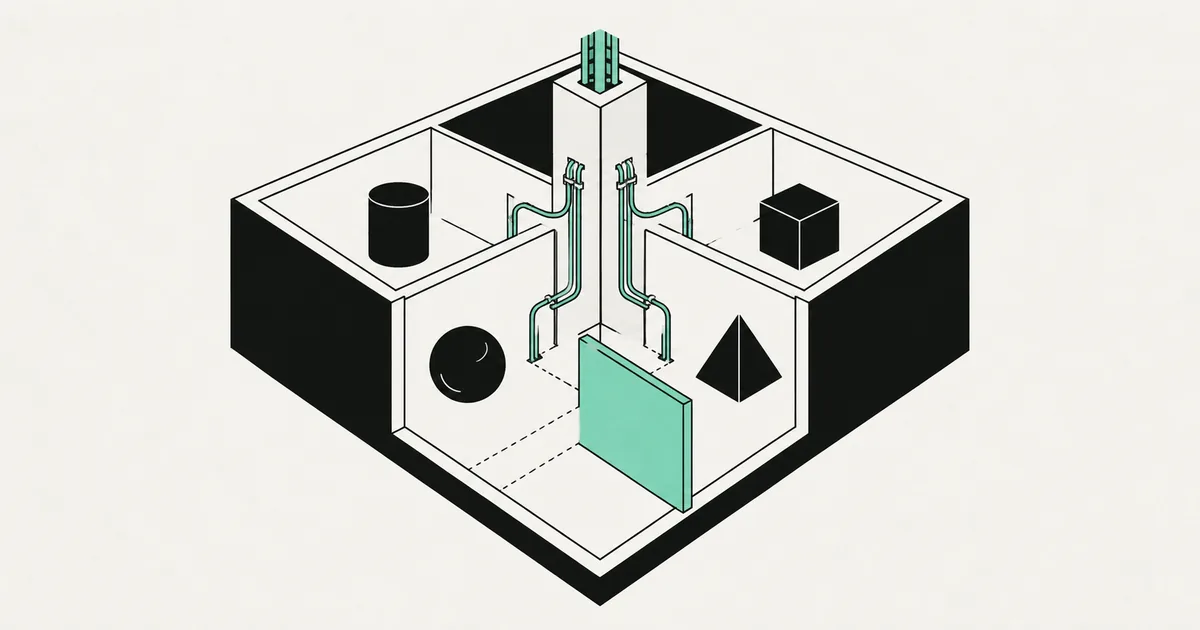
Your app has users. Every user owns their own projects, their own uploads, their own settings. It has worked perfectly for eight months.
Then a customer asks whether their four colleagues can share an account, and whether the finance person can see billing but not the client files. Suddenly the model you shipped — one user, one universe — has no answer, and every query in the codebase is filtered by user_id rather than by anything resembling a company.
This is the single most common structural retrofit we do. It is very doable on a live product, and it is genuinely dangerous to do carelessly, because the failure mode is one customer seeing another customer's data. Here is the sequence that works.
First decide what a tenant is, in your product's words
Before any schema change, answer one question precisely: what is the thing that owns data?
For most B2B tools it is an organization or workspace — a container that has members, a plan, and its own records. For an agency tool it might be a client. For a marketplace it might be nothing at all, because buyers and sellers genuinely are individuals and what you actually need is roles and permissions rather than tenancy.
Get this wrong and you will redo the migration. Two tests help. Does billing attach to it? Does data survive when the person who created it leaves? If both answers are yes, that is your tenant.
Name it once and use that name everywhere — table, column, URL segment, log field. Half the confusion in retrofitted tenancy comes from a codebase where "org", "account", "team", and "workspace" all mean the same thing on different days.
Choose the isolation model honestly
There are three real options, and the internet will try to sell you the most expensive one.
| Model | What it is | Good for | Real cost |
|---|---|---|---|
| Shared schema, tenant column | Every table gets a tenant_id, one database | Almost every SaaS under a few hundred tenants | Isolation depends entirely on enforcement discipline |
| Schema per tenant | One Postgres schema per customer, one database | Regulated customers wanting separation, mid-count tenancy | Migrations run N times; connection and tooling overhead |
| Database per tenant | Fully separate database per customer | Enterprise contracts requiring hard isolation or data residency | Provisioning, migration orchestration, and per-tenant cost |
For a product retrofitting tenancy, shared schema with a tenant column is almost always right. It is the only one you can migrate to incrementally, and the isolation gap is closeable with database-level policies. The other two become worth it when a signed contract requires them — usually alongside data residency commitments — not before.
Add the column before you enforce it
The migration itself runs in stages, and the whole point is that each stage is safe to deploy on its own.
Stage one: create the tenant table and backfill. Add an organizations table. Create one organization per existing user, named after them, and record the user as its owner. Every current account becomes a single-member org. Nothing changes for them.
Stage two: add a nullable tenant column to every owned table. Nullable, no constraint, no code changes. Deploying this does nothing, which is the idea.
Stage three: backfill it. Populate tenant_id from the existing ownership chain — the project's user's organization, and so on down. Do it in batches on large tables so you do not hold a long transaction. Then verify: count rows where the column is still null. It should be zero before you continue.
Stage four: make it NOT NULL, add the foreign key, and index it. The index matters more than people expect, because tenant_id is now in the WHERE clause of every query you will ever run.
Stage five: change the reads and writes. Only now do queries filter on tenant instead of user, and inserts stamp the tenant.
If the backfill is the part that worries you — reasonably, since it rewrites live data — the failure patterns and recovery paths are covered in what to do when a migration breaks your data. The short version: take a verified snapshot first, and write the backfill so re-running it is harmless.
Make forgetting the filter impossible
Here is the part that separates a real retrofit from a leak waiting to happen.
If tenant isolation depends on every developer remembering to add a WHERE clause, it will fail. Not maybe — it will fail, on the sixth endpoint written at 11pm, or on the first one an AI assistant generates by pattern-matching an older query that predates tenancy. The enforcement has to live somewhere a mistake cannot bypass.
On Postgres, that means row-level security. Enable RLS on every tenant-owned table and write a policy that compares the row's tenant to the tenant on the current request, set per-connection or read from the JWT claim. Then the database refuses to return other tenants' rows even if the application asks for them. The performance considerations — indexing policy columns, wrapping session lookups so they evaluate once — are the same ones covered in scaling a Supabase app, and they matter here because these policies now run on every read in the product.
If you are not on Postgres, the equivalent is a single data-access layer that requires a tenant context to construct a query, and a lint rule or test that fails the build when raw queries bypass it. What you cannot do is rely on code review.
Then test it adversarially. Create two tenants with realistic data, authenticate as one, and try to fetch the other's records by ID through every endpoint you have. Object IDs in URLs are the classic hole: the list endpoint filters correctly, the detail endpoint takes an ID and trusts it. Automate that test suite — it is the regression guard you will care most about in a year.
The surfaces nobody remembers
The database is roughly 60% of the job. These are the parts that ship broken because they live outside it.
- File storage. Uploads keyed by user or by random ID need tenant-scoped paths and access rules, or one signed URL leak crosses a boundary.
- Caches. Every cache key needs the tenant in it. A cached dashboard response served to the wrong org is a data breach that looks like a performance optimization.
- Background jobs. Jobs carry a payload, not a session. Pass the tenant explicitly and re-check it when the job runs, since background work usually runs with elevated database access.
- Search indexes. Whatever you index needs a tenant field and a filter applied at query time, enforced server-side.
- Webhooks and integrations. A per-tenant API key or connected account, never one shared credential.
- Emails and exports. Templates that pull "the account" need to pull the right one, and CSV exports are a favorite way to ship the whole table.
Work through that list before launch rather than after. Each one is small; discovering them one at a time in production is not.
Ship it behind the old behavior
Do not cut over in one deploy. Run the tenant-aware code path while the product still behaves exactly as it did — every user in their own single-member org, no UI change. Watch for a week. Only then expose the actual features: inviting members, switching orgs, per-role access.
That ordering means the risky part (data migration and enforcement) and the visible part (new team features) fail separately, which is the only way to debug either of them calmly. The broader architecture, from billing to invitations to org switching UX, is laid out in our guide to building a multi-tenant SaaS.
Frequently asked questions
Can I skip tenancy and just use roles? Only if data genuinely belongs to individuals. The moment two people need to see the same records, and those records need to outlive whoever created them, you need a tenant. Roles then control what each member can do inside it — they are complementary, not alternatives.
How long does a retrofit like this take? For a typical early-stage SaaS with fifteen to thirty tables, plan two to four weeks including the isolation test suite and the non-database surfaces. Most of that is not the schema change — it is finding every query, job, cache, and file path that assumed one owner.
Is a separate database per customer safer? It is a stronger boundary and a much larger operational burden: migrations, backups, monitoring, and provisioning all multiply. Shared schema with enforced row-level policies is the right default, and you can offer dedicated databases later for the enterprise deals that require them.
If a customer just asked for team accounts and your schema only knows about individuals, you are looking at a migration where the cost of getting it wrong is somebody else's data. SprintX retrofits tenancy into live products with staged migrations, database-level isolation, and an adversarial test suite you keep. Tell us about your current schema and we will map the safest path through it.
Building software
Systems your business runs on.
Custom platforms, internal tools and integrations that move work off spreadsheets.
Keep reading.
More on building software
Building software · 12 Aug 2026 · 6 min read
Feature Flags for Teams of One to Five
Use a small, disciplined set of feature flags to separate deployment from release without creating a second configuration system nobody understands.
Building software · 12 Aug 2026 · 7 min read
Scaling a Supabase App Past Its First Thousand Users
The specific things that break when a Supabase app goes from fifty users to a few thousand — and the fixes that work, in the order they are worth doing.

Building software · 14 Aug 2026 · 7 min read
Monitoring and Alerts for a Small SaaS
You do not need an observability stack. You need about six alerts that catch the failures that cost you money, and the discipline to keep the rest quiet.