n8n MCP Server: Connect Your Automations to AI Agents
A practical guide to using n8n as an MCP server so AI agents can trigger and use your existing automations as callable tools.
 SprintX Team9 min read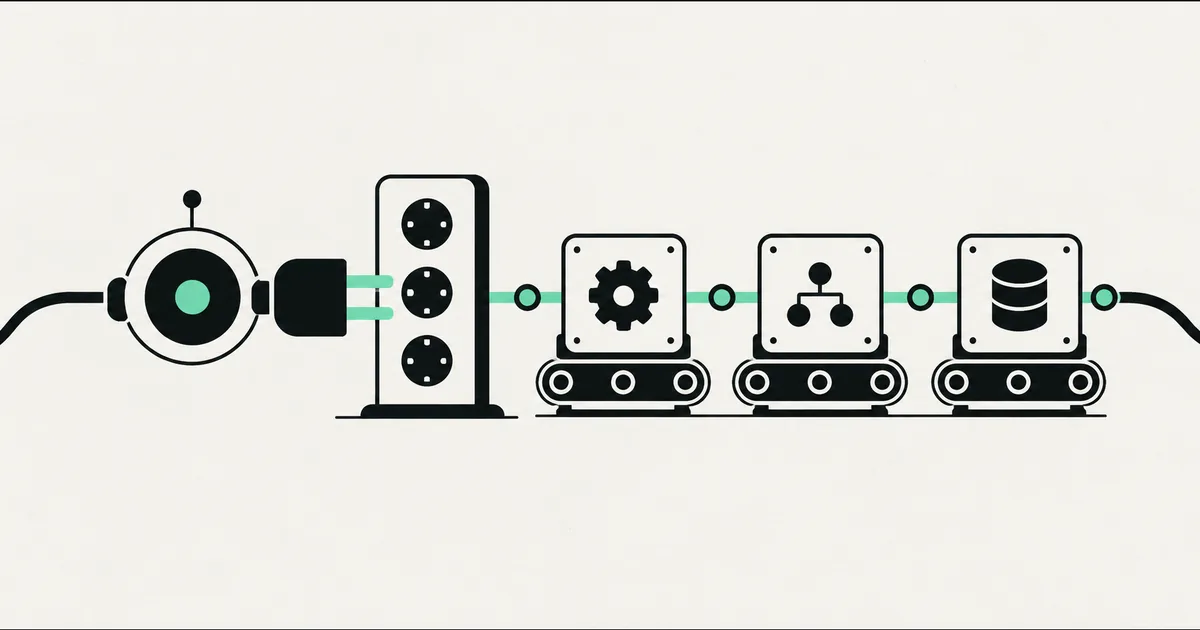
You have spent months building automations in n8n: lead routing, invoice generation, calendar bookings, CRM updates. They work. Now you want an AI agent to actually use them—to decide, mid-conversation, that it should book the appointment or pull the customer's order history. The question is how to connect the two without rebuilding everything as agent-native code.
The answer in 2026 is the MCP server pattern. n8n can act as an MCP server, which turns your existing workflows into tools an AI agent can call on demand. Instead of the agent guessing or hallucinating an action, it invokes a real workflow you already trust—and n8n does the work.
This guide explains what an n8n MCP server is, how the pieces fit, and where it genuinely helps versus where it adds risk.
MCP, briefly, and why n8n fits it well
MCP—the Model Context Protocol—is the standard way to connect AI agents to tools and data. It is vendor-neutral, supported across the major AI platforms, and was moved under the Linux Foundation in late 2025. An MCP server exposes capabilities; an MCP client (your agent) calls them.
n8n is a natural MCP server because a workflow already is a well-defined action with inputs and outputs. n8n 2.0, released early in 2026, leaned hard into AI: native LangChain support, roughly seventy AI-focused nodes, an Agent node with tool-calling and memory, and—importantly here—the ability to sit on both sides of MCP. Your automations become callable tools, and n8n's own agents can call other MCP servers too. And because n8n is self-hostable and free for internal use under its Sustainable Use License, you can run all of this on infrastructure you control.
Two directions: n8n as server vs n8n as client
This trips people up, so name it clearly. There are two roles, and you may use both.
- n8n as MCP server: your workflows are exposed as tools. An external agent—say, a Claude-powered assistant—calls them. This is the focus of this article.
- n8n as MCP client: an n8n Agent node calls other MCP servers (a database, a search tool) as part of its own reasoning. Useful, but a different job.
Getting the direction right is the difference between "my agent can trigger my automations" and "my automation can use external tools." Decide which problem you are solving first.

How an n8n MCP server works
The pattern is straightforward. You expose an MCP server endpoint from n8n, and you attach the workflows you want the agent to be able to call. Each exposed workflow becomes a named tool with a description and a defined input shape. When the agent decides it needs that capability, it calls the tool; n8n runs the workflow and returns the result to the agent.
The description and input schema matter more than people expect. The agent chooses tools based on their descriptions, so "book_appointment: schedules a customer appointment given name, service, and preferred time" gets called correctly, while a vague name gets ignored or misused. Treat tool descriptions as part of the product, not an afterthought.
| Concept | In n8n terms | Why it matters |
|---|---|---|
| Tool | A workflow you expose to the agent | The unit the agent can call |
| Tool description | The name + summary you give it | Drives whether the agent picks the right tool |
| Input schema | The parameters the workflow expects | Keeps the agent's calls valid and predictable |
| Result | The workflow's return data | What the agent reads and reasons over |
| Auth | Endpoint credentials/tokens | Stops anyone from calling your tools |
Where it genuinely helps
The n8n MCP server pattern shines when you already have battle-tested automations and want an AI front end that can act, not just talk.
- Customer-facing assistants that do things. A chat or voice agent that can actually book, reschedule, look up an order, or open a ticket—by calling the same workflows your team relies on.
- Internal ops copilots. "Kick off the onboarding flow for this new client" or "generate and send the invoice" becomes a natural-language request the agent fulfills through your existing n8n logic.
- Reusing integrations you already built. If n8n already talks to your CRM, calendar, and payment stack, exposing those as tools is far faster than re-integrating them in agent code.
Because the agent calls real workflows, you keep n8n's strengths: retries, error handling, logging, and a visual record of exactly what ran. That auditability is a real advantage over letting a model call external APIs directly.
Where to be careful
An agent that can trigger automations can trigger the wrong one, or the right one with bad inputs. A few guardrails keep this safe:
- Authenticate the endpoint. Your MCP server should require credentials. An unauthenticated tool endpoint is an open door to your CRM and calendar.
- Expose only what's needed. Do not surface every workflow. Curate a small, well-described toolset scoped to the agent's job.
- Be careful with destructive actions. Sending money, deleting records, or emailing customers should require confirmation or tight constraints—MCP tooling saw real security scrutiny in early 2026, including tool-poisoning and injection concerns, so keep untrusted input away from powerful tools.
- Validate inputs inside the workflow. Don't trust that the agent's parameters are clean. Validate and set sane defaults in n8n itself.
If you are self-hosting, remember that "self-hosted" means you own patching, backups, and monitoring too. Our comparison of n8n vs Make covers those operational trade-offs, and if you are new to the platform, start with what n8n is.
What this looks like in practice
A recent build followed exactly this shape. A client had a solid n8n setup handling appointment booking, calendar sync, and customer notifications, and they wanted an AI assistant that could actually schedule and reschedule for callers instead of just answering FAQs. We exposed a curated set of those workflows through an n8n MCP server with authenticated endpoints, wrote precise tool descriptions and input schemas so the agent picked the right action every time, and added confirmation steps before anything that touched a customer's calendar or sent a message. The agent stayed conversational; the reliable, logged execution stayed in n8n. It shipped as a fixed-scope milestone, and because we reused the automations they already trusted rather than rebuilding them, the timeline and cost stayed contained. Pairing an agent with a Postgres MCP server for read-only data access is a common next step in the same pattern.
FAQ
What is an n8n MCP server? It is n8n acting as an MCP server, exposing your workflows as tools that an AI agent can call. When the agent needs an action, it invokes the workflow, and n8n runs it and returns the result—so the agent uses automations you already trust.
Can an AI agent trigger my n8n workflows? Yes. By exposing selected workflows through an MCP server endpoint, an MCP-capable agent can call them as tools. You control which workflows are exposed, how they're described, and what authentication is required.
Is n8n an MCP client or an MCP server? It can be both. As a server, your workflows become tools for external agents. As a client, an n8n Agent node can call other MCP servers. Pick the direction that matches your goal before you build.
Do I need n8n Cloud, or can I self-host the MCP server? n8n is self-hostable and free for internal use under its Sustainable Use License, so you can run the MCP server on your own infrastructure. Self-hosting means you also own security, backups, and monitoring; n8n Cloud trades some control for managed operation.
Want your automations wired to an AI agent?
Connecting n8n to an AI agent through MCP is a focused project with clear boundaries—exactly how we like to work. SprintX builds n8n MCP servers and agent integrations as fixed-scope, milestone-based engagements: authenticated endpoints, curated toolsets, confirmation on anything destructive, and you own the workflows and the code. Send us your current n8n setup and what you want the agent to do, and we'll return a scoped plan with a fixed price. Book a call at sprintx.net.
AI agents and automation
AI agents that do the work.
We build agents and automations for the repetitive work your team does by hand, and measure what they save.
Keep reading.
More on ai agents and automation
AI agents and automation · 18 Jul 2026 · 8 min read
Playwright MCP Server: AI Browser Automation That Actually Works
A plain-English guide to the Playwright MCP server: how AI agents control a real browser, why it beats pixel-guessing bots, and where it fits your business.

AI agents and automation · 18 Jul 2026 · 9 min read
The Best MCP Servers for Business in 2026 (Curated + Tested)
A curated shortlist of the most useful MCP servers for real businesses in 2026 — what each connects your AI agent to, where it shines, and what to watch out for.
AI agents and automation · 18 Jul 2026 · 8 min read
Slack, Notion & Salesforce MCP Servers: Wire AI Agents Into Your Business Tools
A practical guide to wiring AI agents into the tools you already run — Slack, Notion, and Salesforce MCP servers, what they unlock, and how to do it safely.