Playwright MCP Server: AI Browser Automation That Actually Works
A plain-English guide to the Playwright MCP server: how AI agents control a real browser, why it beats pixel-guessing bots, and where it fits your business.
 SprintX Team8 min read
For years, "AI that uses a browser" meant one of two disappointing things: a brittle script that shattered the moment a button moved, or a vision model squinting at screenshots, guessing where to click, and misfiring often enough that you could not trust it with anything real. The Playwright MCP server is the fix that finally made AI browser automation dependable — and the difference is not a smarter model. It is giving the model the page's actual structure instead of asking it to guess from pixels.
If your business runs on web apps with no API — internal dashboards, supplier portals, booking systems, legacy tools — this is the piece that lets an AI agent operate them the way a careful employee would. Here is what the Playwright MCP server is, why it works when older approaches failed, and where it earns its keep.
What the Playwright MCP server is
Two ideas meet here. Playwright is a mature, widely used browser-automation library from Microsoft that can drive Chrome, Firefox, and WebKit programmatically — click, type, navigate, wait for elements. MCP (the Model Context Protocol) is the open, vendor-neutral standard — adopted across Anthropic, OpenAI, Google, Microsoft, and AWS, and now stewarded by the Linux Foundation — for connecting AI models to tools and data. People call it "USB-C for AI" because any MCP-compatible model can plug into any MCP server.
The Playwright MCP server wraps Playwright as an MCP server. It exposes browser actions — open a page, read its contents, click, fill a form, take a snapshot — as tools an AI agent can call. Point a model like Claude or a GPT-5-class agent at it, and the model can drive a real browser through a clean, structured interface rather than a fragile hand-written script.
Why it works when screenshot bots fail
The breakthrough is what the model sees. Older "computer use" approaches hand the model a screenshot and ask it to reason about pixels: where is the login button? That is slow, expensive, and error-prone — a slightly different theme or a moved element throws it off.
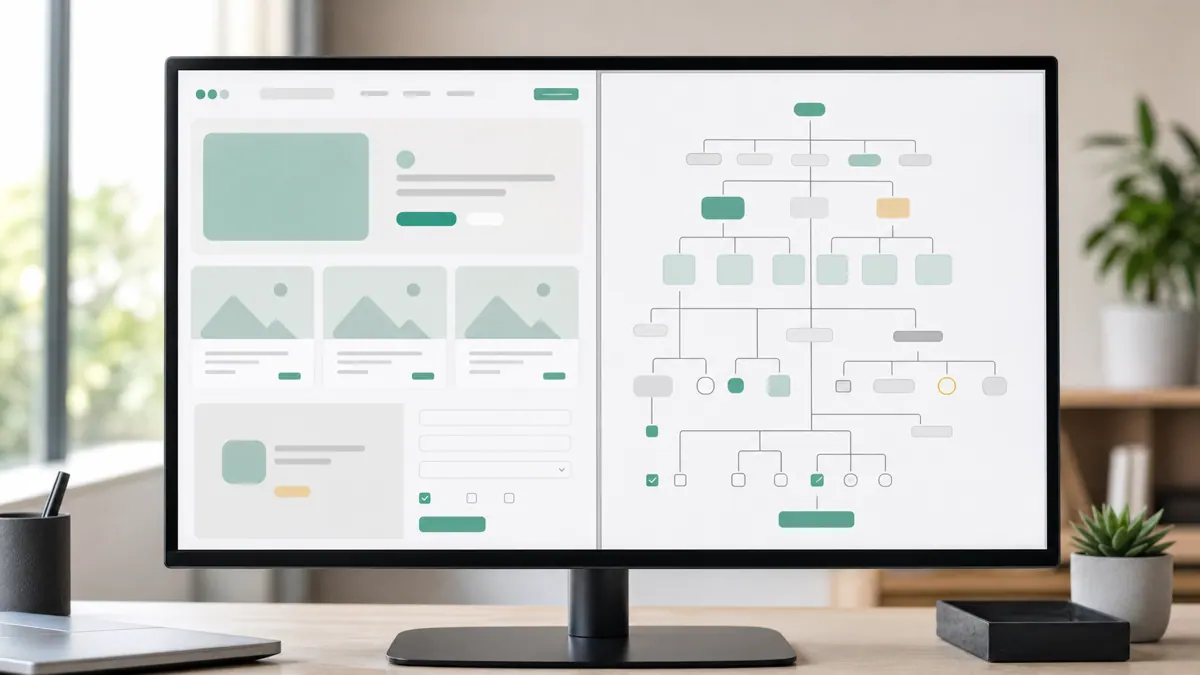
The Playwright MCP server instead gives the model the accessibility tree — a structured, text-based map of the page: the buttons, links, form fields, and their labels, the same information a screen reader uses. The model reads "there is a button labeled Sign in" and calls a tool to click it by reference. No pixel-guessing, no coordinate math.
That single design choice cascades into everything that makes it usable:
- Reliability. Acting on structure, not appearance, means the agent does not break when a layout shifts a few pixels.
- Speed and cost. Parsing a compact text tree is far cheaper than feeding full-resolution screenshots to a vision model on every step.
- Debuggability. You can read exactly what the agent saw and which element it acted on, instead of reverse-engineering a screenshot.
Where a Playwright MCP server actually earns its keep
This is not automation for automation's sake. It shines in a specific situation: a web task that matters, on a system with no usable API. When there is an API, use it — it is faster and sturdier. Browser automation is what you reach for when the door is a web UI and nothing else.
Real jobs it handles well:
- Data extraction from portals. Log into a supplier, insurer, or government portal, pull the numbers you need, and drop them into a sheet or database — nightly, without a person.
- Cross-app workflows. Read an order in one legacy tool and enter it into another that has no integration.
- QA and testing. Have an agent walk through your own app's critical paths — sign up, add to cart, check out — and report what broke, described in plain language.
- Form-heavy operations. Repetitive submissions across a web app that would otherwise eat an afternoon of human clicking every week.
The common thread: high-value, repetitive, web-based work where an API does not exist and a human is currently doing it by hand.
What this looks like in practice
A recent client project needed data from a booking portal that offered no API and no export. The old approach — a scheduled scraper keyed to specific CSS selectors — broke roughly monthly whenever the vendor tweaked their markup, and each break meant a silent gap in the data until someone noticed. We rebuilt it as an agent over a Playwright MCP server: the model reads the page structure, finds the fields by their labels and roles, and pulls the records even when the vendor reshuffles the layout. Because it reasons about what the elements are rather than their exact position, it survives the small UI changes that used to break the old script every few weeks.
Playwright MCP vs older automation approaches
| Approach | How the AI "sees" the page | Reliability | Typical cost | Best for |
|---|---|---|---|---|
| Hard-coded selector script | It does not — fixed rules | Brittle; breaks on UI change | Low to run | Stable pages you fully control |
| Screenshot / vision agent | Pixels in an image | Moderate; misclicks | High (vision tokens) | Last resort, visual-only tasks |
| Playwright MCP server | Structured accessibility tree | High; survives layout shifts | Moderate | Most real web automation in 2026 |
The middle column is the whole story: what the model perceives determines whether the automation holds up.
The caveats worth knowing
Powerful, not magic. A few honest constraints:
- Terms of service. Automating a site you do not own or have permission to script can violate its terms. Check before you build, especially for scraping.
- Security. MCP's rapid, universal adoption brought real security concerns in early 2026 — tool-poisoning and prompt-injection among them. An agent driving a browser can be steered by malicious page content, so sandbox it, limit what it can do, and never point an unsupervised agent at untrusted pages with sensitive credentials.
- Login walls and CAPTCHAs. Agents can handle logins with stored credentials, but anti-bot defenses like CAPTCHAs are designed to stop exactly this. It is not a universal key.
- It still needs engineering. The server makes the browser drivable; a reliable production workflow around it — scheduling, error handling, retries, alerting — is real software. This overlaps heavily with ordinary workflow automation discipline.
Frequently asked questions
What is the Playwright MCP server used for? It lets an AI agent control a real web browser through structured tools — reading a page's elements, clicking, typing, and navigating. Businesses use it to automate web tasks that have no API: pulling data from portals, moving information between legacy web apps, running end-to-end tests, and handling repetitive form work.
How is the Playwright MCP server different from a normal automation script? A traditional script follows fixed rules and breaks when the page changes. A Playwright MCP agent reads the page's structure and reasons about what to do, so it adapts to small layout changes and can handle tasks you did not script line by line. It is more flexible, though it still needs guardrails and engineering around it.
Is browser automation with MCP secure? It can be, with care. Because an agent reads and acts on page content, a malicious page can attempt to manipulate it (prompt injection). Sandbox the browser, restrict the agent's permissions and credentials, and avoid pointing an unsupervised agent at untrusted sites. Treat it like any powerful automation: least privilege, monitoring, and human review for sensitive actions.
Do I need to know how to code to use a Playwright MCP server? To experiment, no — MCP-compatible AI tools can connect to it with configuration. To run something reliable in production, yes: scheduling, error handling, and monitoring make it real software, which is why teams often bring in a developer or an agency like SprintX for anything business-critical.
Have a web task eating hours because the system has no API? SprintX builds reliable AI browser-automation agents on the Playwright MCP server — sandboxed, monitored, and delivered on a fixed-scope quote you own outright. For a broader picture, see our roundup of the best MCP servers for business and how to wire agents into Slack, Notion, and Salesforce. Tell us the workflow and we will map the highest-value automation first.
AI agents and automation
AI agents that do the work.
We build agents and automations for the repetitive work your team does by hand, and measure what they save.
Keep reading.
More on ai agents and automation
AI agents and automation · 18 Jul 2026 · 9 min read
The Best MCP Servers for Business in 2026 (Curated + Tested)
A curated shortlist of the most useful MCP servers for real businesses in 2026 — what each connects your AI agent to, where it shines, and what to watch out for.
AI agents and automation · 18 Jul 2026 · 8 min read
Slack, Notion & Salesforce MCP Servers: Wire AI Agents Into Your Business Tools
A practical guide to wiring AI agents into the tools you already run — Slack, Notion, and Salesforce MCP servers, what they unlock, and how to do it safely.
AI agents and automation · 18 Jul 2026 · 9 min read
n8n MCP Server: Connect Your Automations to AI Agents
A practical guide to using n8n as an MCP server so AI agents can trigger and use your existing automations as callable tools.