AI-Built Apps That Broke in Production, and What Broke Them
Real failure patterns from AI-built apps that reached production — the symptom, the root cause underneath it, and the fix that actually held.
 SprintX Team6 min read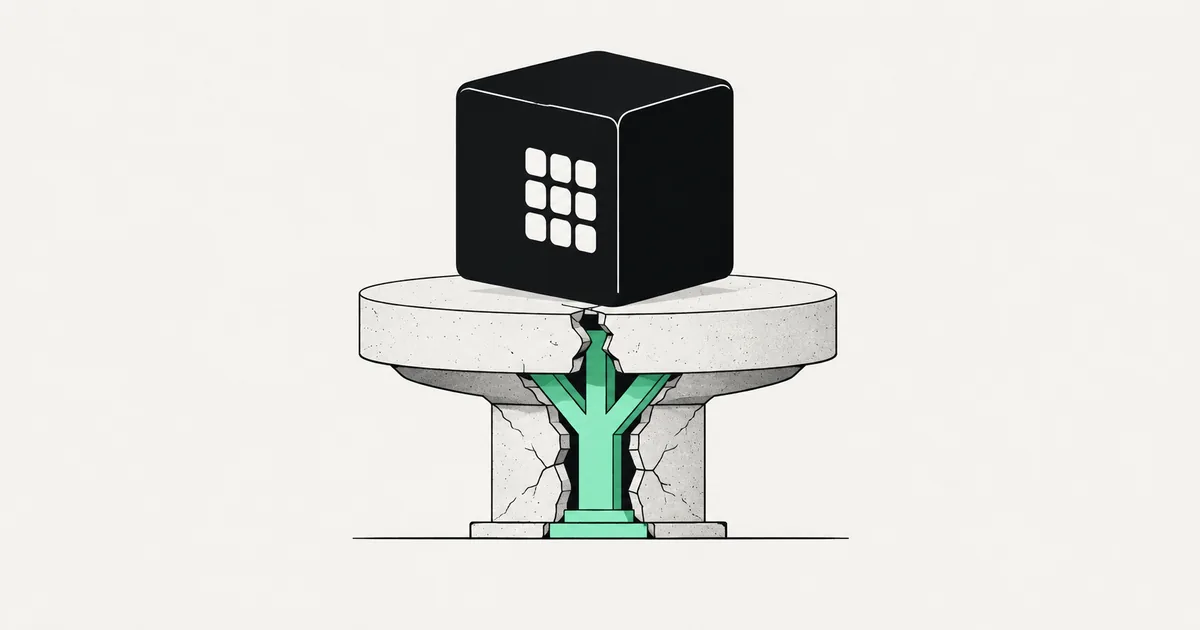
Nobody calls an agency when their AI-built app is working. They call at the point where something broke in a way they cannot explain, usually on the same week traffic finally showed up.
What is striking after enough of these calls is how few distinct failures there are. The apps are different, the builders are different, the founders are different, and the postmortem keeps landing on the same short list. Below are five patterns, anonymized, with the symptom the founder reported, what it turned out to be, and what fixed it.
If you recognize your app in one of them, the useful move is to check for the other four as well. They travel together.
The billing alert nobody set
Symptom: A weekend invoice from an LLM provider roughly forty times the previous month.
Cause: A public endpoint that called a model on every request, with no authentication, no rate limit, and no spend ceiling. It had run fine for months on a few dozen daily users. Then the app got linked in a newsletter and a scraper found the endpoint interesting.
Fix: Auth on the endpoint, a per-user quota, a hard spend cap at the provider, and caching of identical prompts. The caching alone cut steady-state cost by more than half, which is common — the same handful of prompts recur constantly. We have written the longer version of this in fixing an AI app that burns API credits.
The generalizable lesson: the AI wrote a working feature and nothing else. Limits are not a feature, so nobody asked for them.
The user who could see everyone
Symptom: A customer emailed support with a screenshot of another company's data, which is the worst possible way to learn about this.
Cause: The app had row-level security enabled on the table, which the founder had verified in the dashboard and reasonably believed meant it was on. The policy read "using true" — permitting every authenticated user to read every row. It had been generated to make the app work after a permissions error blocked the UI, and it did work, exactly as instructed.
Fix: Real policies per operation, tested with separate user tokens rather than in a SQL console that bypasses policies entirely. Then a full audit of every other table, because a pattern applied once is always applied more than once. The RLS mistakes we see in AI-generated Supabase apps covers the whole family.
This is the most damaging pattern in the list, and the most common. It is invisible in normal use because you test as one user, and one user sees exactly what they expect.
The launch that took down the database
Symptom: App fine at ten users, unusable at two hundred, with timeouts everywhere and no obvious slow query.
Cause: Two things at once, which is why it was confusing. The app opened a new database connection per request and never pooled, so a modest traffic spike exhausted the connection limit. Underneath that, a dashboard endpoint ran one query per row to fetch related records — fine on the fifty rows in development, fatal on the eleven thousand rows in production.
Fix: Connection pooling, a join replacing the loop, indexes on the columns actually used in filters, and a load test before the next launch. Total work: under a week. The founder had spent three weeks upgrading server sizes first, which is the usual detour — see why an app gets slow once real data arrives.
The double charge
Symptom: A small number of customers charged twice, discovered during a manual reconciliation weeks later.
Cause: The Stripe webhook handler had no signature verification and no idempotency handling. Stripe retries webhooks by design, and the handler treated every delivery as a new event, so a retry after a slow response created a second order and a second charge attempt.
Fix: Signature verification, an idempotency key stored per event ID, and a reconciliation job comparing the provider's records against the app's own. Payment code is the area where AI-generated apps most reliably produce something that passes a test-mode demo and fails against real money — Stripe integrations that work in test and fail live is the deeper look.
The migration that ate a column
Symptom: A field went blank across all records after a routine deploy.
Cause: No migration system. Schema changes were made by asking the AI to update the schema, which generated a statement that dropped and recreated a column rather than renaming it. There was no review step because there was no diff to review — the change happened in a chat window, not a file.
Fix: Restore from a backup that existed by luck rather than design, then introduce actual migrations with checked-in files, a staging environment that runs them first, and automated backups verified by a test restore. Recovering from a bad migration without a verified backup is a matter of luck, and luck is not a recovery plan.
The pattern behind all five
| Failure | First symptom | Underlying gap |
|---|---|---|
| Runaway API bill | Surprise invoice | No limits on anything |
| Cross-tenant data exposure | Customer sees other data | Authorization never tested adversarially |
| Collapse under load | Slow, then timeouts | No pooling, N+1 queries, no indexes |
| Duplicate charges | Reconciliation mismatch | No idempotency, no webhook verification |
| Data loss on deploy | Blank field | No migrations, no staging, no verified backup |
Not one of these is a bug in the generated code. Every one of them is a missing engineering practice — limits, adversarial testing, load behavior, idempotency, change control. AI writes features. Those five things are not features, so they do not get written unless someone asks, and you only know to ask if you already knew.
That is the real gap between an app that demos and an app that operates. It is also why the work to close it is bounded and predictable: it is the same list every time. A production readiness checklist is just that list, written out.
Frequently asked questions
How do I know which of these my app has before it breaks? Check in this order, because it matches the damage: call one API endpoint directly with a different user's object ID, look for a spend cap on every metered service, confirm your payment webhook verifies signatures, and try restoring your most recent backup. An afternoon of that finds most of what a full audit would flag in the top tier of severity.
Are these unique to vibe-coded apps? No — human teams have shipped all five. The difference is that a team building over months usually hits a smaller version of each along the way and fixes it. An app built in a week reaches production with all of them intact and no scar tissue.
We are already live and something above is describing us. What first? Stop the bleeding, then fix the cause. Rotate keys and set a spend cap the same hour if it is a cost incident; restrict access at the database if it is a data exposure. Stabilizing an AI-built app walks through triage order when several things are wrong at once.
If your app is doing one of the things described above right now, the pattern is known and so is the fix — this is not uncharted territory. SprintX does the triage, closes the specific gap that broke you, and checks the other four before they get their turn. Tell us what went wrong.
Engineering and operations
Once it’s live, we keep it healthy.
Monitoring, backups, security updates and a monthly health report you can read in ten minutes.
Keep reading.
More on engineering and operations
Engineering and operations · 13 Aug 2026 · 7 min read
Implementing Roles and Permissions Without Painting Yourself In
Most permission systems fail the first time a customer asks for something slightly unusual. Here is how to build one that bends instead of breaking.

Engineering and operations · 10 Aug 2026 · 6 min read
Refactoring AI-Generated Code Without Breaking It
AI-generated code fails in predictable patterns. Here is the sequence for cleaning it up that keeps the app working the entire time.

Engineering and operations · 1 Aug 2026 · 8 min read
The OWASP Top 10, Read Through AI-Generated Code
A category-by-category translation of the OWASP Top 10 into the specific things Lovable, Cursor, Bolt and friends leave in your codebase.