Taking Payments Safely in an AI-Built Product
How to take card payments in an AI-built product without inheriting PCI scope — plus the pricing, webhook, and script-integrity bugs generators reliably produce.
 SprintX Team7 min read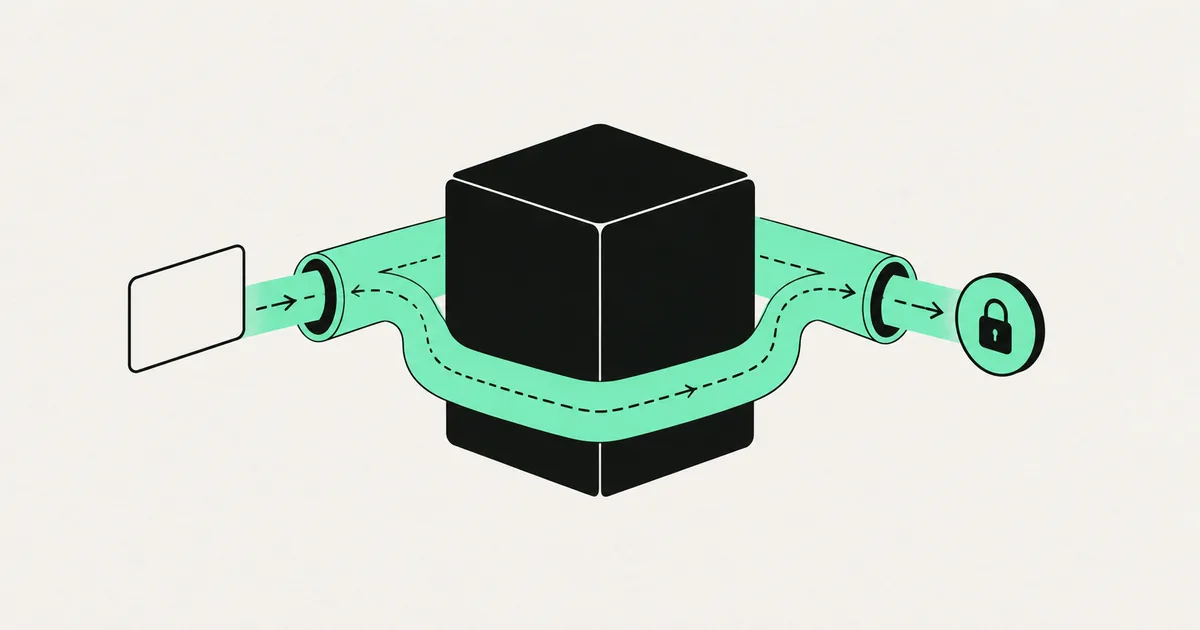
The rule for payments in a small product is simple enough to fit on one line: never let a card number touch your servers. Do that and your PCI obligations shrink to a short annual self-assessment. Break it and you have signed up for a compliance program that will cost more than the feature ever earns.
AI code generators mostly get this right by accident, because the payment SDKs they were trained on push you toward hosted fields. What they get wrong is everything around the card capture — the pricing logic, the webhook, the state machine that decides whether someone has actually paid.
Those bugs are not PCI violations. They are worse in the short term, because they cost you money immediately and quietly.
Staying out of scope, and what puts you back in
Your PCI scope is determined by how card data reaches the processor. Three patterns, in descending order of how much you should want them:
Hosted checkout page. The customer is redirected to the processor's own page. Card data never enters your site. Lowest scope, fewest questions, least control over design.
Hosted fields embedded in your page. The processor's script renders the card input inside an iframe on your form; the browser sends the card directly to them and hands you back a token. This is Stripe Elements and its equivalents. Slightly more scope than redirect — your page hosts the script — but still the standard choice for most SaaS.
Your own form posting card data to your backend. Your servers now store, process, or transmit cardholder data. Full scope. Network segmentation, quarterly scans, a much longer assessment, and a genuine breach liability. Do not do this.
The things that quietly drag a small product back into scope are rarely the checkout itself:
- Someone building an admin screen that accepts a card over the phone and posts it to your API.
- A support workflow where customers email card details and the messages sit in a shared inbox and your ticket system.
- An AI-generated retry or "save card for later" feature that stores a PAN in your own database instead of using the processor's saved payment methods.
- Logging the request body on your checkout endpoint, capturing card data that was only meant to pass through.
That last one is a specialty of AI-written code. The generated exception handler logs everything, and now cardholder data is in your log platform, which is in scope, and probably in a third-party service with unlimited retention.
The scripts on your payment page are now a control
PCI DSS 4.0 added two requirements aimed squarely at digital skimming — attacks where a compromised third-party script quietly reads the card field. Requirement 6.4.3 says you must inventory and authorize every script on the payment page and ensure its integrity. Requirement 11.6.1 says you must detect unauthorized changes to the payment page's headers and content. Both became mandatory in early 2025, and they apply even to merchants using the lower-scope integrations.
This matters for AI-built sites specifically, because they tend to accumulate scripts. Analytics, session replay, chat widgets, tag managers, heatmaps, three abandoned experiments — each added in a prompt, none reviewed. On a checkout page, every one of those is a potential reader of the card field, which is the exact reason the requirement exists.
The practical response is not complicated. Keep the payment page minimal — no chat, no replay, no tag manager. Maintain a written list of the scripts that remain and why each is there. Add a Content Security Policy that restricts which origins can load scripts on that page. Pin third-party scripts with subresource integrity where the vendor supports it. Then monitor for change.
The payment bugs AI generators actually produce
| Bug | How it happens | Consequence |
|---|---|---|
| Price sent from the client | The generated endpoint accepts an amount in the request body | A user edits the request and pays one cent |
| Unverified webhooks | Handler parses the payload without checking the signature | Anyone can forge a "payment succeeded" event |
| Access granted before payment settles | Success measured at redirect, not at webhook | Free accounts from abandoned checkouts |
| No idempotency | Retries create duplicate charges or duplicate rows | Double billing and reconciliation pain |
| Subscription state kept only locally | Cancellations and failures at the processor never sync | Users keep access after they stop paying |
| No authorization on refund or plan-change routes | Route exists, ownership check does not | A user refunds another user's order |
The first two are the ones we find most often, and both come from the same root cause: the model wrote the happy path that the tutorial in its training data described, and the tutorial assumed a trustworthy client.
Prices must be computed server-side. The client sends a product or plan identifier. Your server looks up the price, applies discounts it validates itself, and creates the payment intent. Never accept an amount from the browser. If you already do, this is a same-day fix and should be one.
Webhooks must be signature-verified. Every major processor signs its webhook payloads with a shared secret. Verify before you parse, reject on failure, and log rejections. An unverified webhook endpoint is a public API for granting yourself a subscription.
Payment success comes from the webhook, not the redirect. The browser returning to your success URL means the browser returned to your success URL. Provision access when the processor tells your server the payment settled, and design for the webhook arriving before, after, or twice. The implementation details are in adding Stripe to a SaaS.
Make handlers idempotent. Key on the event ID, record what you have already processed, and make replaying an event a no-op. Processors retry deliberately; a handler that grants credits every time it runs will eventually grant them twice.
Which self-assessment you owe
Small merchants attest with a Self-Assessment Questionnaire, and the one you complete depends on your integration:
- SAQ A — all card capture is fully outsourced to the processor's hosted page or iframe. The shortest form, and where you want to be.
- SAQ A-EP — your site does not receive card data but does control elements of the payment page in a way that could affect it. Substantially longer.
- SAQ D — anything where your systems store, process, or transmit card data. Long, expensive, and requires scanning and testing programs.
Your acquirer or processor tells you which applies and what evidence they want; transaction volume determines whether a self-assessment suffices or a qualified assessor is required. The honest work is not filling in the form — it is making the SAQ A answer true, which means keeping card data out of your systems entirely and keeping your payment page clean.
The same discipline pays off elsewhere. Payment questions appear in almost every buyer review, and a clean "we never handle card data, here is our integration and our SAQ" answer closes a whole section of an enterprise security questionnaire in one paragraph.
Before you turn on live payments
A short pre-launch pass, in the order that finds the most:
Try to pay a different amount than the one displayed. Send an unsigned webhook to your handler and confirm it is rejected. Complete a checkout, close the browser before the redirect, and verify access still provisions. Replay the same webhook event twice and confirm nothing doubles. Call the refund and plan-change endpoints as a user who does not own the resource. Search your logs for anything resembling card data. Load the checkout page and list every script it pulls.
Seven checks, an hour of work, and they cover the failures that account for most payment incidents in AI-built products. If several of them fail, treat it as a signal about the rest of the codebase rather than an isolated problem — the same missing server-side validation shows up in AI-generated authorization, and the broader cleanup is covered in fixing AI-generated code.
Frequently asked questions
Does using Stripe make me PCI compliant automatically? No, but it makes compliance achievable with a short self-assessment. Using a hosted field or hosted checkout keeps card data out of your systems, which is what puts you in the smallest SAQ category. You are still responsible for completing the assessment, keeping the payment page free of unreviewed scripts, and not accidentally handling card data elsewhere — like a phone-order admin screen or a logged request body.
Can I store card numbers if I encrypt them? Technically the standard permits it under strict conditions, and practically you should not. Storing PANs puts you in full scope with network segmentation, scanning, and testing obligations that dwarf the cost of the alternative. Use your processor's saved payment methods and store their token instead, which gives you repeat charges without the data.
What is the most common payment bug in AI-generated code? Trusting the client. Either the amount is taken from the request body instead of computed on the server, or access is granted when the browser hits the success URL instead of when a signature-verified webhook confirms settlement. Both are exploitable by anyone with browser dev tools, and both are quick to fix once you look.
If your product takes money and the payment flow was generated rather than designed, the failure will be silent until reconciliation. SprintX reviews and rebuilds billing paths in AI-built apps — server-side pricing, verified webhooks, clean scope. Send us your checkout flow for a review.
Security and compliance
Models you own.
When data can’t go to a public AI service, we deploy and train models that run in your environment.
Keep reading.
More on security and compliance
Security and compliance · 3 Aug 2026 · 7 min read
Can an AI-Generated App Be HIPAA Compliant?
Yes, an app built with AI tooling can be HIPAA compliant — but only after you fix the BAA gaps, PHI leakage into third-party tools, and missing audit trail.

Security and compliance · 2 Aug 2026 · 7 min read
SOC 2 When an AI Wrote Your Code
SOC 2 audits controls, not code quality — but AI-built products systematically fail the control tests. Here is which ones, what it costs, and how to close the gaps.
Security and compliance · 2 Aug 2026 · 7 min read
GDPR Obligations Your AI-Built App Probably Missed
The GDPR requirements AI code generators never implement — real deletion, lawful basis, subprocessor disclosure, retention, and breach readiness — and how to close them.